How to Manage Social Media in One Hour a Week
How to manage social media in one hour a week: batch your posts in one session, pick a pace you can keep, and schedule each network's posts ahead of time.
 By Kreatoai
To manage social media in one hour a week, stop posting whenever you think of it and hold one fixed weekly session instead: prepare the week's posts in a batch, schedule them, then spend fifteen minutes reviewing last week. Every network lets you schedule ahead, so the posts go out on their own while you get on with your work. This guide was checked against Meta, LinkedIn and TikTok help pages on October 30, 2026.
In this guide:
- the one-hour session, in three parts;
- how to batch your posts (content batching), step by step;
- a weekly pace per network that you can actually keep;
- how far ahead each network lets you schedule, with the official numbers;
- the step-by-step routine for organizing Instagram posts;
- who does what when you manage social media for a business;
- how to hand the preparation to ChatGPT or Claude.
One session, three parts: prepare, schedule, review
Good social media management fits in one session a week, about an hour long, split into three parts: prepare, schedule, review. For the rest of the week, you no longer post by hand. You only answer messages and comments.
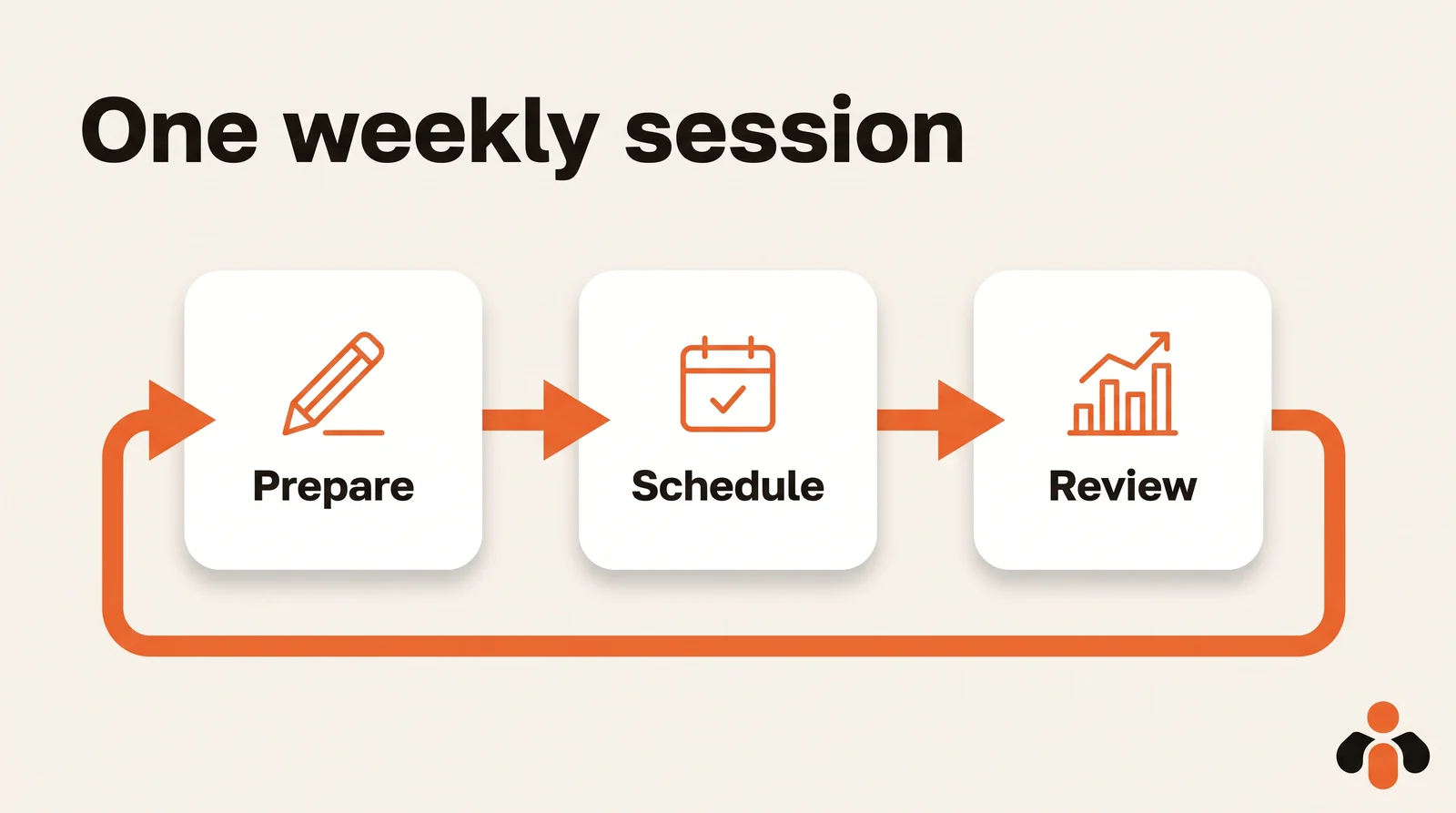
Prepare takes most of the hour: you choose the topics, write the captions and gather the photos or videos. Schedule takes ten minutes: each post gets its date and time. Review takes a quarter of an hour: you open last week's analytics, note what got a reaction and carry it into the next session.
Why one session instead of ten minutes every day? Because the cost of a post is not the writing, it is getting back into it. Writing five captions in a row goes faster than writing one a day: you stay in the same frame of mind, with the same topics in your head. Book the session at a fixed time, Monday morning for example, and treat it like a meeting.
Keep the review short and concrete. For each post of the past week, look only at the reactions that matter to you: comments, saves, shares, messages received. On Instagram, insights cover any time period within the past 90 days, by account or by post, and you need a public account to see them. Then write one line in your calendar: what worked, and what you will do again. Next Monday, that line is the first thing you read before choosing your topics. After a month, you have four lines that tell you more about your audience than any generic chart.
How to batch your posts: content batching in four steps
Batch content creation, also called content batching, means producing all the posts for a period in one go instead of creating one each day. It is the method that makes one hour a week realistic.
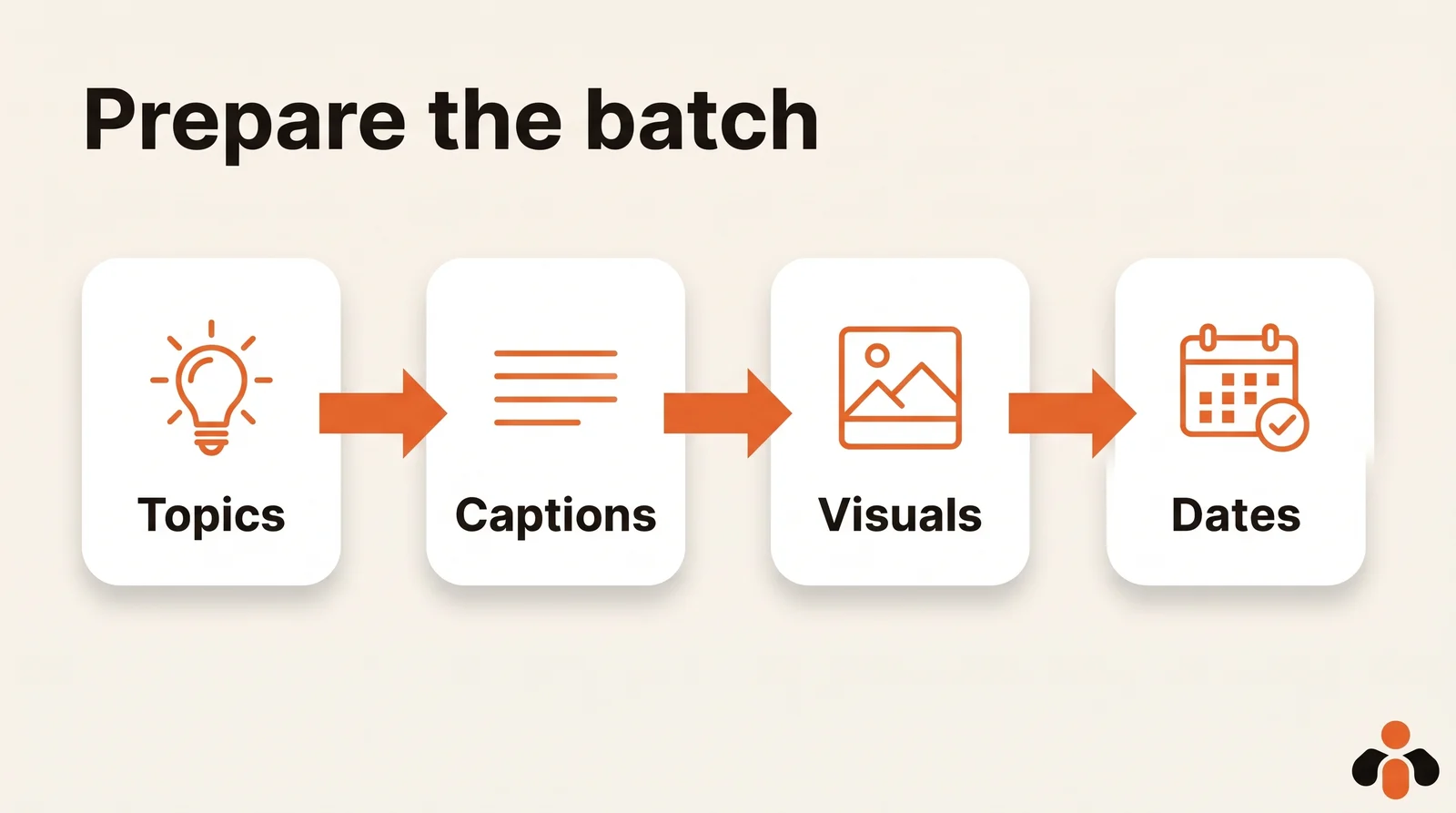
To batch your Instagram content, or any network's, always move in the same order:
- Topics. Five ideas, no more. Start from what your customers asked you this week, something new, or a behind-the-scenes moment. If you run dry, see our 20 Instagram post ideas sorted by goal.
- Captions. Write all five in one stretch, without editing. Editing happens once, at the end.
- Visuals. Shoot or film everything at once, in the same place and the same light. An Instagram or TikTok post needs a visual; on Facebook and LinkedIn, text alone works.
- Dates. Place the posts in a calendar before scheduling them. That is exactly what a social media content calendar template is for.
For LinkedIn, add one step: a post you prepare in advance is better written in two passes. Write it during the session, reread it the next day, then schedule it. A text reread with fresh eyes takes two minutes to fix.
Keep a reserve too: three backup posts that depend on no news (a tip, an answer to a common question, a behind-the-scenes shot). They cover a week when the session gets skipped.
One more habit saves time: adapt instead of rewriting. One idea becomes a carousel on Instagram, a longer text on LinkedIn, three lines and a photo on Facebook. Only change what matters: length, tone and the first sentence. If you post a video, the same video can go to Instagram, TikTok and YouTube Shorts without being remade; only the caption changes.
Finally, note in your calendar what must be done by hand: a story with a poll, a reply to a comment, a last-minute announcement. Anything predictable gets scheduled; the unexpected stays with you, and the weekly session frees up time for exactly that.
A weekly pace per network that you can keep
No network sets a required number of posts per week, and the figures you read here and there are habits, not rules. The right pace is the one you can hold for months: two posts a week for a year beat five a week for one month.
Start from your hour. A post takes roughly ten minutes with its visual, so one hour of preparation covers four or five posts, not more. Spread them according to where your audience is:
| Network | Example of a pace you can keep | Why |
|---|---|---|
| 2 posts a week, plus stories | The visual takes longest to prepare | |
| Facebook Page | 1 to 2 posts a week | A short text with a photo is enough |
| 1 post a week | One good text beats three short ones | |
| TikTok | 1 video a week | Filmed during the same session |
This table is a starting point to adjust, not a rule from any network. If Instagram is your only channel, put the whole hour there. To decide when each post should go out, read the best time to post on Instagram: the answer comes from your own analytics.
How far ahead each network lets you schedule
Scheduling means giving a post a date and time so it goes out on its own. Every network allows it, but with different limits, and it pays to know them before you fill a month.
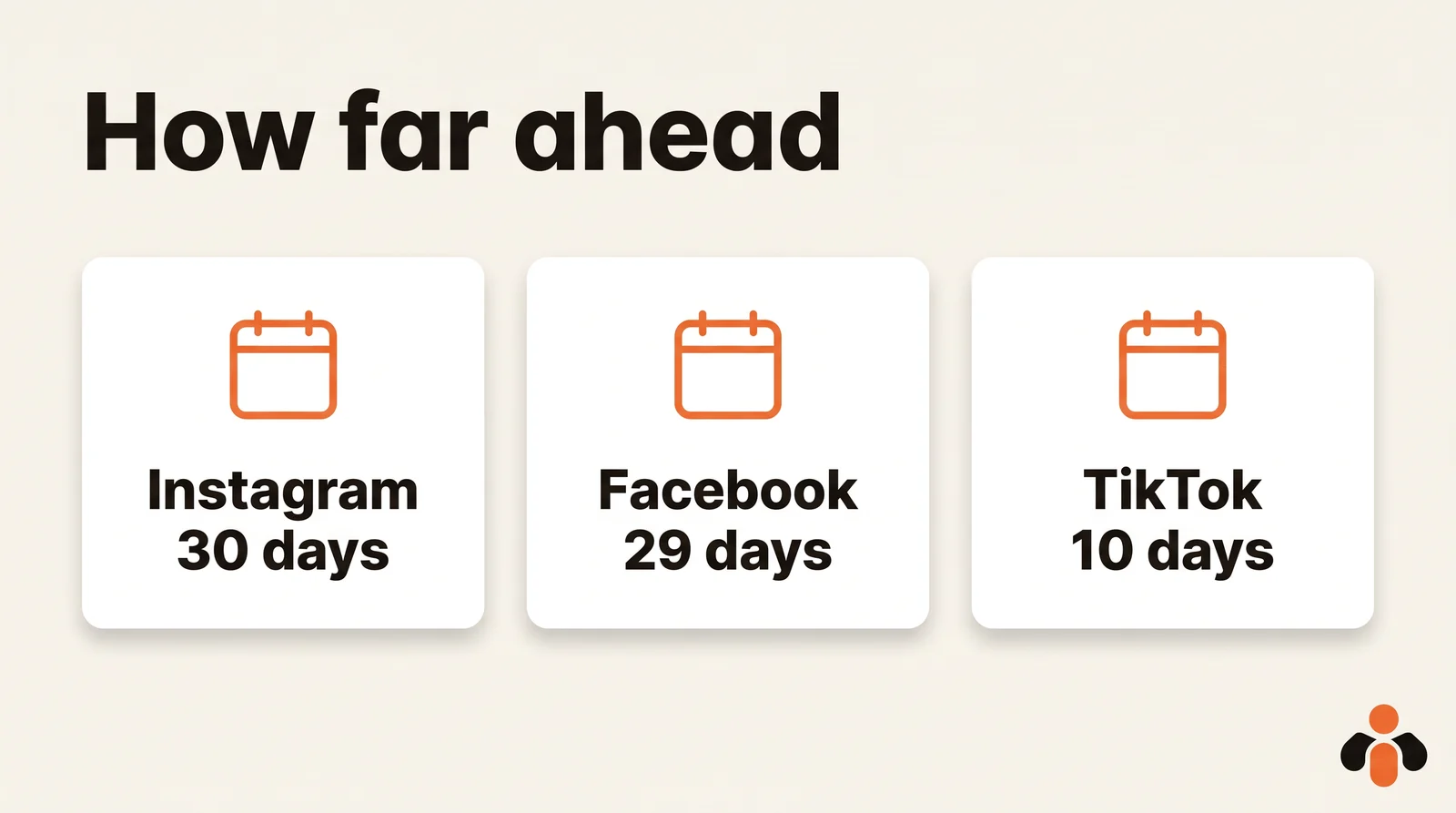
| Network | How far ahead (as of October 30, 2026) | Source |
|---|---|---|
| 30 days, up to 25 posts a day | Meta Business Help Center | |
| Facebook Page | 20 minutes to 29 days | Facebook Help Center |
| 10 minutes to 3 months | LinkedIn Help | |
| TikTok (desktop) | 15 minutes to 10 days | TikTok Support |
Three practical consequences. First, with a 10-day window on TikTok, a weekly session is the right rhythm: scheduling a whole month at once is not possible there. Second, Instagram lets you schedule from the app as long as the account is public, and Meta Business Suite schedules both Facebook and Instagram from a computer. Third, TikTok's desktop scheduling is limited to Business accounts or accounts with 10,000 followers or more, and a scheduled TikTok cannot be edited, only deleted.
Each network has its own tool and rules. For the details, see how to schedule Instagram posts, how to schedule Facebook posts, how to schedule LinkedIn posts and how to schedule TikTok posts.
How to organize Instagram posts: the routine step by step
To organize your Instagram posts, you have two routes: the app, or Meta Business Suite on a computer. Here is the full session in the app, based on Meta's help page:
- Tap Create in the top left, then Post or Reel.
- Select a photo or video, then tap Next.
- Add a caption, then tap More options.
- Turn on Schedule this post (or Schedule this reel) and choose a date and time.
- Tap Done, then Back, then Schedule.
To find what is planned, go to your profile, tap Menu, and below Your insights and tools tap Scheduled content. From there you can Delete, Edit post, Reschedule or Share now. One limit: product tagging, collaborative posts, sponsored posts and fundraisers are not compatible with scheduled content.
On a computer, Meta Business Suite has an Active times option under Scheduling options: it recommends times based on when your followers were most active on Facebook and Instagram over the past 7 days. It is a good starting point, to confirm against several weeks of your own data. Our guide to scheduling posts in Meta Business Suite walks through it.
Managing social media for a business: who does what
Social media for a business rarely fails for lack of ideas. It fails because nobody owns it: everyone posts when they have a minute, or nobody posts at all. The weekly session fixes this if you split three roles, even when one person holds all of them.
- The one who prepares writes the captions and gathers the visuals during the session.
- The one who approves rereads the posts the day before, especially anything with a price, a date or a promise.
- The one who answers watches messages and comments during the week.
Take a real estate agent. During the week, she films two short property tours on her phone and snaps a photo at a signing. On Monday, in her session, she writes four posts: a new listing, a tour, a buyer's frequent question with its answer, and the signing. She schedules them on Instagram, her Facebook Page and LinkedIn. For the rest of the week, she only answers messages. Managing social media for a brand is mostly that: a batch built from what already happens.
An online course creator does the same with lesson clips and student questions; an agency does it once per client, each with its own row in the calendar. To go further, see the real limits of auto-posting to multiple social networks.
Preparing and scheduling the batch from a chat
The preparation hour can shrink further if an AI writes the first draft and schedules the batch. You give it your five topics and the tone; it suggests the captions and dates; you correct; it schedules. What you need is a connector between the AI and your accounts, because ChatGPT and Claude on their own write but do not publish.
Kreatoai is that connector. From ChatGPT or Claude, you ask for a week or a month of posts: the AI suggests the topics, writes the captions and dates, then, after your approval, schedules them on Instagram, Facebook Pages, TikTok, personal LinkedIn profiles, YouTube Shorts, Bluesky and Google Business profiles. One post can go to several networks and accounts at once, which is what "manage social media accounts in one place" means in practice. Posts can be edited or canceled as long as they have not gone out, and the dashboard shows them as a list or a calendar.
Keep control of two things: the visuals are yours (you provide them, by their online link), and the time stays your decision. Always reread before you approve. You can see the setup in ChatGPT or in Claude, read the overview, or create an account.
Key takeaways
- One fixed weekly session of about an hour, in three parts (prepare, schedule, review), replaces day-to-day posting.
- Content batching prepares topics, captions, visuals and then dates in that order, and keeps three backup posts in reserve.
- The right pace is the one you keep: one hour covers four or five posts, spread across your networks. No network imposes a weekly number.
- Instagram schedules up to 30 days ahead, a Facebook Page up to 29 days, LinkedIn up to 3 months and TikTok up to 10 days: a weekly session works for all of them.
- In a business, split three roles: who prepares, who approves, who answers.
- An AI connected to your accounts can write and schedule the batch, as long as you approve it first.
Frequently asked questions
- What does batch content mean?
- Batch content, or content batching, means preparing several posts in one sitting instead of writing one every day. You block a time slot, write the captions and prepare the visuals for the week, then schedule everything. For the rest of the week, the only work left is replying to messages and comments.
- How do I manage social media accounts for a business?
- Set one fixed weekly session of about an hour, split into three parts: prepare the posts, schedule them, and review last week's results. Assign three roles, even if one person holds them all: who prepares, who approves anything with a price, date or promise, and who answers messages during the week.
- How do I prepare a LinkedIn post in advance?
- Write it during your weekly session, reread it the next day with fresh eyes, then schedule it. LinkedIn's help center says you can schedule a post between 10 minutes and 3 months from the current time. Keep three or four ready posts in a document so a busy week does not leave your profile silent.
- Can I schedule TikTok posts from a computer?
- Yes, with conditions. TikTok's support page says desktop scheduling is open to Business accounts or accounts with 10,000 followers or more, from 15 minutes to 10 days in advance. It is not available on TikTok Mobile Web, and a scheduled post cannot be edited, only deleted.
- Can I schedule Instagram posts without a professional account?
- Yes. Meta's Business Help Center says that if you have a public Instagram account, you can schedule reels, photos and carousel posts from the Instagram app, up to 25 posts a day and up to 30 days in advance. Product tagging, collaborative posts, sponsored posts and fundraisers are not compatible with scheduled content.
- Can I manage social media with AI like ChatGPT or Claude?
- Yes, with a connector. On their own, ChatGPT and Claude write posts but cannot publish them. Kreatoai lets you ask ChatGPT or Claude to prepare a week of posts, then schedule them on Instagram, Facebook Pages, TikTok, LinkedIn, YouTube, Bluesky and Google Business profiles after your approval. Scheduled posts can be edited or canceled until they go out.
Have it done for you
Kreatoai publishes and schedules your posts on all your networks, from your dashboard or by asking ChatGPT and Claude, and its agent answers your direct messages. Ten free posts every month, no credit card.
Try it free