Posting the Same Video on TikTok, Instagram and YouTube
Post the same video on TikTok, Instagram Reels and YouTube Shorts: the formats, lengths and caption limits of each, and one export that fits all three.
 By Kreatoai
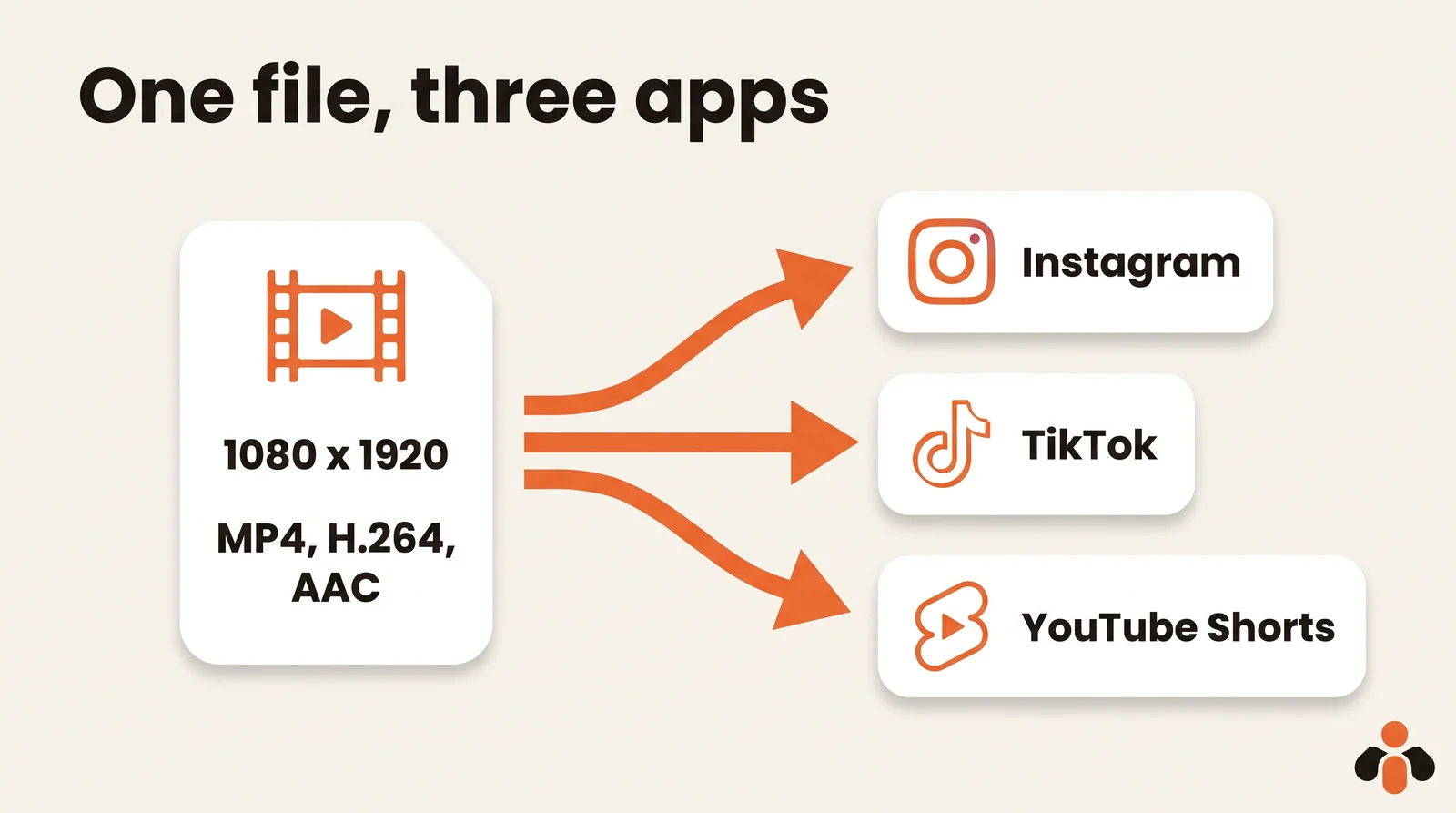
Yes, you can post the same video on TikTok, Instagram Reels and YouTube Shorts. One vertical export (9:16, 1080 by 1920 pixels, MP4 with H.264 video and AAC audio, under three minutes) fits what all three platforms document. What changes from one network to the next is the caption, the title and the time you post, not the file. Every limit below was checked on the platforms' official pages on October 30, 2026.
In this guide:
- the one format that passes everywhere, with each platform's official specs;
- the length that keeps your video a Short and postable for every TikTok account;
- what really changes per network: caption, title and timing;
- the watermark mistake, and what Instagram's originality rules actually say;
- a three-minute routine to publish one video on three networks.
One format, decided once
Start with the shape. Instagram recommends 9:16 to avoid cropping or blank space for reels, YouTube counts a video as a Short when it has a square or vertical aspect ratio, and a wide 16:9 video stays long-form. Vertical is the only shape that fills a phone screen on all three.
Then the file. Here is what each platform documents:
| Spec | Instagram Reels | TikTok | YouTube Shorts |
|---|---|---|---|
| Shape | Between 1.91:1 and 9:16, 9:16 recommended | Any, 360 to 4,096 pixels per side | Square or vertical |
| Container | MOV or MP4 | MP4 recommended, WebM, MOV | Not specified |
| Video codec | H.264 or HEVC | H.264 recommended, H.265, VP8, VP9 | Not specified |
| Frame rate | At least 30 FPS in the app; 23 to 60 FPS through the API | 23 to 60 FPS | Not specified |
| Length | 3 seconds to 15 minutes through the API | Up to 60 minutes uploaded in the app | Up to 3 minutes |
Sources: Instagram's reel size page and API media reference, TikTok's media transfer guide and camera tools page, YouTube's Shorts length page.
The common ground is clear: MP4, H.264 video, AAC audio, 30 frames per second, 1080 by 1920 pixels. Instagram's API asks for AAC audio at 48 kHz maximum and accepts up to 300 MB for a reel, so keep the export reasonable. Instagram's help also says reels need a minimum resolution of 720 pixels; 1080 gives you margin.
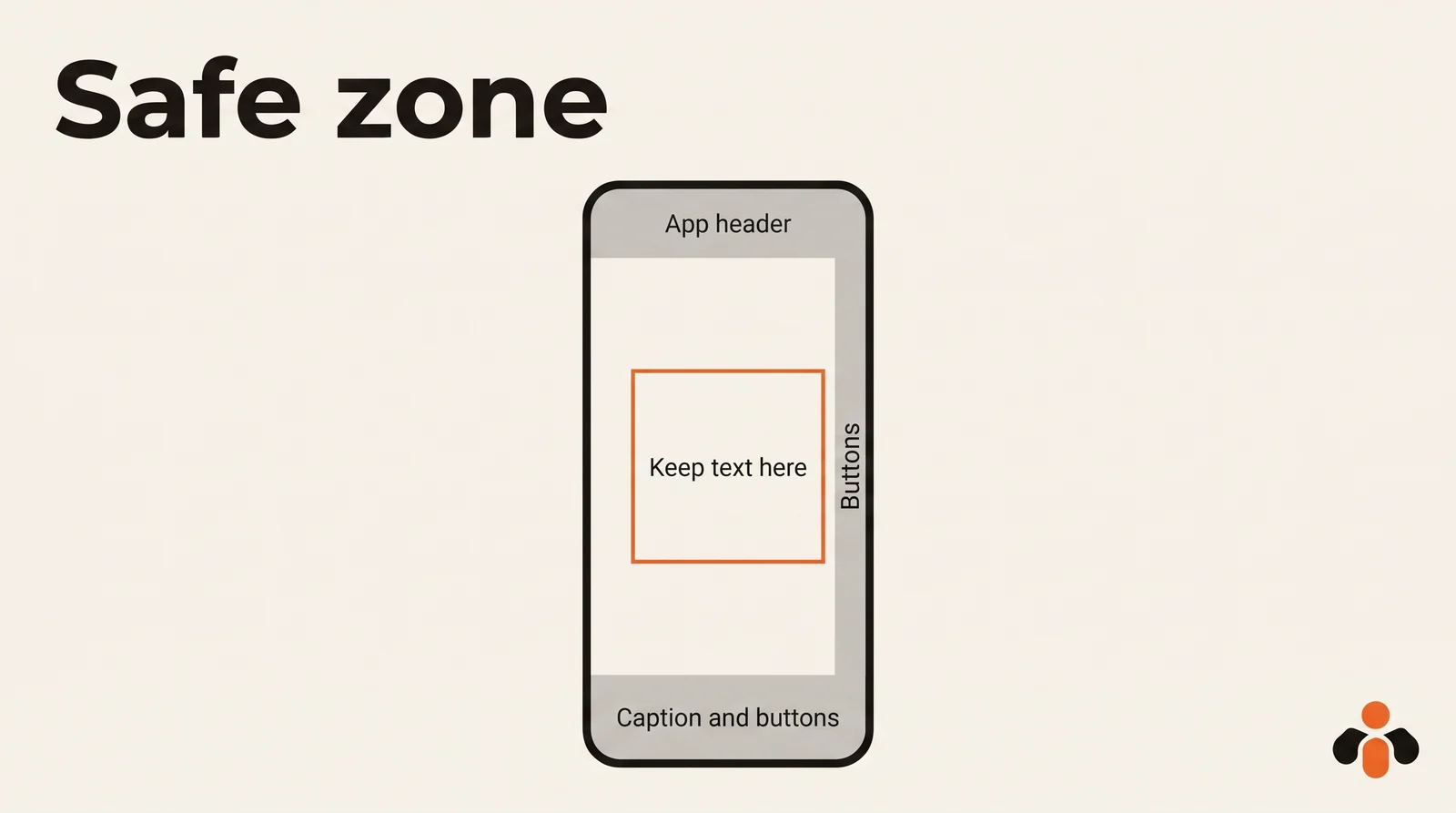
One habit makes the shared file work: keep important text away from the edges. Each app lays its own buttons, username and caption over the bottom and the right side of the video, and a header at the top. None of the three publishes a single official safe zone for organic posts, so check your first frames in each app's preview before you post. Text and faces in the center are never covered.
Length decides how the video is distributed
Length is not just a content choice. On YouTube it decides the format: Shorts can be up to three minutes, and anything longer, or wider than vertical or square, is a regular video, shown in other places. Many articles still say 60 seconds; that rule changed.
One detail matters if you use music or clips you don't own: YouTube says a Short longer than one minute with an active Content ID claim is blocked globally. If your video uses a licensed track, staying under a minute avoids that risk.
On TikTok, the app is generous: videos you upload can be up to 60 minutes long. Through the posting API that scheduling tools use, the floor is lower: all TikTok creators can post 3-minute videos, while some have access to 5-minute or 10-minute videos.
So the practical answer: under three minutes, your video stays a Short, works for every TikTok account and is well within Instagram's limits. If you only make one version, aim shorter still. A short video with one clear point is easier to watch to the end, on every network.
Captions: burned in, short, in the middle third
A video that makes sense with the sound off works for everyone who watches muted, on all three apps. Three rules are enough:
- Burn the captions into the image, rather than relying only on each app's automatic captions, so the same file reads the same way everywhere.
- One or two lines at a time, never a paragraph.
- Place them in the lower middle of the frame, above the zone where each app puts its caption and buttons.
What should change from one network to the next
The file stays the same. Three things change.
The text. Each platform has its own limits:
| Network | Text field | Limit |
|---|---|---|
| Caption | 2,200 characters through the API; up to 5 hashtags per post in the app | |
| TikTok | Caption | 2,200 UTF-16 runes through the API |
| YouTube | Title, then description | Title 100 characters, description 5,000 bytes |
On TikTok, a short caption with a few precise keywords. On Instagram, a line that makes people want to watch and a clear call to action, with five hashtags at most. On YouTube, the title is its own field: write it like a search query, since YouTube's help suggests identifying one or two main words that describe your video and featuring them in both your title and description.
The time. Audiences differ by network. Posting at the same minute everywhere is the surest way to never learn what works where. Meta Business Suite, for instance, suggests Active times based on when followers were most active over the past 7 days; our guide to the best time to post on Instagram shows how to read those numbers.
The cover. Instagram recommends a cover of 420 by 654 pixels (1:1.55) and you can't edit it after upload, so pick it before you post.
The watermark mistake that costs the most
Here is the habit to avoid: post on TikTok, save the video from the app, then upload that saved copy to Instagram and YouTube. A saved copy can carry the other app's logo and an extra round of compression.
Instagram's rules explain why that is a bad idea. Its recommendations avoid unoriginal content that is largely repurposed from another source with only minor, immaterial edits, and its originality page states that simply stitching together clips or adding a watermark does not qualify as materially edited content. The same page says original content gets the best reach and distribution.
Your own video is original on every network. The simple rule: keep the file that comes out of your editor, and upload that one everywhere. Never repost from platform to platform.
The three-minute routine
- One export: 9:16, 1080 by 1920, MP4 H.264 with AAC audio, under three minutes, captions burned in.
- Three texts written ahead: a TikTok caption, an Instagram caption with five hashtags at most, a YouTube title and description.
- Three posting times, one per network, noted in your content calendar.
- One check after a week: in each app's analytics, look at how much of the video people watched, not just the likes.
Take a coach who records a 70-second tip. The same file goes to TikTok at 7:30 with a two-line caption, to Instagram at 12:00 with a hook and four hashtags, and to YouTube as a Short at 18:00 with the title "How to answer a price objection in one sentence". Three posts, one export, no rework.
Publishing one video to three networks in one go
Kreatoai runs that routine from a single place. You provide the video once and it publishes to TikTok, Instagram and YouTube Shorts (and also to Facebook Pages, personal LinkedIn profiles, Bluesky and Google Business profiles), right away or at the time you choose, with a calendar. The same post can go to several networks and accounts at once, or you create one post per network with its own text and time. A scheduled post can be edited or canceled as long as it has not gone out. Kreatoai does not make videos: it publishes the ones you edit elsewhere.
You can also ask ChatGPT or Claude, with no code: "publish this video on TikTok, Instagram and YouTube tomorrow at 6 pm", with the video's online address. See how it works in ChatGPT or in Claude, read the overview, or create an account. If you also want to automate posting across networks from your own tools, our guide to API limits per network covers what each platform allows.
Key takeaways
- One file for all three: 9:16, 1080 by 1920, MP4, H.264 video, AAC audio, 30 FPS.
- YouTube Shorts can run up to three minutes if vertical or square; under one minute if the video carries claimed music.
- Under three minutes, the video also works for every TikTok account through the posting API.
- Burned-in captions in the middle of the frame read the same way on every app.
- Only the text, the cover and the posting time change from one network to the next.
- Never repost a copy saved from another app: upload the original export everywhere.
Frequently asked questions
- Can I post the same video on TikTok, Instagram and YouTube Shorts?
- Yes. A vertical MP4 with H.264 video and AAC audio, under three minutes, fits the formats documented by all three platforms. Upload the original file from your editor to each app instead of a copy downloaded from another app, and adapt the caption to each network.
- Is it bad to post the same video on TikTok and Instagram?
- Instagram's help center encourages original content and says recommendations avoid content largely repurposed from another source. A video you made yourself is original wherever you post it. What hurts is a re-upload that only adds a watermark or a border: Instagram says that does not count as a material edit.
- What video format works for Reels, TikTok and Shorts at once?
- Vertical 9:16 at 1080 by 1920 pixels, MP4, H.264 video, AAC audio, 30 frames per second. Instagram recommends 9:16 to avoid cropping, YouTube counts square or vertical videos as Shorts, and TikTok's developer documentation recommends MP4 and H.264.
- How long can a YouTube Short be?
- Up to three minutes, with a square or vertical aspect ratio, according to YouTube's help center as of October 30, 2026. A wide 16:9 video stays a regular long-form video. A Short longer than one minute with an active Content ID claim is blocked globally.
- How long can a TikTok video be?
- TikTok's support page says videos recorded in the app can be up to 10 minutes and uploaded videos up to 60 minutes. Through TikTok's posting API, all creators can post 3-minute videos and some have access to 5 or 10 minutes.
- How do I post to TikTok, Instagram and YouTube at the same time?
- Either upload the same file in each app one after the other, or use a scheduling tool that publishes one video to several networks in one action. Kreatoai, for example, publishes a video you provide to TikTok, Instagram and YouTube Shorts at once or at the time you choose, from its calendar or from ChatGPT and Claude.
Have it done for you
Kreatoai publishes and schedules your posts on all your networks, from your dashboard or by asking ChatGPT and Claude, and its agent answers your direct messages. Ten free posts every month, no credit card.
Try it free