Auto Post to Multiple Social Media: The Real API Limits
Auto post to multiple social media platforms: what each official API allows, the 24-hour posting caps, the reviews to pass and how to plan around them.
 By Kreatoai
You can auto post to multiple social media platforms, but each network sets its own rules through its official API: which accounts can post, how many posts per 24 hours, and whether your app must pass a review before anyone sees the result. Most failures come from those rules, not from your code. Every limit below was read on the platforms' developer documentation on October 30, 2026.
In this guide:
- what each official API actually accepts, network by network;
- the 24-hour posting caps, and which ones reset at a fixed time;
- the reviews that decide whether your posts are public or private;
- what changes when you go through n8n, Make or Zapier;
- how to read the remaining quota before you send, and plan a week that holds.
What each official API allows, network by network
An API is the door a platform opens to outside software so it can act on your behalf. Every network puts its own conditions on that door, and the rule that blocks people most often is not the quota. It is the account type and the content type the API accepts.
| Network | What the API accepts | What it refuses |
|---|---|---|
| Professional accounts (business or creator) | Personal accounts, images in formats other than JPEG | |
| Pages | Personal profiles are not covered by the posting guide | |
| Member profiles with one permission, company pages with another | A future publish time | |
| TikTok | Videos posted account by account, 6 init requests per minute | Public posts from an unaudited app |
| YouTube | Video uploads counted in their own daily bucket | Uploads beyond the project's daily calls |
| Threads | Text posts up to 500 characters | Longer text |
| X | Posts created per authenticated user | Free use: every post is billed |
Instagram. Meta's overview says app users must have an Instagram professional account, which can represent a business or a creator. Whether you need a Facebook Page depends on the login your app uses: the Instagram Login version serves professional accounts without requiring a linked Facebook Page, while the Facebook Login version requires the account to be connected to a Page. Publishing always takes two calls: create a media container, then publish it. Two more rules trip people up: JPEG is the only image format supported, and the media must be on a publicly accessible server at the time of the attempt.
Facebook. Meta's posting guide covers Pages only. To publish, an app needs a Page access token with the pages_manage_posts and pages_read_engagement permissions, and the user must be able to perform the CREATE_CONTENT, MANAGE and MODERATE tasks on the Page. The good news: Facebook schedules on its own side. With published set to false and a scheduled_publish_time, the publish date must be between 10 minutes and 30 days from the time of the API request. Some older articles say 75 days; the current guide says 30.
LinkedIn. The two cases are separate. Posting as a person needs w_member_social, and posting as a company page needs w_organization_social, for members who hold an administrator, content admin or sponsored content poster role on that page. There is no scheduling: PUBLISHED is the only lifecycleState accepted during creation. Your tool keeps the post and sends it at the right minute.
Threads and X. Threads caps the body at 500 characters for text posts. On X, posting costs money: the API uses pay-per-usage pricing, with $0.015 per post and $0.200 per post that contains a URL, as of October 30, 2026.
The 24-hour posting caps nobody puts up front
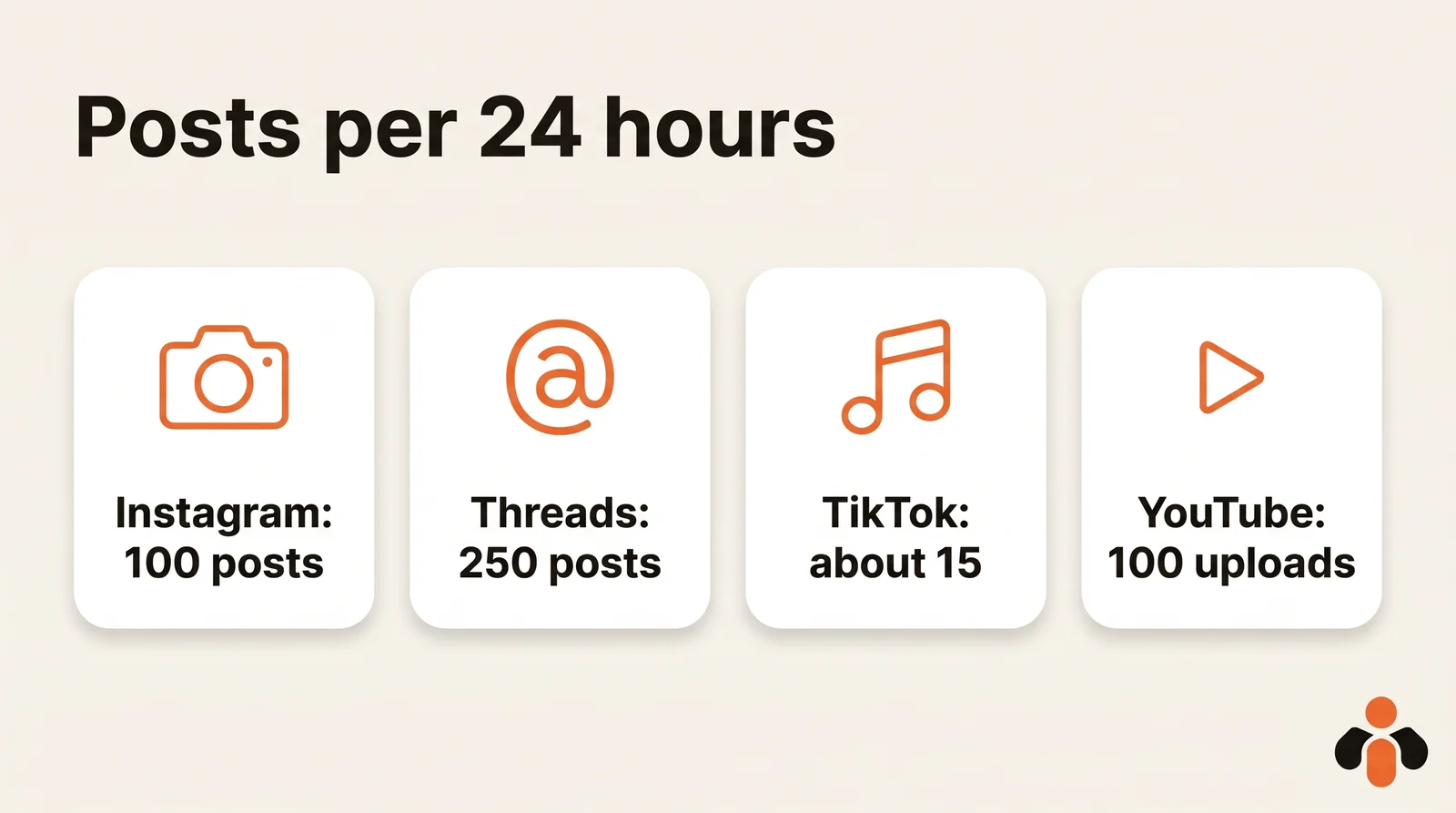
The caps are written down, just rarely highlighted. Keep one difference in mind: some networks count over a moving 24-hour window, others reset the counter at a fixed time.
| Network | Cap | How it counts |
|---|---|---|
| 100 posts per account | Moving 24-hour window | |
| Threads | 250 posts per profile, 1,000 replies | Moving 24-hour window |
| TikTok | About 15 posts per creator account | 24-hour window, shared across all apps |
| YouTube | 100 uploads per project (default) | Daily, resets at midnight Pacific Time |
| 300 write requests per day on Trial access | Daily, per app | |
| Not published | Daily, resets at midnight UTC |
On Instagram, accounts are limited to 100 API-published posts within a 24-hour moving period, and a carousel counts as one. Be aware that the carousel section of the same page says 50 published posts within a 24-hour period; Meta does not reconcile the two. Threads allows 250 API-published posts and 1,000 replies within a 24-hour moving period.
TikTok is the tightest. Its guidelines say the cap may vary among creators, typically around 15 posts per day per creator account, and is shared across all API clients using Direct Post. If another tool already posted for that account today, you have less room. On top of that, each user access token is limited to 6 requests per minute on the post initialization endpoint.
YouTube changed its model. Google's documentation now gives each project a default of 100 videos.insert calls per day, in their own quota bucket, at 1 unit per call, separate from 10,000 units per day for all other endpoints. Many guides still quote 1,600 units per upload and six videos a day: that is the old model. Note that the 100 calls are per project, so a tool that serves many users shares them.
Threads also budgets API calls by audience: calls within 24 hours equal 4,800 times the number of impressions, with a minimum of 10. A brand-new profile has very little room.
The reviews that decide whether anyone sees your post
This is the trap that wastes the most time. The code works, the request returns a success, and still nobody sees the post. Until your app passes the platform's review, some networks force your content to private.
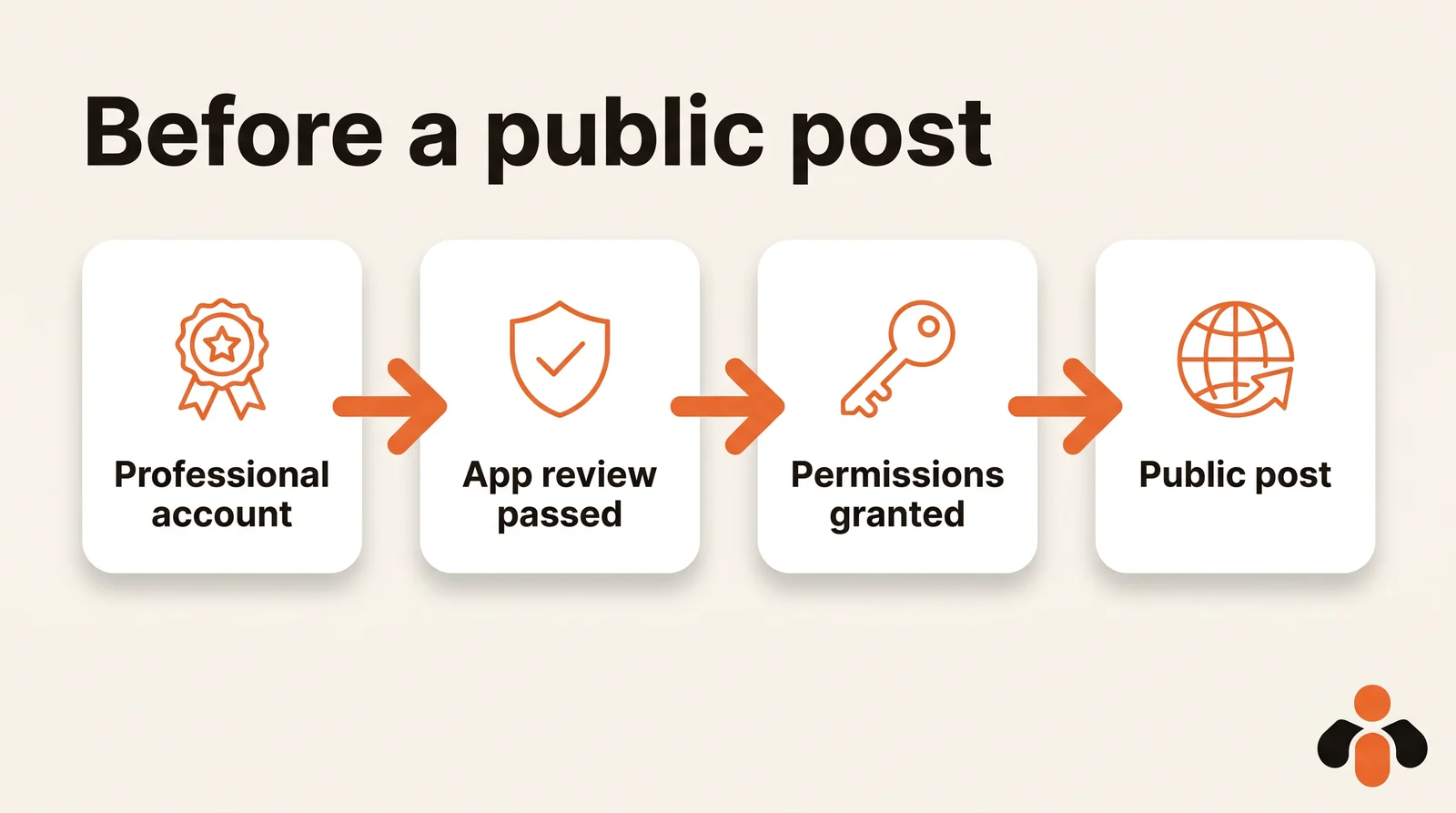
- Switch to a professional account. Instagram's API only serves professional accounts.
- Pass the platform's review. On Meta, serving accounts you don't own or manage needs Advanced Access, and this access level requires App Review and Business Verification.
- Get the publishing permissions. With Instagram Login, that means instagram_business_basic and instagram_business_content_publish.
- Pass the audit where it applies. On TikTok, unaudited API clients can only post in SELF_ONLY viewership. On Pinterest, all Pins and boards created with Trial access are only visible to their creator as sandbox entities.
TikTok adds a second limit while you wait: unaudited API clients can allow up to 5 users to post in a 24-hour window, and those accounts must be private at the time of posting. Enough to test, not enough to manage clients.
YouTube is the exception that changed. Its upload reference now says videos uploaded from unverified API projects are not restricted to private viewing mode. If a tutorial tells you otherwise, it predates that page.
Connecting n8n, Make or Zapier without getting blocked
An automation tool chains actions so you don't have to click. It does not exempt you from the rules above: these tools call the same APIs, with the same caps, and some connections still ask you to create your own developer app.
To connect Instagram in Zapier, you need an Instagram Business or Creator account linked to a Facebook Page, plus permission to create content on that Page to use the Publish Photo or Publish Video actions. Without that access, the Page simply does not show up.
On X, Zapier's integration stopped working on August 31, 2023, due to Twitter's decision to change its API policy and pricing. In n8n, the X node asks you to create your own app in the X developer portal: in User authentication settings, set the app permissions and choose Web App, Automated App or Bot as the type of app, then copy the Client ID and Client Secret into n8n.
For LinkedIn, n8n's documentation is explicit: to post as an organization, you need to put your app through LinkedIn's Community Management App Review process, which unlocks the w_organization_social scope. Posting as yourself needs the Share on LinkedIn product. If Instagram is your main target, our n8n guide for Instagram walks through the whole workflow.
Reading the counters and handling quota errors
A workflow that posts without looking at its quota ends up writing into the void. Several networks give you the remaining number: read the counter before sending, not after the failure.
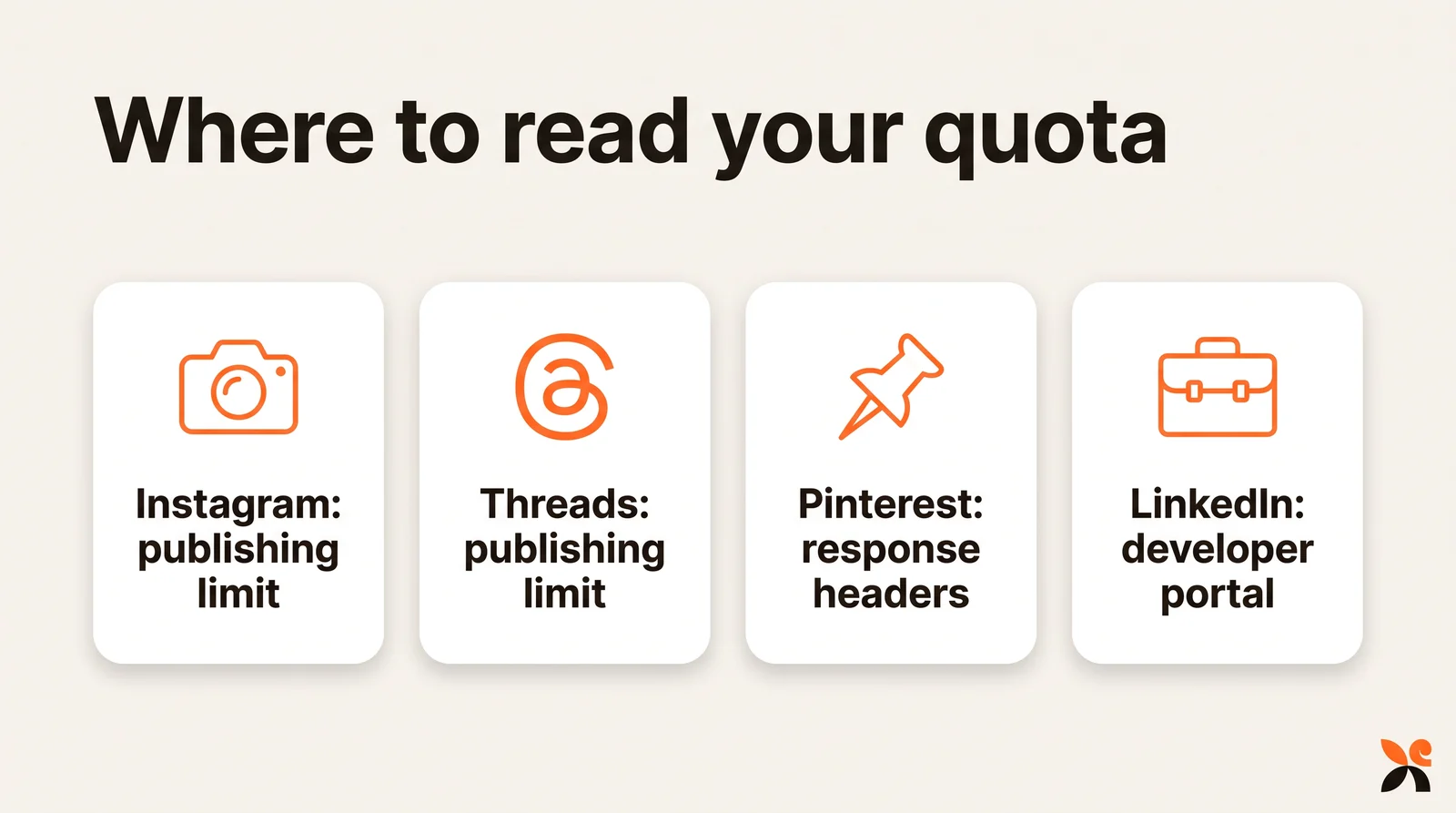
- Instagram: query the content_publishing_limit endpoint to see the account's current usage.
- Threads: query the threads_publishing_limit endpoint.
- Pinterest: read the x-ratelimit-limit, x-ratelimit-remaining and x-ratelimit-reset headers. Write requests, which include creating Pins, are capped at 300 per day per app on Trial access and 100 per minute per user per app on Standard access.
- YouTube: usage shows on the Quotas page of the Google Cloud console.
LinkedIn says the least. Standard rate limits are not published in documentation: you see them in the Analytics tab of your app in the developer portal, and only for endpoints you called at least once today (UTC). Limits reset at midnight UTC every day, a rate-limited request receives a 429 response, and admins get an email when the app exceeds 75% of its assigned quota, with a delay of one to two hours.
When you hit a 429 or a cap, don't retry right away. Move the post to the next free slot: on a moving window, that slot opens 24 hours after the oldest post in the window.
Building a multi-network schedule that holds all week
Once you know the caps, the schedule almost draws itself: spread your sends across the day instead of firing everything at 9 a.m. The simple rule: the most constrained network sets the pace for the others.
- Place videos first. TikTok's per-creator cap and your project's YouTube upload calls are the two counters to watch.
- Space TikTok initializations more than ten seconds apart to stay under 6 per minute per token.
- Use Facebook's own scheduling for Page posts up to 30 days ahead, and keep a queue in your tool for LinkedIn, which schedules nothing through the API.
- Keep long text for Facebook and LinkedIn, and cut what goes to Threads at 500 characters instead of rewriting each time.
- Check the remaining counter before each batch, and push to the next slot instead of retrying.
Here is what that looks like for an online course creator launching a new module on Tuesday: the teaser video goes to TikTok at 8:00, YouTube at 8:15 and Instagram as a reel at 8:30; the long announcement goes to the Facebook Page, scheduled through the Page itself, and to LinkedIn from a queue at 12:00; a 480-character version goes to Threads at 17:00. No network sees a burst, and no counter gets close to its cap.
To adapt one edit to each network's format without starting over, see how to post the same video on TikTok, Instagram and YouTube. And if you are comparing services that do this for you, our comparison of social media scheduling APIs lists them side by side.
One request for every network
Kreatoai is a publishing layer of this kind. It publishes to Instagram, Facebook Pages, TikTok, personal LinkedIn profiles, YouTube Shorts, Bluesky and Google Business profiles, right away or at the time you choose, with a calendar. One request to its public API publishes to several networks and accounts at once, so your automation tool does not talk to each platform or go through its app reviews. It works from n8n, Make, Zapier or any tool that can send an HTTP request with a key, and webhooks tell you when a post goes out or fails. An idempotency key stops a replayed request from posting twice, and a scheduled post goes out on its own even if your automation tool is down.
You can also skip code entirely and ask ChatGPT or Claude: the AI writes the text with you, then publishes or schedules it on the account you name. See how it works in ChatGPT or in Claude, read the overview, or create an account and connect your first network.
Key takeaways
- Instagram's API serves professional accounts only, accepts JPEG images only, and publishes in two steps from a public file.
- Facebook schedules Page posts through the API between 10 minutes and 30 days ahead; LinkedIn's API has no scheduling at all.
- Daily caps: 100 posts on Instagram (50 per the carousel section), 250 on Threads, about 15 on TikTok shared across apps, and a default of 100 YouTube uploads per project.
- Without an audit, TikTok posts stay SELF_ONLY and Pinterest Trial Pins stay visible to their creator only; YouTube no longer locks unverified uploads to private.
- Instagram and Threads expose a quota endpoint, Pinterest returns it in headers, LinkedIn only shows it in its developer portal.
- n8n, Make and Zapier remove neither the permissions nor the caps, and on X you create your own developer project and pay per post.
Frequently asked questions
- Can you auto post to a personal Facebook profile?
- Not through Meta's official posting guide, which covers Facebook Pages only. To publish on a Page, an app needs a Page access token, the pages_manage_posts and pages_read_engagement permissions, and a user who can perform the CREATE_CONTENT, MANAGE and MODERATE tasks on that Page. Plan any automation around a Page, not a personal profile.
- Why is my TikTok video posted through the API private?
- Because the app that sent it has not passed TikTok's audit. TikTok's content sharing guidelines say unaudited API clients can only post in SELF_ONLY viewership, can let at most 5 users post in a 24-hour window, and those accounts must be private at the time of posting. The audit lifts these restrictions.
- How many YouTube videos can I upload per day through the API?
- As of October 30, 2026, Google's documentation gives each project a default of 100 videos.insert calls per day, in a Video Uploads bucket of its own, at 1 unit per call. That is separate from the 10,000 units per day for other endpoints. Quotas reset at midnight Pacific Time. Older guides that quote 1,600 units per upload are out of date.
- Can the LinkedIn API schedule a post for later?
- No. In LinkedIn's Posts API, PUBLISHED is the only lifecycleState accepted when a post is created, so there is no field for a future publish time. Your tool has to hold the post and send it at the right minute. LinkedIn's rate limits reset at midnight UTC and an exceeded limit returns HTTP 429.
- How many posts can I publish to Instagram per day through the API?
- Meta's content publishing guide says Instagram accounts are limited to 100 API-published posts within a 24-hour moving period, with a carousel counting as one post. The carousel section of the same guide mentions 50, so check the live figure with the content_publishing_limit endpoint before each batch.
- Is it free to post to X through the API?
- No. As of October 30, 2026, X's developer documentation describes pay-per-usage pricing: creating a post costs $0.015 per request, and $0.200 per request when the post contains a URL. Higher volume requires an Enterprise plan.
- Do I need my own developer app to post to every network?
- Only if you call each API yourself. Then you need one app per platform, with Meta App Review for Instagram, the TikTok audit for public posts and LinkedIn's review for company pages. A publishing service that has already passed those reviews removes that work: Kreatoai, for example, publishes to Instagram, Facebook Pages, TikTok, personal LinkedIn profiles, YouTube Shorts, Bluesky and Google Business profiles with one API request, or from ChatGPT and Claude.
Have it done for you
Kreatoai publishes and schedules your posts on all your networks, from your dashboard or by asking ChatGPT and Claude, and its agent answers your direct messages. Ten free posts every month, no credit card.
Try it free