How to Schedule Instagram Posts: App, Desktop and Tools
Schedule Instagram posts for free in the app or Meta Business Suite, stories included: steps, limits, where scheduled posts live, and when to use a tool.
 By Kreatoai
Yes, you can schedule Instagram posts, and for free: in the Instagram app on your phone, or in Meta Business Suite on a computer. The app takes a few taps but refuses stories. Business Suite accepts them. And once you manage several accounts or several networks, a scheduler connected to Meta's API takes over. Every rule below was checked against Meta's official help pages on October 30, 2026.
In this guide:
- what Instagram lets you schedule, format by format;
- the steps in the app, then in Meta Business Suite;
- how to schedule an Instagram story;
- how far ahead you can go, and where scheduled posts live;
- why the schedule option may be missing for you;
- what a third-party Instagram scheduler adds.
Can you schedule posts on Instagram?
Yes, in three ways. Meta offers two of them for free: the Instagram app and Meta Business Suite. Every third-party scheduler uses the third one, Meta's API, which is the official door through which outside software publishes to Instagram on your behalf.
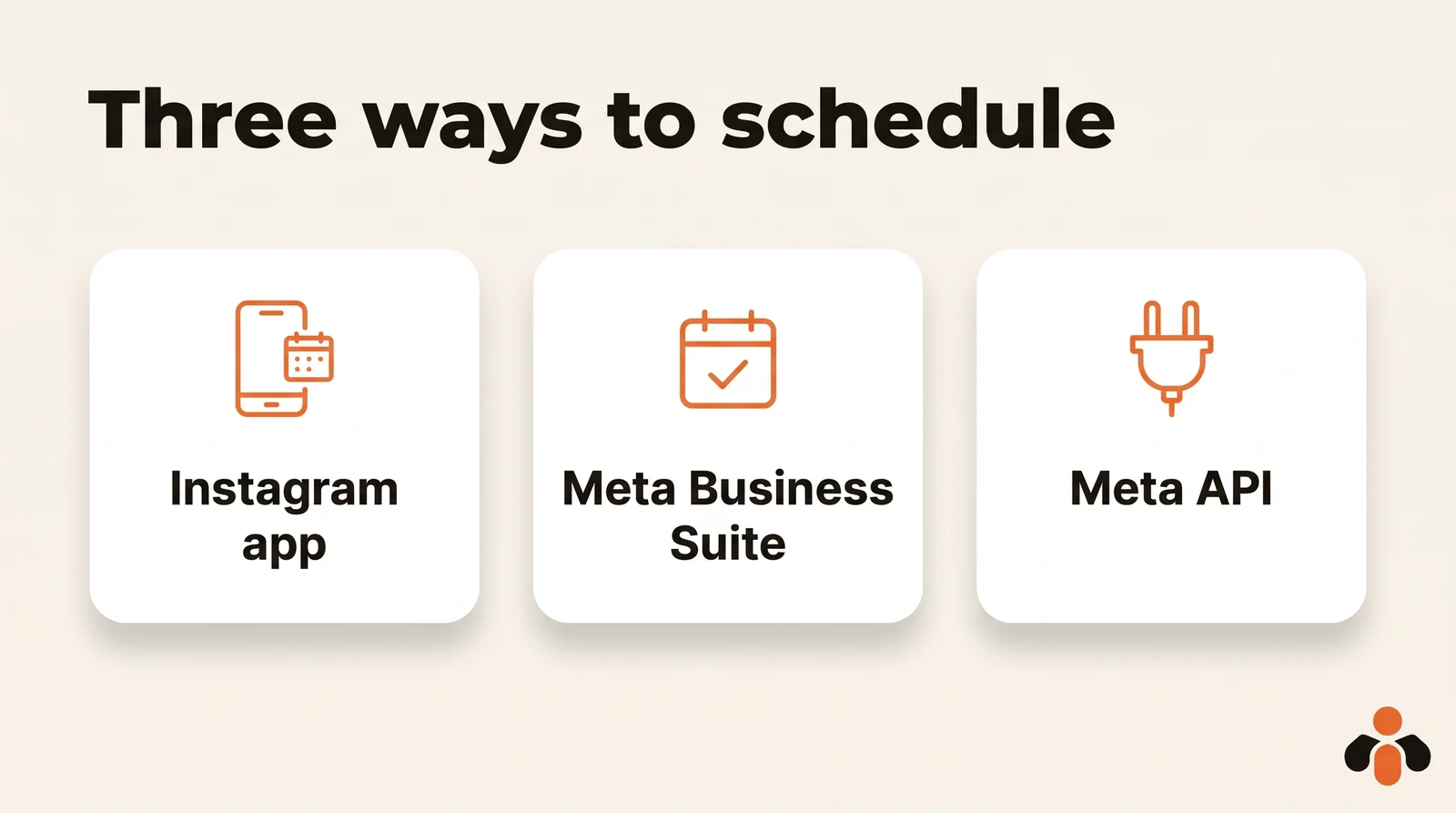
The requirement changes with the path:
- The Instagram app only needs a public Instagram account. A private account does not get the option.
- Meta Business Suite needs full control of the Instagram account, or Content permission. In practice, that means a professional account connected to a Facebook Page.
- A scheduler goes through Meta's API, which publishes on Instagram professional accounts only.
If your account is personal, switching is free and takes a minute in the app: Profile, More, then Account type and tools below For professionals. One catch from Instagram's help center: if your personal account is private, switching to a professional account makes it public.
What types of Instagram posts can you schedule?
Photos, carousels and reels can be scheduled everywhere. Stories are the exception: the app does not schedule them.
| Instagram app | Meta Business Suite | Scheduler (API) | |
|---|---|---|---|
| Photo | yes | yes | yes |
| Carousel | yes | yes, 10 photos max | yes, 20 items max |
| Reel | yes | yes | yes |
| Story | no | yes | yes, without stickers |
| How far ahead | 30 days | not published for Instagram | set by the tool |
| Daily cap | 25 scheduled posts | not published | 100 API posts per 24 hours |
| Works on a computer | no | yes | yes |
| Other networks | none | depends on the tool |
Sources: Meta's help page on in-app scheduling, Meta's Business Suite help page and Meta's content publishing documentation, read on October 30, 2026. That last page states 100 posts per 24-hour moving period, with a carousel counting as one post, but its carousel section mentions 50: if you publish at volume, stay well under both.
Four features cannot be scheduled from the app, according to Meta: product tagging, collaborative posts, sponsored posts and fundraisers. A post that needs one of them has to go out by hand, at the right time.
How to schedule a post on Instagram from the app
This is the fastest route, from your phone. Here are the steps as Meta describes them:
- Tap Create in the top left, or swipe right anywhere in Feed. Then tap Post or Reel.
- Select a photo or video, then tap Next.
- Add a caption, effects or filters.
- Tap More options.
- Turn on Schedule this post or Schedule this reel, then choose a date and time.
- Tap Done, then Back.
- Tap Schedule.
You can schedule up to 25 posts a day, up to 30 days in advance. Meta adds that scheduled content keeps the privacy and audience settings you had when you scheduled it.
How to schedule Instagram posts in Meta Business Suite
Meta Business Suite is Meta's dashboard for running a Facebook Page and an Instagram account together. Meta says it is free to use on desktop and in the Meta Business Suite mobile app. On a computer, it runs in the browser, so the steps are the same on Windows and Mac.
The desktop steps, from Meta's help center:
- Go to Meta Business Suite and click Create post, from the home page or the Content tab.
- Under Post to, select your Instagram profile, alone or with your Facebook Page.
- Under Media, add your photos. Meta notes that the limit for posting to Instagram is 10 photos.
- Under Post details, write your text. You can customize it separately for Facebook and Instagram, and add hashtags or a location.
- Under Scheduling options, select the date and time you want to publish.
- Click Schedule. You can also click Finish later to keep a draft.
At step 5, the Active times button suggests times based on when your followers were most active on Facebook and Instagram over the past 7 days. Seven days is a short sample. To find a time that holds up, read how to find the best time to post on Instagram from your own insights.
For a full desktop walkthrough, with the account setup and the most common blockers, see how to schedule Instagram posts from a PC or Mac.
How to schedule an Instagram story
The Instagram app does not schedule stories. Meta Business Suite does. The desktop steps according to Meta:
- Click Create story, from the home page or the Content tab.
- Under Post to, choose your Instagram profile, your Facebook Page or both.
- Under Media, click Add photo/video and upload up to 10 photos or videos.
- Click Edit on each item to crop, trim a video, add text, mentions or stickers. Add link adds a URL viewers open by swiping up.
- Under Scheduling options, select Schedule, then the date and time.
- Click Schedule.
Use vertical media. Meta's developer documentation recommends a 9:16 ratio for stories to avoid cropping or blank space, which means 1080 by 1920 pixels in practice. The Business Suite mobile app schedules stories as well. Phone steps, links, polls and music are covered in how to schedule Instagram stories.
How far in advance can you schedule Instagram posts?
- In the app: up to 30 days ahead, and 25 scheduled posts a day at most (Meta).
- In Meta Business Suite: Meta does not publish a limit for Instagram. The "20 minutes to 29 days" window you often read about comes from Meta's help page for Facebook Pages, not Instagram. Trust the date picker.
- With a scheduler: it depends on the tool. Meta's API has no calendar of its own: the scheduler stores the date and sends the post at the right time, within the 100 posts per 24 hours limit.
To plan a full month before scheduling it, a social media content calendar helps you spread topics across weeks first.
Where to find your scheduled Instagram posts
In the app, according to Meta:
- Go to your profile and tap Menu in the top right.
- Below Your insights and tools, tap Scheduled content.
- Tap Options next to the post: Delete, Edit post, Reschedule or Share now.
Shortcut: tap Create, then Scheduled.
In Meta Business Suite, click Content in the left menu, open the Posts & reels tab, then Scheduled (Meta). Click the three dots, then Manage post to edit, reschedule, move to drafts or delete. Stories have their own Stories tab. The calendar view, called Planner on the Page side, shows everything ahead by week or month.
If you schedule from both the app and Business Suite, you have two lists to check.
Why can't I schedule a post on Instagram?
Four causes, from the most common to the rarest:
- Your account is private. In-app scheduling needs a public account.
- You are trying to schedule a story in the app. It is not supported there. Use Meta Business Suite.
- The post uses an excluded feature: product tagging, collaborative post, sponsored post or fundraiser (Meta).
- Your Instagram account does not appear under Post to in Business Suite. You are missing full control or Content permission on that account, or it is not connected to the Page.
If none of these apply, update the app and check again.
When a third-party Instagram scheduler makes sense
Meta's own tools are enough for one account. A scheduler earns its place when you run several Instagram accounts, or Instagram alongside TikTok, LinkedIn or YouTube, and you want one calendar instead of four apps. All the serious ones use Meta's API and need a professional account.
A few well-known names, each with its own angle:
- Buffer: simple and reliable, with a free plan for up to 3 channels and paid plans billed per channel as of October 30, 2026. See how it compares.
- Later: built around Instagram, with visual grid planning. See how it compares.
- Hootsuite: made for larger teams, with approval workflows and a shared inbox. See how it compares.
- Publer: many features for the price, such as bulk scheduling and post recycling. See how it compares.
- Postiz: open source, which you can host on your own server. See how it compares.
Plans and free tiers change often, so check each tool's pricing page before you choose. For a wider comparison, read the best Buffer alternatives and free social media scheduling with each network's own tools.
Whatever tool you pick, check two things. First, that it signs you in on Meta's own screen and never asks for your Instagram password. Second, that it publishes the formats you need: a scheduler using the API cannot add link, poll or location stickers to a story, because Meta's API does not support them.
Scheduling Instagram posts from one calendar, or from a chat
Kreatoai is a scheduler of this kind. It publishes and schedules on Instagram, Facebook Pages, TikTok, personal LinkedIn profiles, YouTube Shorts, Bluesky and Google Business profiles, with a calendar, and the same post can go to several networks and accounts at once. It also schedules Instagram and Facebook Page stories, as a photo or a video without added text. A scheduled post can be edited (text, image, time) or canceled as long as it has not gone out. Instagram always needs an image or a video, which you provide.
You can also do it by asking ChatGPT or Claude, with no code. Kreatoai is listed in Claude's connector directory and in ChatGPT's plugin directory. You write something like:
Schedule this photo on our Instagram for Thursday at 6 pm with this caption.
The AI writes the caption with you, schedules the post after your approval, tells you when it went out and lists what is still planned. A course creator can prepare a whole launch week in one conversation. Setup steps are on the Claude page and the ChatGPT page; the Instagram side is detailed in connecting Claude to Instagram. Or create an account and connect Instagram from the dashboard. More on the home page.
Key takeaways
- You can schedule Instagram posts for free, in the Instagram app or in Meta Business Suite.
- The app needs a public account and schedules photos, carousels and reels, up to 30 days ahead and 25 a day.
- Meta Business Suite works on PC and Mac, schedules stories too, and caps Instagram posts at 10 photos; Meta publishes no maximum window for Instagram there.
- Scheduled posts live in Scheduled content on your profile, or in Content and the calendar in Business Suite.
- No schedule option? Check that the account is public and the post has no product tag, collaboration, sponsorship or fundraiser.
- For several accounts or networks, a scheduler on Meta's API takes over, with a professional account and no story stickers.
Frequently asked questions
- Can you schedule Instagram posts on a personal account?
- Yes, in the Instagram app, as long as the account is public. Meta's help center says a public Instagram account can schedule reels, photos and carousel posts from the app. Meta Business Suite and third-party schedulers are different: they need a professional (business or creator) account, and Business Suite also needs full control or Content permission on that account.
- How far in advance can you schedule Instagram posts?
- From the Instagram app, up to 30 days in advance, with a maximum of 25 scheduled posts a day, according to Meta's help center as of October 30, 2026. Meta does not publish a separate window for Instagram in Meta Business Suite, so the date picker is the reference there. With a scheduler, the tool holds the date and sends the post through Meta's API when the time comes.
- Can you schedule Instagram stories?
- Not from the Instagram app, which only schedules photos, carousels and reels. Meta Business Suite schedules stories on desktop, with up to 10 photos or videos per story, and in its mobile app. Schedulers connected to Meta's API can publish stories too, but the API does not support link, poll or location stickers.
- Why don't I see the option to schedule a post on Instagram?
- The most common reason is a private account: in-app scheduling needs a public account. Other causes are trying to schedule a story in the app, or a post that uses a feature Meta excludes from scheduling, such as product tagging, collaborative posts, sponsored posts or fundraisers. In Business Suite, a missing Instagram account usually means missing permissions or no connection to the Page.
- Where do I find my scheduled Instagram posts?
- In the app, go to your profile, tap Menu, then Scheduled content below Your insights and tools. You can also tap Create, then Scheduled. In Meta Business Suite on desktop, open Content, then the Posts and reels tab, then Scheduled. The calendar view shows everything planned by week or month.
- Can I edit a scheduled Instagram post?
- Yes. In the app, tap Options next to the scheduled post and choose Edit post, Reschedule, Share now or Delete. In Meta Business Suite, open the scheduled post, click the three dots, then Manage post, and pick Edit post, Reschedule post, Move to drafts or Delete post.
- Is there a free Instagram scheduler?
- Yes, two from Meta itself: the Instagram app and Meta Business Suite, which Meta says is free on desktop and in its mobile app. Third-party schedulers have their own plans, often with a free tier limited by accounts or posts. Check each tool's pricing page, as plans change often.
- Can ChatGPT or Claude schedule Instagram posts?
- Only through a connector linked to a publishing tool, since neither has access to Instagram on its own. Kreatoai is one: it is listed in Claude's connector directory and ChatGPT's plugin directory. Once your Instagram professional account is connected, you ask for the post in plain words and the AI schedules it after your approval.
Have it done for you
Kreatoai publishes and schedules your posts on all your networks, from your dashboard or by asking ChatGPT and Claude, and its agent answers your direct messages. Ten free posts every month, no credit card.
Try it free