How to Schedule Instagram Stories: Desktop and Phone
Schedule Instagram stories for free with Meta Business Suite on desktop or phone: step by step, links, music and polls, and what the app won't do.
 By Kreatoai
Yes, you can schedule Instagram stories, but not from the Instagram app. You need Meta Business Suite, Meta's free tool, on a computer or in its mobile app, or a scheduler connected to Meta's API. Business Suite accepts up to 10 photos or videos per story, with text, mentions, stickers and a link; a scheduler on the API publishes the story without any sticker. This guide walks through each route, based on Meta's help pages read on October 30, 2026.
In this guide:
- whether you can schedule a story, and through which route;
- the steps on desktop, then on your phone;
- scheduling a story with a link;
- music and polls, and what still has to be done by hand;
- rescheduling, publishing or deleting a scheduled story;
- the routes side by side, and what a scheduler needs.
Can you schedule Instagram stories?
Yes, in two ways, and neither goes through the Instagram app itself. Meta's help page on in-app scheduling is clear: a public account can schedule reels, photos and carousel posts from the app, up to 30 days ahead and 25 a day. Stories are not on the list. If you have been hunting for the option in the app, you can stop.
The two routes that remain:
- Meta Business Suite, Meta's dashboard for running a Facebook Page and an Instagram account together. Meta says it is free to use on desktop and in the Meta Business Suite mobile app, and that it lets you "schedule, publish and manage posts, stories, reels and more".
- A scheduler, meaning outside software connected to Meta's API, the official door through which a tool publishes to Instagram for you. The API accepts a STORIES media type.
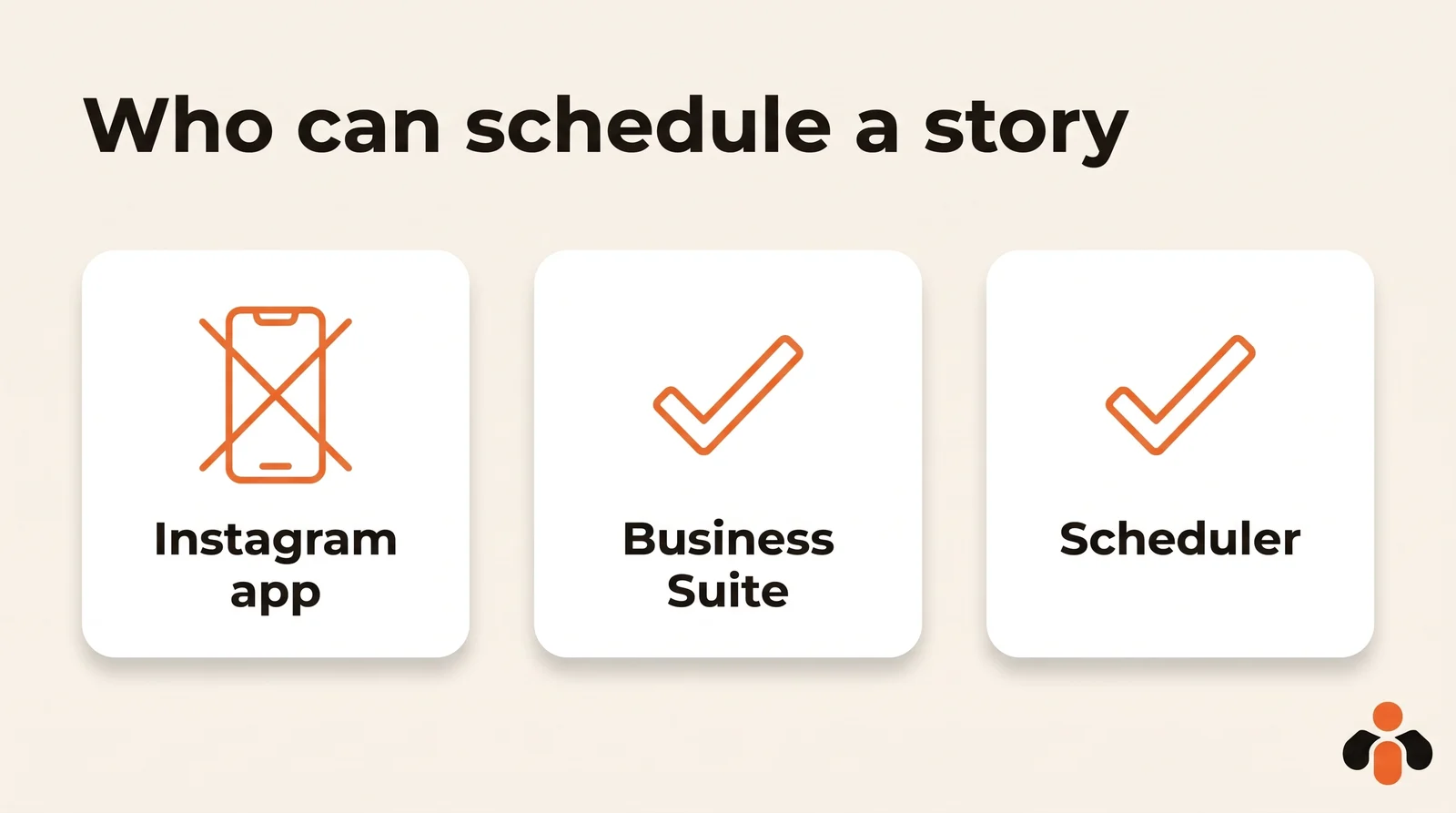
Each route has its condition. Business Suite needs full control of the Instagram account or Content permission, and a business portfolio that holds your Page and Instagram account. A scheduler needs an Instagram professional account linked to a Facebook Page.
One reminder: a scheduled story is still a story. It disappears within 24 hours, unless saved. Scheduling saves you from being online at the right moment, not from planning the next one.
How to schedule Instagram stories on desktop
This is the most complete route. The steps as Meta describes them:
- Go to Meta Business Suite.
- Click Create story, from the home page or the Content tab.
- Under Post to, choose your Instagram profile, your Facebook Page, or both.
- Under Media, click Add photo/video and upload up to 10 photos or videos. Drag and drop from your computer works too.
- For each photo or video, click Edit to crop the aspect ratio, trim a video, or add text, mentions or stickers. Add link adds a URL.
- Under Scheduling options, select Schedule, then the date and time.
- Click Schedule.
Ten items are enough to tell a short story across several screens. An online brand can prepare a private sale announcement the night before in three frames (the teaser, the product, the opening time) and let them go out at 6 pm while the team packs orders.
Use vertical media. Meta's developer documentation recommends 9:16 for stories "to avoid cropping or blank space". In practice, 1080 by 1920 pixels fits.
How far ahead? Meta publishes no maximum for stories in Business Suite. The 30 days of the app apply to posts and reels, not stories. The date picker tells you how far you can go. To choose the time itself, look at your own insights: how to find the best time to post on Instagram shows where to read them.
To post the same story to your Facebook Page, tick both destinations at step 3. For Facebook on its own, see how to schedule Facebook posts.
How to schedule Instagram stories on your phone
The Instagram app will not do it, but the Meta Business Suite app will. The steps according to Meta:
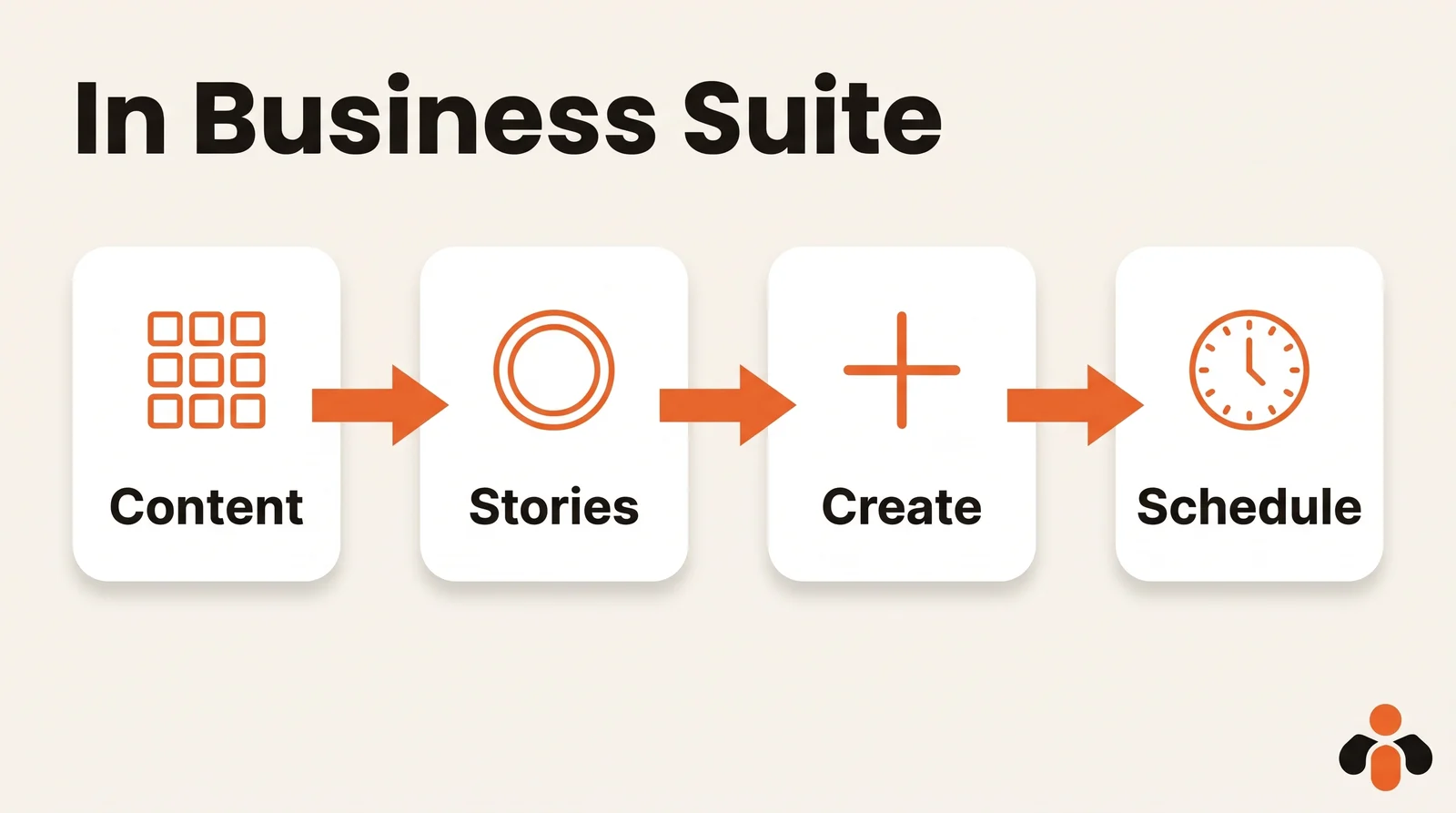
- Open the Meta Business Suite app and tap Content in the menu bar at the bottom.
- At the top, choose the type of content: Stories.
- Tap Create. The first time, the app asks for access to your photos and videos: tap Continue.
- Add your text and your photo or video.
- Tap Next, then Schedule for later, and pick the date and time.
- Tap Schedule.
Your upcoming stories then show up in the app's Planner, on their publishing date. One caveat from Meta: this help page covers a mobile experience that "may not be available to you yet". Posting also requires that you have at least partial access and are assigned to manage the Facebook and Instagram accounts. If the Stories option is missing, update the app, or prepare the story on a computer: it goes out the same way.
The phone has one advantage: the footage is often already on it. A course creator who films a short behind-the-scenes clip in the morning can schedule it for the evening right away, without touching a laptop.
How to schedule an Instagram story with a link
The link is the case that causes the most doubt, and the answer depends on the route.
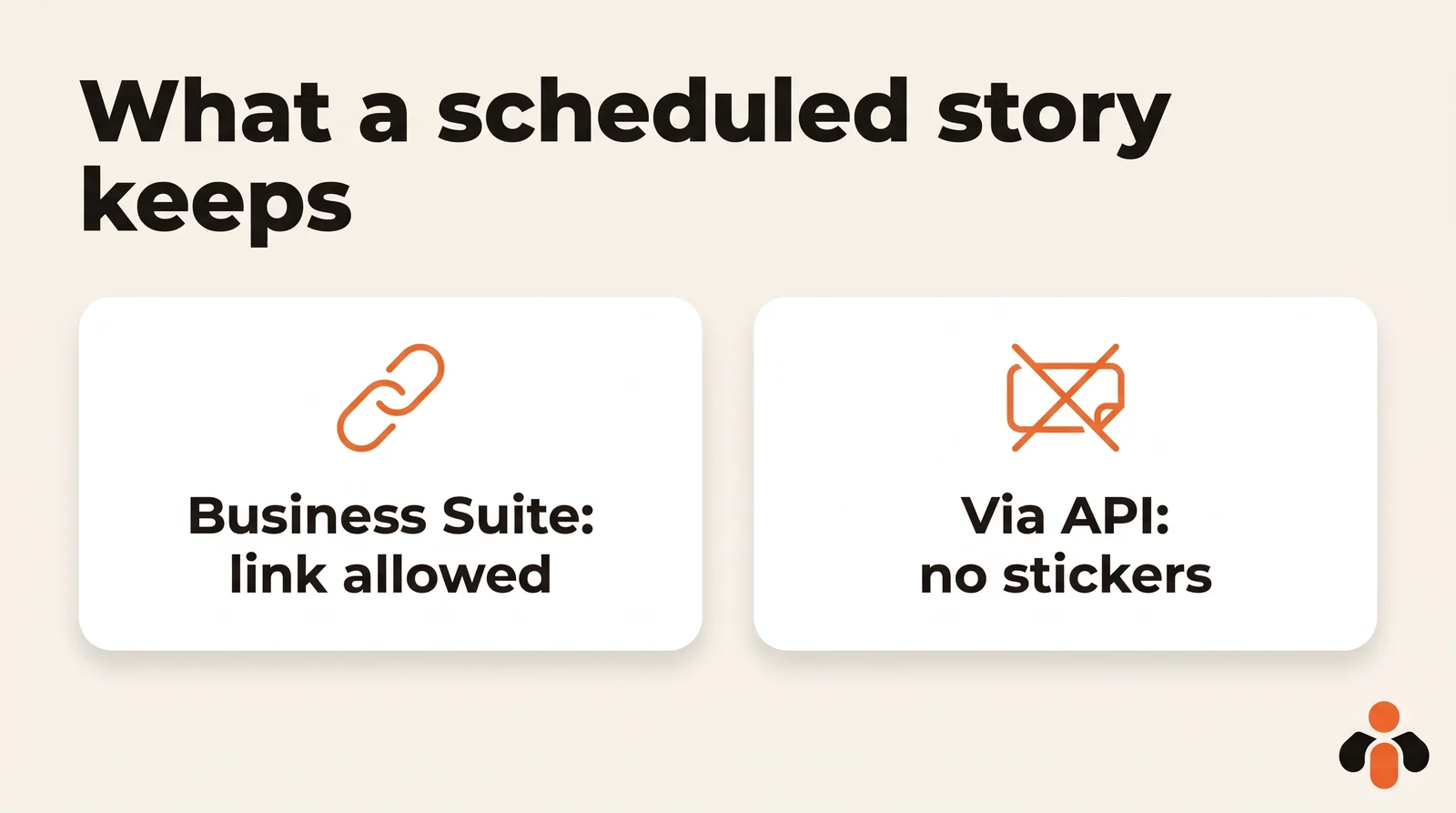
In Meta Business Suite on desktop, yes. In the edit step, Add link adds a URL viewers can visit when they swipe up. This is the route for a story that sends people to a sales page, an article or a sign-up form. Meta's mobile help page does not mention links, so for a story with a link, the computer is the safe route.
Through Meta's API, no. The developer documentation, read on October 30, 2026, says publishing stickers (link, poll, location) is not supported. Mentioning users without a sticker is supported. A scheduler on this API therefore publishes the story without a clickable link.
Some tools still advertise scheduled stories with a link sticker. If a tool asks you to type your Instagram username and password on its own site, it is not using the official API, which signs you in on Meta's own screen. Weigh what you hand over.
Scheduling a story with music or a poll
Here, stick to what Meta writes. The Business Suite help page lists text, mentions, stickers and links. It does not name music, polls or quizzes. Meta's help pages read on October 30, 2026 therefore do not say whether a story scheduled in Business Suite can carry a poll or a track from Instagram's music library. Open the editor and look: if it is not there, it cannot be scheduled.
Through the API, the answer is known: polls are among the unsupported stickers. The documentation says nothing about adding music to a story.
Two workarounds:
- For music, edit it into the video before scheduling. The sound is then part of the file, and the API accepts story videos up to 60 seconds and 100 MB. Use a track you have the rights to.
- For a poll, prepare the image in advance, keep it on your phone and set a reminder. When the time comes, post it from the Instagram app and add the poll in ten seconds.
Example: an app that wants followers to vote between two upcoming features schedules its announcement stories for the week, and keeps the poll story to post by hand on the day.
How to reschedule, publish or delete a scheduled story
On desktop, according to Meta:
- Open Meta Business Suite, click Content in the left menu, then the Stories tab.
- Select Scheduled.
- Select the story, then the ... icon to publish, reschedule or delete it.
On your phone, in the Meta Business Suite app (Meta's help center): Posts and stories, then Stories, then Scheduled. Tap the story, then the three dots next to Story overview, and Reschedule story. The same menu lets you delete it or publish it right away. The Calendar leads to the same place.
One difference from feed posts: for those, Meta offers Edit post. For a scheduled story, the help page lists only three actions: publish, reschedule, delete. If the image or text has to change, the safest move is to delete the story and schedule a new one.
Ways to schedule Instagram stories compared
| Instagram app | Business Suite, desktop | Business Suite, phone | Scheduler (API) | |
|---|---|---|---|---|
| Schedule a story | no | yes | yes | yes |
| Media per story | n/a | 10 photos or videos | not stated | depends on the tool |
| Text and mentions | n/a | yes | text yes | mentions without sticker |
| Link | n/a | yes | not stated | no |
| Poll, location | n/a | not stated | not stated | no |
| Requirement | public account, other formats | full control or Content permission | partial access or more | professional account |
| Cost | free | free | free | depends on the tool |
Sources: Meta's help page on in-app scheduling, stories in Business Suite, the Business Suite mobile app and the API documentation, read on October 30, 2026. "Not stated" means Meta's page does not say.
For feed posts and reels, which follow other rules, see how to schedule Instagram posts and its PC and Mac version.
What a scheduler on Meta's API requires
A scheduler becomes useful once you run several accounts, or Instagram alongside other networks. If it uses the official API, it inherits its rules, taken from Meta's documentation on October 30, 2026:
- an Instagram professional account linked to a Facebook Page;
- story images in JPEG, 8 MB maximum;
- story videos up to 60 seconds, 100 MB maximum;
- a recommended 9:16 ratio;
- no stickers: no link, no poll, no location.
The cap is shared by everything the API publishes: 100 API-published posts within a 24-hour moving period per account. The API has no calendar of its own: the scheduler stores the date and sends the story at the right time. To see how that is built, read how to automate Instagram posts with n8n; for each network's rules, see auto-posting to multiple social networks.
Stories in the same calendar as everything else
Business Suite is enough for one Instagram account and its Page. When your stories need to go out alongside TikTok, LinkedIn or YouTube posts, one calendar saves the switching.
Kreatoai schedules Facebook Page and Instagram stories: a photo or a video, without added text. They sit in the same calendar as your posts on Instagram, Facebook Pages, TikTok, personal LinkedIn profiles, YouTube Shorts, Bluesky and Google Business profiles. It handles several accounts on the same platform, and you choose the account when you schedule. A scheduled post can be edited (text, image, time) or canceled as long as it has not gone out.
You can also ask ChatGPT or Claude: Kreatoai is listed in Claude's connector directory and ChatGPT's plugin directory. The AI writes the captions with you, schedules after your approval and lists what is still planned (see how in Claude, or in ChatGPT). An agency preparing a month for several clients does it in one conversation, account by account. Start from the home page or create an account.
The limit to know: the story goes out with no added text and no sticker. For a story with a link, use Meta Business Suite; for a poll, the Instagram app, at the right moment.
Short on ideas to fill those screens? Our list of Instagram post ideas includes story ideas by goal.
Key takeaways
- You can schedule Instagram stories for free, but not in the Instagram app, which only schedules reels, photos and carousels.
- Meta Business Suite schedules stories on desktop (up to 10 photos or videos, text, mentions, stickers, link) and in its mobile app.
- You need full control or Content permission on the Instagram account.
- Links can be scheduled in Business Suite on desktop; through the API that schedulers use, no sticker goes through: no link, poll or location.
- Meta does not say music or polls can be scheduled: edit music into the video, and post polls by hand.
- A scheduled story can be published now, rescheduled or deleted; to change its content, recreate it.
- Meta publishes no maximum lead time for stories: trust the date picker.
Frequently asked questions
- Can you schedule Instagram stories?
- Yes, but not from the Instagram app. You use Meta Business Suite, Meta's free tool, on desktop or in its mobile app, or a scheduler connected to Meta's API. The story then goes out on its own at the time you chose, on Instagram, on your Facebook Page, or both.
- Can you schedule Instagram stories in the Instagram app?
- No. Meta's help center, read on October 30, 2026, says a public account can schedule reels, photos and carousel posts from the Instagram app. Stories are not on that list. Use the Meta Business Suite mobile app on your phone, or Meta Business Suite on a computer.
- How do I schedule an Instagram story in Meta Business Suite?
- On desktop, click Create story, choose your Instagram profile under Post to, upload up to 10 photos or videos, edit them if needed, then under Scheduling options select Schedule, pick the date and time, and click Schedule. You need full control of the Instagram account or Content permission.
- How do I schedule an Instagram story on my phone?
- With the free Meta Business Suite app: tap Content, choose Stories at the top, tap Create, add your photo or video, tap Next, then Schedule for later, pick the date and time, and tap Schedule. Meta notes that this mobile experience may not be available to every account yet.
- Can you schedule an Instagram story with a link?
- Yes, in Meta Business Suite on desktop: the Add link button adds a URL that viewers open by swiping up. Through Meta's API, which third-party schedulers use, link, poll and location stickers are not supported, so those tools publish the story without a clickable link.
- Can you schedule an Instagram story with music or a poll?
- Meta's Business Suite help page lists text, mentions, stickers and links, without naming music or polls, so check what the editor offers. Through the API, polls are not supported. Music you have the rights to can be edited into the video file itself; a poll story is best posted from the Instagram app at the right moment.
- Is scheduling Instagram stories free?
- Yes. Meta says Meta Business Suite is free to use on desktop and in its mobile app, and story scheduling is part of it. Only third-party schedulers have their own plans, free or paid.
- Can you edit a scheduled Instagram story?
- In Meta Business Suite, a scheduled story can be published now, rescheduled or deleted, from Content, then the Stories tab, then Scheduled. Meta's help center does not describe editing its content. To change the image, delete the story and schedule a new one.
Have it done for you
Kreatoai publishes and schedules your posts on all your networks, from your dashboard or by asking ChatGPT and Claude, and its agent answers your direct messages. Ten free posts every month, no credit card.
Try it free