ChatGPT Prompts for Social Media: 14 to Copy
14 ChatGPT prompts for social media to copy for Instagram, LinkedIn, TikTok and Facebook, what to fact-check, and how to let the AI schedule your posts.
 By Kreatoai
A good ChatGPT prompt for social media tells the AI four things: your business and audience, the network, the goal of the post and the format you expect. Without them, ChatGPT or Claude writes something correct that nobody remembers. The 14 prompts in this guide are ready to copy: replace what is in brackets, paste, then review. The rules quoted were checked on the help pages of OpenAI, Anthropic, Instagram and LinkedIn on October 30, 2026.
In this guide:
- the four building blocks of a prompt that works, and the brand brief you write once;
- prompts by network: Instagram, LinkedIn, TikTok, Facebook and YouTube;
- prompts by goal: ideas, a week of posts, replies, repurposing, a launch;
- what AI does well, and what you should always fact-check;
- which AI to pick, and how to let it schedule your posts.
ChatGPT prompts for social media: the four building blocks
OpenAI sums up the recipe this way: make your prompts clear, specific, and provide enough context for the model to understand what you are asking, and name the tone with adjectives such as friendly, professional or humorous. Anthropic, the company behind Claude, has a more vivid image: think of Claude as a brilliant but new employee who lacks context on your norms and workflows.
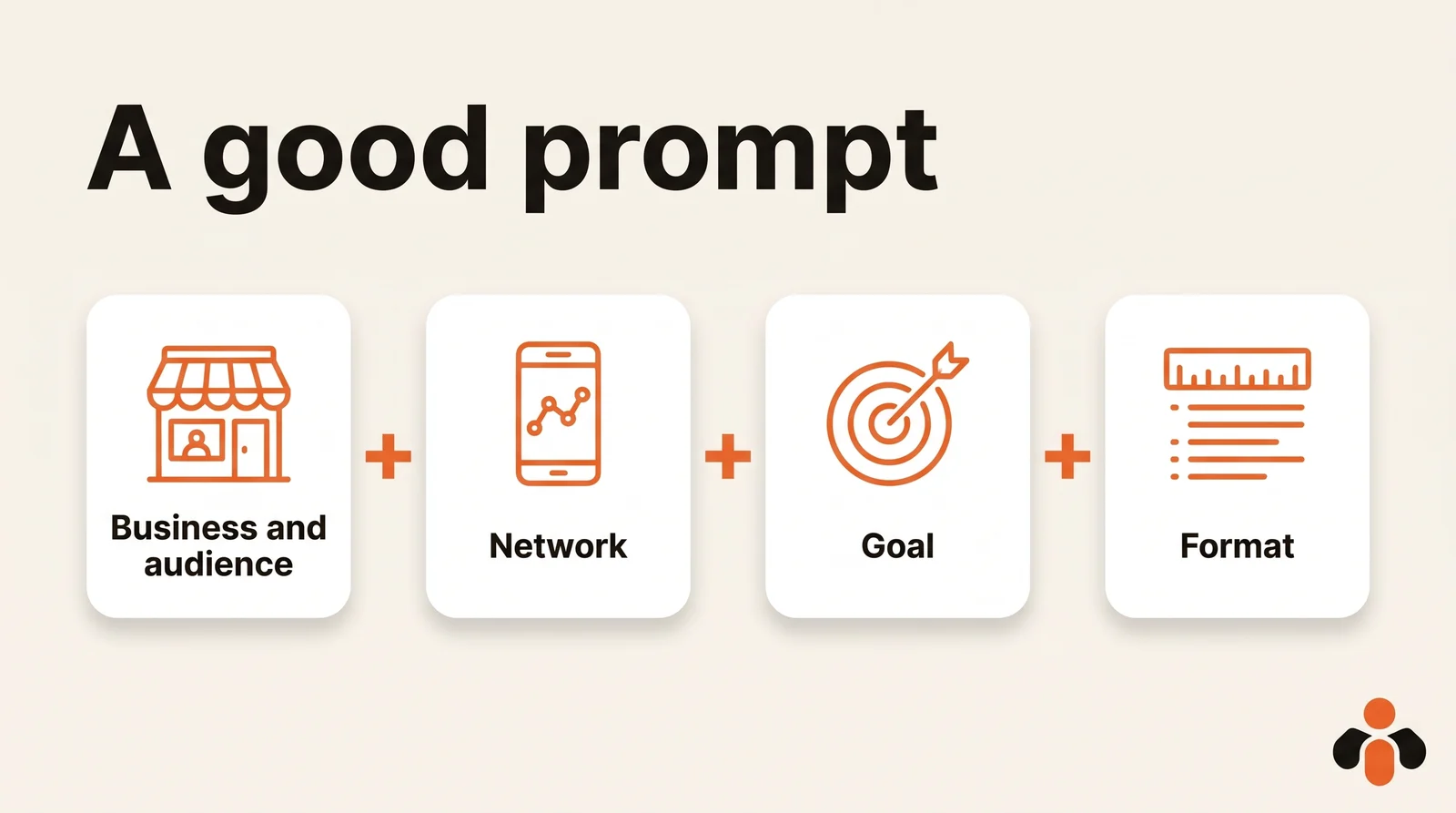
For a social media post, those four blocks become:
- Business and audience: who is talking, to whom, and what that audience wants.
- Network: a LinkedIn post does not read like an Instagram caption.
- Goal: get discovered, build trust, bring people back or sell. One per post.
- Format: length, tone, number of versions, what is off limits.
Then add a post you already published. For Anthropic, examples are one of the most reliable ways to steer Claude's output format, tone, and structure. And work in steps: OpenAI advises to break a complex task into smaller, focused prompts and treat prompting as a conversation. You fix the first answer instead of starting over.
The brand brief you write once
Retyping your business in every chat wastes time and makes the tone drift from one day to the next. Write a brand brief once and for all (prompt 1):
You write for [name], [business in one sentence].
Audience: [who, job or age, what they want].
Tone: [three adjectives].
Never say: [banned words or promises].
Networks: [list, most important first].
Examples of our tone:
1. [a post that performed well]
2. [another one]
If information is missing, ask me
a question before you write.
In ChatGPT, store it in custom instructions: on web and desktop, Settings, then Personalization, then the Custom Instructions field. They apply to every chat, and they are available on all plans: up to 1,500 characters on Free and Go, 5,000 on Plus, Pro, Enterprise, Business and Education. Keep anything confidential out of it: with third-party plug-ins, the model may provide plug-in developers with relevant information from your instructions.
Several brands? One project per brand. Project instructions apply only within that project and override your global custom instructions, so a social media manager or an agency creates one project per client. Claude works the same way: each project has its own instructions and knowledge base.
ChatGPT prompts for Instagram: captions, carousels and Reels
On Instagram, the visual does the first job; the caption extends it without repeating it. Three prompts, starting with captions.
Three captions to choose from (prompt 2), here for a skincare brand sold online:
Write 3 Instagram captions for this photo:
[describe the photo in one sentence].
Goal: introduce [product] to people
who don't follow us yet.
Version 1: short, 2 lines.
Version 2: tells a behind-the-scenes story.
Version 3: asks a question.
First line: 10 words max, no emoji.
End with 3 to 5 specific hashtags.
The cap of five is not a matter of taste: you can use up to 5 tags on a post, and if you include more than 5, your comment won't post.
A carousel people save (prompt 3), for an online course creator:
Plan a 7-slide Instagram carousel
on [topic] for [audience].
Slide 1: a concrete promise, 8 words max.
Slides 2 to 6: one actionable tip per slide,
25 words max each.
Slide 7: what the reader can do next,
no sales pressure.
Also write the caption, 4 lines.
A carousel can hold up to 20 photos and videos; nothing forces you to fill them. Aim for the number of slides the topic deserves.
A Reel script (prompt 4), for a fitness coach announcing a new program:
Write a 20-second Instagram Reel script for
[coach], announcing [program].
Split it into 4 shots: what we see, the
on-screen text (6 words max), the duration.
The first shot makes people stay.
End with the practical info:
start date and how to sign up.
ChatGPT prompts for LinkedIn posts that get read to the end
On LinkedIn, you write in the first person, in short sentences, with a clear opinion. Space is not the issue: posts can contain up to 3,000 characters. But AI tends to fill whatever room you give it, so set the length. Here is the base LinkedIn post prompt (prompt 5), for an agency founder:
You are [first name], [role] at [agency].
Write a LinkedIn post of 150 to 200 words on:
[the idea in one sentence, with a real fact].
First line: a surprising statement,
not a question.
Paragraphs of one or two sentences.
No filler ("thrilled to share",
"in today's world"), no emoji.
End with a precise question that a reader
in the field wants to answer.
Give 2 versions.
Then, to revise without rewriting everything (prompt 6):
Keep version 2. Make the first line more
concrete, cut 30 words, and replace every
general sentence with this real fact:
[number or example you provide].
TikTok, Facebook and YouTube: one text per network
The same topic is not written the same way everywhere. Instead of three chats, ask for one text per network in a single prompt (prompt 7), here for a mobile app shipping a new feature:
Here is the announcement of our new feature:
[paste the text].
Write one text per network:
- Facebook: 3 short paragraphs, warm tone,
  link at the end.
- TikTok: a 2-line caption and a video idea
  in 3 shots.
- YouTube Shorts: a title of 60 characters
  max and a 3-line description.
- LinkedIn: 120 words on what it changes
  for the user.
No two networks start with the same sentence.
An agency adds "Client: [name]" at the top, with that client's brand brief: the same prompt serves everyone. Our guide to auto posting on multiple social networks lists each platform's limits.
Prompts by goal: ideas, a week of posts, replies, repurposing
These prompts work on any network. The table gives the request in short and a business that really needs it; the full versions follow.
| Goal | What you ask for | Example business |
|---|---|---|
| Find ideas | 15 topics grouped by goal | Career coach |
| Plan a week | Dates, network, text, visual to provide | Real estate agency |
| Reply to comments | 3 short replies in your tone | Online brand |
| Repurpose content | One article cut into 5 posts | Course creator |
| Launch an offer | 5 posts over 10 days | App |
| Fact-check | The sentences to verify before posting | Everyone |
Find ideas (prompt 8):
Suggest 15 post ideas for [career coach]
in 3 groups: get discovered, build trust,
bring people back.
For each idea: the format (photo, carousel,
Reel, story) and what I need to shoot.
Nothing that requires a budget.
For Instagram, our 20 Instagram post ideas grouped by goal make a good base to paste into the prompt.
Plan a week (prompt 9):
Plan the week of [date] for [real estate
agency]: 4 posts, Instagram and LinkedIn.
Return a table: date, time, network, goal,
full text, visual to provide.
Times: [your usual posting times].
Don't invent any listing: use only
these: [list of properties].
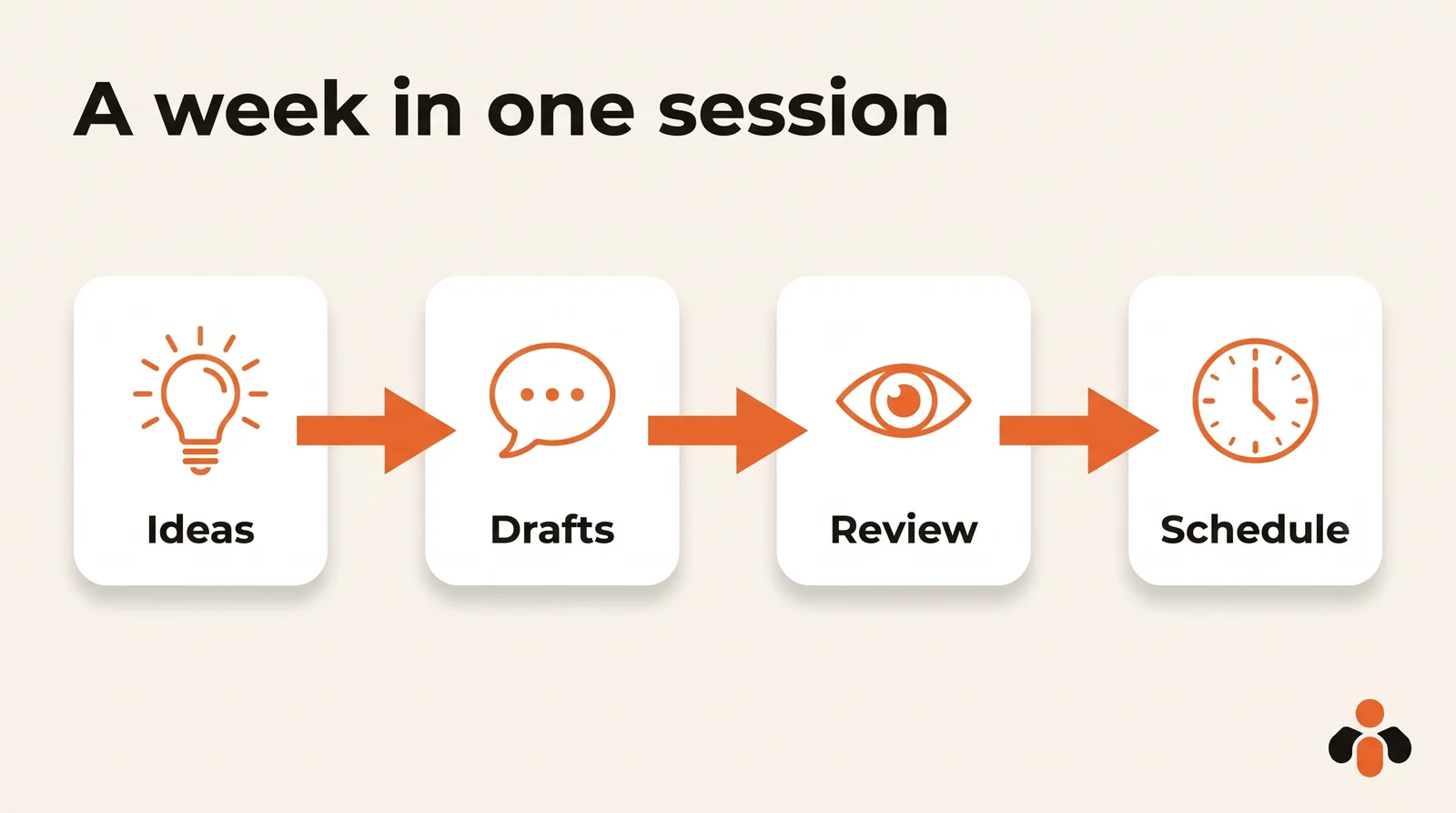
You give the times: the AI does not see your analytics. Our guide to the best time to post on Instagram shows where to read them, and the social media content calendar template is a good place to store the table.
Reply to comments (prompt 10):
Here is a comment under our post:
[paste the comment].
Suggest 3 replies of 2 sentences max,
in our tone. If the person is unhappy,
acknowledge the problem and offer to
continue in a direct message, without
getting defensive.
Repurpose an article (prompt 11):
Here is an article from my blog: [paste it].
Turn it into 5 standalone posts:
2 Instagram carousels, 2 LinkedIn posts,
1 short video idea.
Each one keeps a single idea from the
article and reuses an example from it.
Launch an offer (prompt 12):
We launch [offer] on [date].
Write 5 posts spread over 10 days:
the problem, what it costs, proof
(here it is: [real review or number]),
how it works, the launch.
Only one post mentions the price.
What AI does well, and what you must fact-check
AI shines at what takes time without needing knowledge: getting past the blank page, suggesting ten hooks, shortening, adapting a text to another network. It is less reliable as soon as a fact is involved. OpenAI says it plainly: ChatGPT can produce incorrect or misleading outputs, and sometimes it might sound confident even when it's wrong, including incorrect dates and fabricated quotes. Its advice: use ChatGPT as a first draft, not a final source.
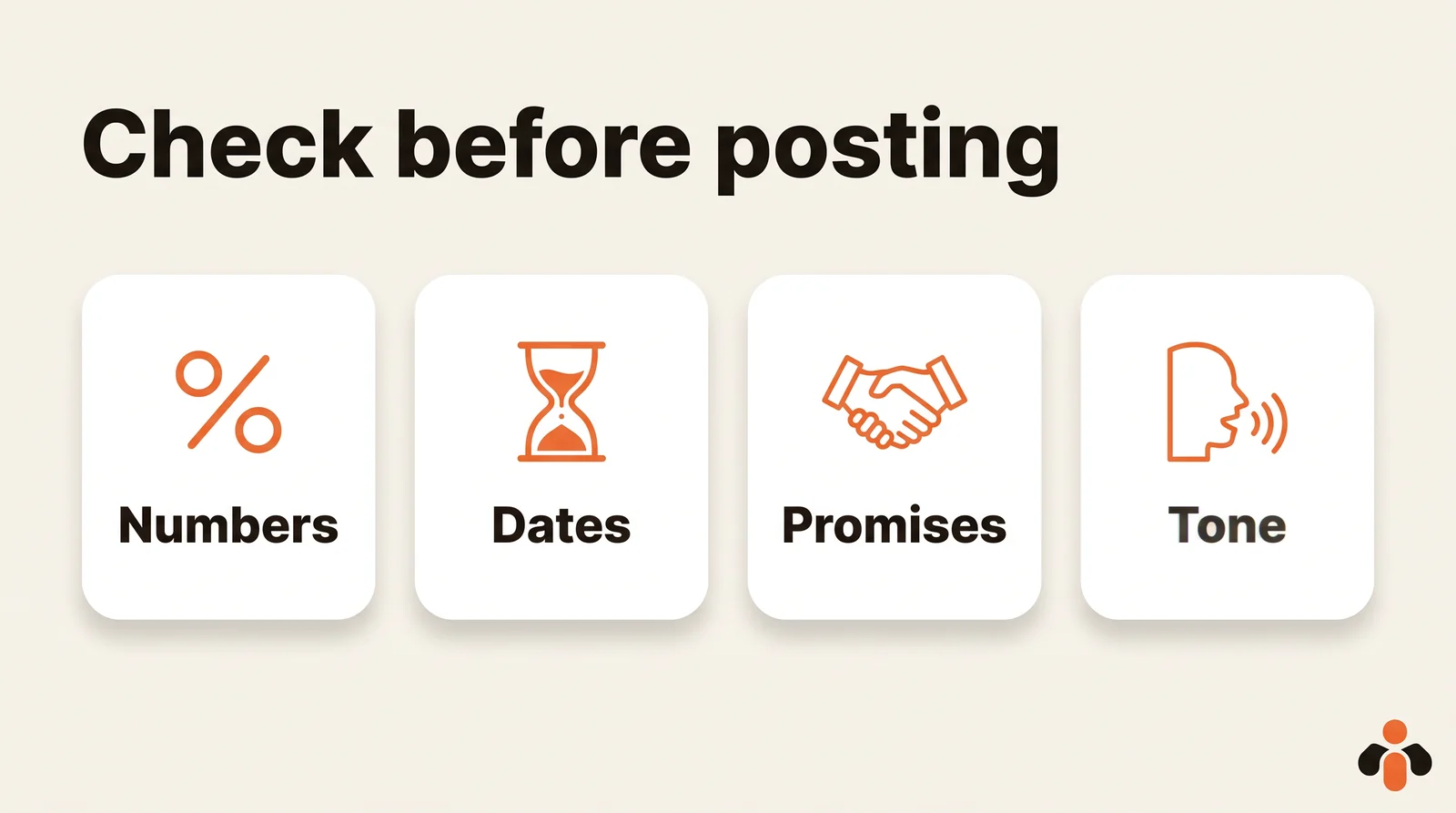
Before each post, check four things:
- Numbers: a figure you did not provide is probably invented.
- Dates: the day of the week, the date of an event, the end of an offer.
- Promises: "guaranteed", "effortless". What you cannot prove comes out.
- Tone: the phrases that sound like a machine.
One prompt helps with the sorting (prompt 13):
Read this text like a skeptical customer.
List every sentence that contains a number,
a date, a promise or a name, and tell me
which ones you invented or assumed.
Don't fix anything before I answer.
Best AI for social media posts: what it actually needs to do
People who search for the best AI for social media often expect a name. The real question is what the AI has to do: only write, or also publish, or even answer your customers.
| Need | What is enough | What you add |
|---|---|---|
| Write posts and find ideas | ChatGPT or Claude | A brand brief |
| Keep the voice of several brands | One project per brand | Each project's instructions |
| Publish and schedule from the chat | An AI linked to your accounts | A plugin or a connector |
| Answer direct messages day and night | An AI agent connected to your inbox | What the business teaches it |
For writing, ChatGPT and Claude follow the same prompts, and their makers give the same advice: clarity, context, examples. Run the same prompt in both and keep the one whose tone sounds like you.
When the AI schedules the post itself
On its own, an AI stops at the text. To schedule for you, it needs a connector: a service linked to your accounts that gives it tools such as "schedule a post". In ChatGPT these are plugins: the plugin directory is available across ChatGPT plans, and installing or using an individual plugin depends on your plan, workspace, role and region. ChatGPT uses installed plugins when they are relevant, or when you select one with an @ mention. In Claude, each connector in the directory has a page detailing its use cases and read/write capabilities. For actions that write, ChatGPT may ask for confirmation depending on app permissions and the action's context.
Kreatoai is one of these connectors, listed in ChatGPT's plugin directory and in Claude's connectors directory. Once connected, the week-planning prompt goes all the way: the AI suggests topics, writes one text per network with dates, then, after your approval, schedules the posts on Instagram, Facebook Pages, TikTok, personal LinkedIn profiles, YouTube Shorts, Bluesky and Google Business profiles. It edits or cancels a post as long as it has not gone out, and suggests replies to comments on a Facebook Page or an Instagram account, sent only after your approval. Instagram and TikTok need an image or a video, which you provide, and the time stays your choice. The AI never sees your passwords or your private messages; for those, Kreatoai's agent can answer Instagram and Messenger DMs with what the business has taught it. See how to connect it to ChatGPT or to Claude.
Prompt 14, once it is connected:
With Kreatoai, plan the week of [date]
for my Instagram account and my LinkedIn
profile, with these photos: [links].
Show me the table first. When I say "ok",
schedule each post at the time shown,
then list what is still scheduled.
Key takeaways
- A prompt is an instruction: business and audience, network, goal, format, plus an example of your tone.
- Write the brand brief once, in custom instructions or in one project per brand.
- Ask for several versions, then refine in small steps.
- Instagram: five hashtags at most. LinkedIn: 3,000 characters at most, but set a shorter length.
- Check numbers, dates, promises and tone: AI writes a first draft, not a source.
- For the AI to schedule posts itself, connect it to your accounts with a plugin or connector, and approve each one.
Frequently asked questions
- What makes a good ChatGPT prompt for social media?
- A prompt is the written instruction you give the AI. For a post, a good one covers four things: your business and audience, the network, the goal of the post, and the format you expect, such as length, tone, number of versions and what to avoid. Adding one of your past posts as an example helps the AI match your tone.
- Do I need a paid ChatGPT plan to use these prompts?
- Not to write. A prompt works in any chat. According to OpenAI's help center, custom instructions are available on all plans, with up to 1,500 characters on Free and Go and 5,000 on Plus, Pro, Business, Enterprise and Education. To publish from ChatGPT through a plugin, availability depends on your plan, workspace, role and region.
- ChatGPT or Claude: which AI is best for social media posts?
- For writing, both follow the same prompts, and OpenAI and Anthropic give the same advice: be clear, give context, show examples. Run the same prompt in both and keep the one whose tone sounds like you. For publishing, choose the one that accepts a connector linked to your accounts.
- How do I keep the same brand voice from one post to the next?
- Write a brand brief once, with your business, audience, tone, banned words and two example posts, and paste it into ChatGPT's custom instructions or into a project's instructions. OpenAI says project instructions apply only within that project and override your global custom instructions, so an agency can create one project per client.
- How many hashtags should ChatGPT add to an Instagram caption?
- Five at most. Instagram's help center says you can use up to 5 tags on a post, and that if you include more than 5, your comment will not post. Ask for three to five specific hashtags rather than generic ones.
- Can ChatGPT post directly to Instagram or LinkedIn?
- Not on its own: it writes the text and you publish it. With a plugin connected to your accounts, it can schedule the post itself. Kreatoai, for example, is listed in ChatGPT's plugin directory and in Claude's connectors directory, and by default the AI asks for your approval before publishing or canceling.
- Can I use these prompts on my phone?
- Yes. Prompts paste into the mobile app like on a computer, and OpenAI's help center describes custom instructions on iOS and Android under Settings, then Customize ChatGPT. The plugin directory is also available on ChatGPT web, desktop and mobile.
Have it done for you
Kreatoai publishes and schedules your posts on all your networks, from your dashboard or by asking ChatGPT and Claude, and its agent answers your direct messages. Ten free posts every month, no credit card.
Try it free