How to Automate LinkedIn Posts Without Risking Your Account
What LinkedIn lets you automate on a profile, the same workflow in n8n, Make and Zapier, the access you need first, and the habits that get accounts restricted.
 By Kreatoai
You can automate LinkedIn posts, on one condition: use a route LinkedIn authorizes, meaning its own scheduling or its official API. What gets accounts restricted is bots and browser extensions that act on the site for you, especially for invitations, messages and likes. This guide draws the exact line, then builds the same workflow in n8n, Make and Zapier, based on the official pages as read on November 24, 2026.
In this guide:
- what LinkedIn lets you automate, and what it prohibits in writing;
- the built-in scheduler, which is sometimes enough;
- the access to set up before plugging in a tool: app, token, quota;
- the basic workflow, then its version in n8n, Make and Zapier;
- a table comparing methods, and the habits that protect your account.
What LinkedIn lets you automate, and what it prohibits
The rule lives on the help page Prohibited software and extensions. LinkedIn says it doesn't permit "any third party software, including 'crawlers', bots, browser plug-ins, or browser extensions that scrape, modify the appearance of, or automate activity on LinkedIn's website."
The same page quotes section 8.2 of the User Agreement, which bans using "bots or other unauthorized automated methods" to add or download contacts, send messages, create, comment on, like, share or re-share posts, or drive inauthentic engagement. The key word is "unauthorized": LinkedIn itself offers an API for posting, and the Share on LinkedIn page describes the w_member_social permission, "required to create a LinkedIn post on behalf of the authenticated member."
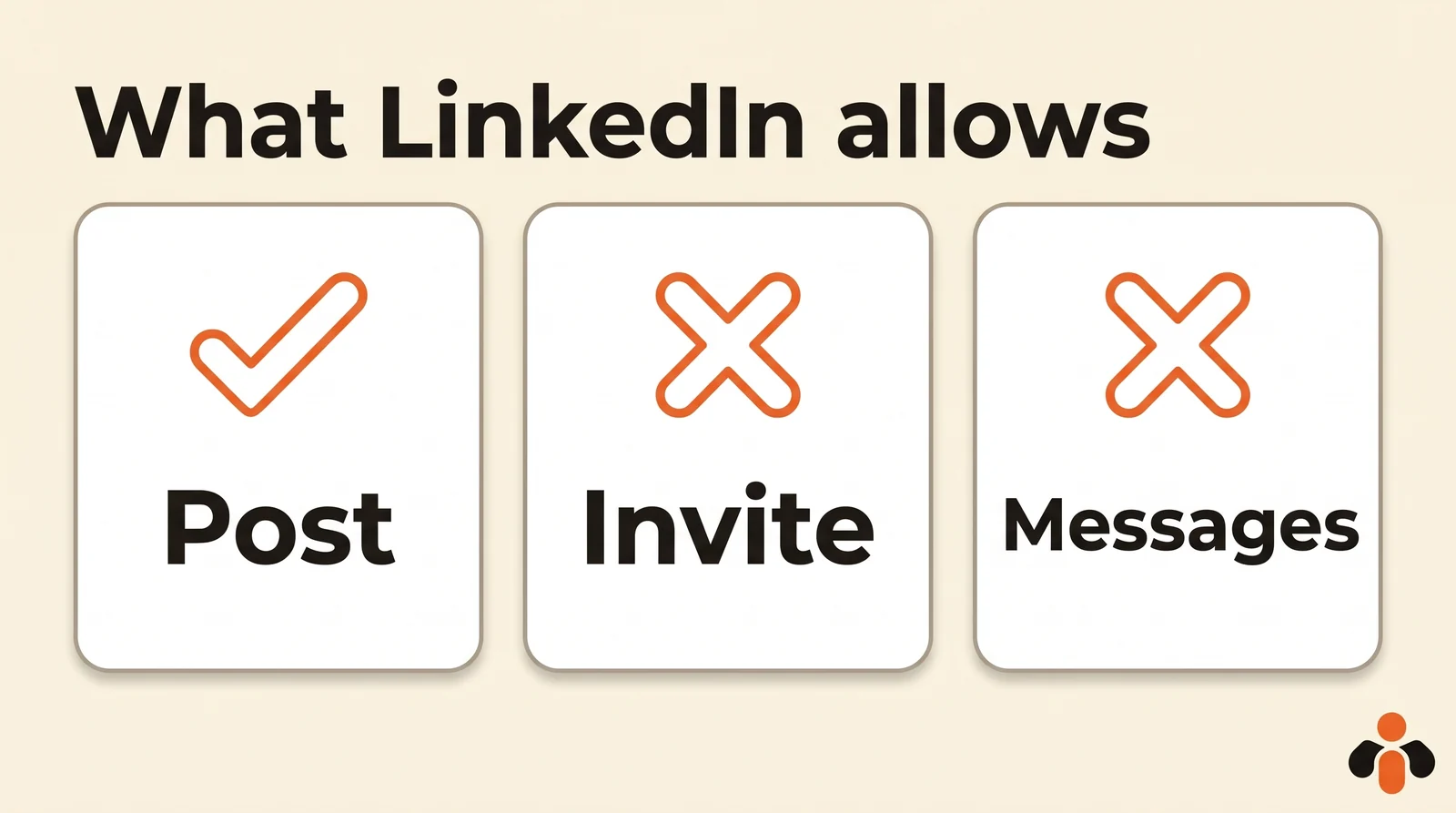
In practice, the line looks like this:
| What you want to automate | Through the official API | Through a bot or extension |
|---|---|---|
| Post on your profile | Allowed (w_member_social) |
Prohibited |
| Post on a Page you administer | Allowed (w_organization_social) |
Prohibited |
| Send connection requests | Outside posting permissions | Prohibited |
| Send direct messages | Outside posting permissions | Prohibited |
| Like, comment, re-share at scale | Inauthentic engagement, prohibited | Prohibited |
Sources: prohibited software help page and the Posts API documentation.
The risk is spelled out too: members who use these tools violate the User Agreement and "risk having their accounts restricted or shut down." LinkedIn adds that such tools may stop working without notice. A sound automation workflow therefore sticks to your posts and leaves invitations and messages to you.
The built-in scheduler is sometimes enough
Before building a workflow, check whether LinkedIn already does the job. The Schedule posts help page gives the desktop path:
- click Start a post at the top of your homepage;
- type your text in the What do you want to talk about? field;
- click the Clock icon in the lower-right corner;
- pick the date and time, then click Next and Schedule.
LinkedIn accepts a time between 10 minutes and 3 months from now, and converts it to UTC based on your device's time zone. Events and jobs can't be scheduled. A post holds up to 3,000 characters. The full walkthrough, including editing and canceling, is in how to schedule LinkedIn posts.
This scheduling is still manual: you write each post inside LinkedIn. An automation tool earns its place when the text comes from somewhere else, such as a content calendar spreadsheet, a new blog article or an RSS feed, or when the same post also goes to other networks.
The access to set up before plugging in a tool
n8n, Make and Zapier don't talk to LinkedIn on their own: they call its API with a token you give them. Three things need sorting out before the first test.
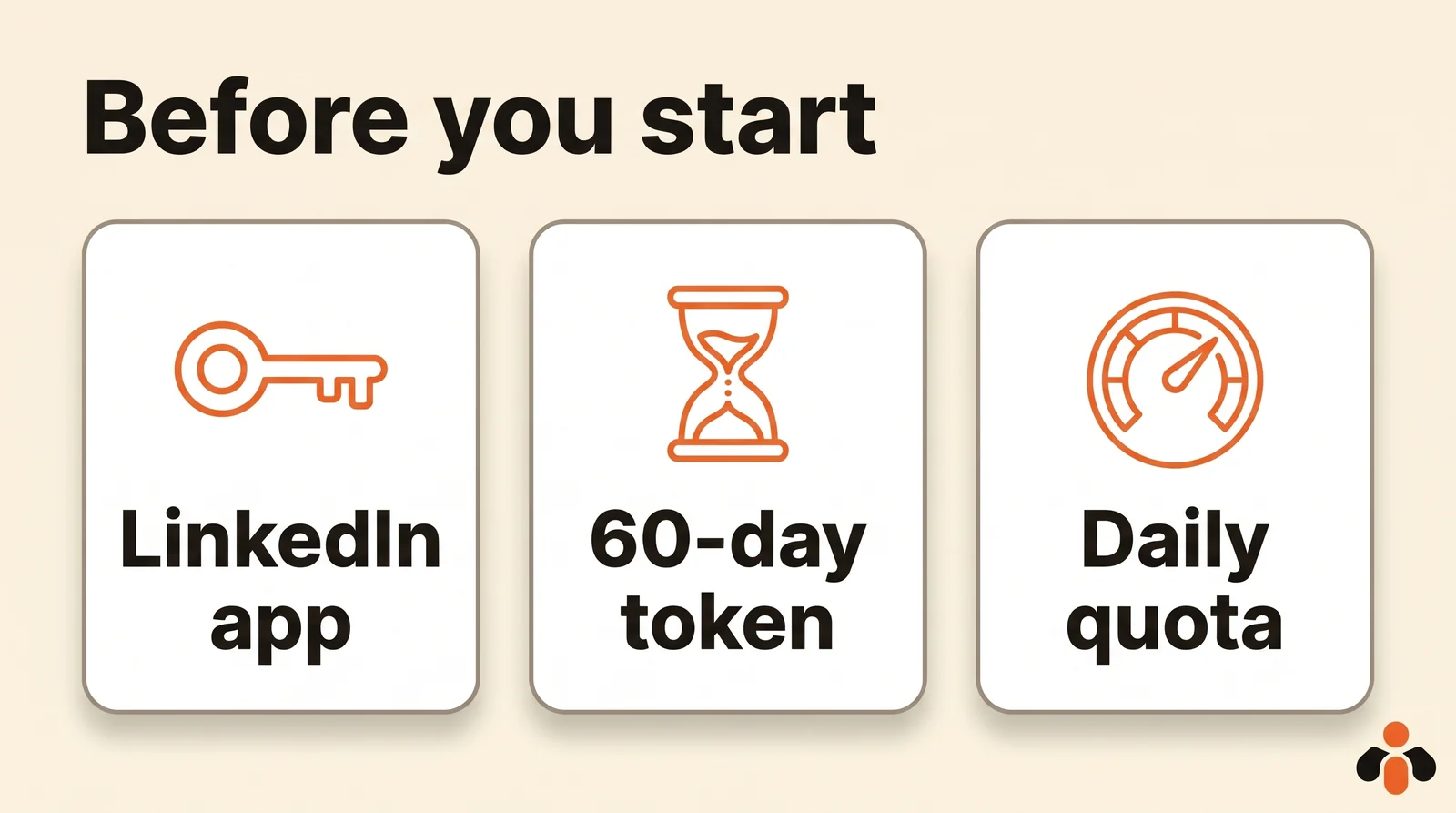
The app. With Make and Zapier, you connect through their own app by signing in to LinkedIn. With n8n, you create your own app in the developer portal and add the Share on LinkedIn product, which grants w_member_social, as the Share on LinkedIn page explains.
The token. LinkedIn's OAuth documentation is clear: "all access tokens are issued with a 60-day lifespan." Automatic renewal exists, with a refresh token valid for 365 days, but the refresh tokens page limits it to approved partners. For a regular account, write the date down: after 60 days you reconnect, or the workflow silently fails.
The quota. According to the rate limits page, each app gets a number of calls per day, and each member a number per app. Counters reset at midnight UTC. LinkedIn doesn't publish the numbers: they show up in your app's Analytics tab once you've made a first call. An extra request gets a 429 error, and admins receive an email when the app passes 75% of its quota.
For a Company Page, the Posts API documentation requires the w_organization_social permission, limited to members with the ADMINISTRATOR, CONTENT_ADMIN or DIRECT_SPONSORED_CONTENT_POSTER role on the Page.
The basic workflow, whatever the tool
All three tools follow the same three blocks: a trigger, some text, a post.
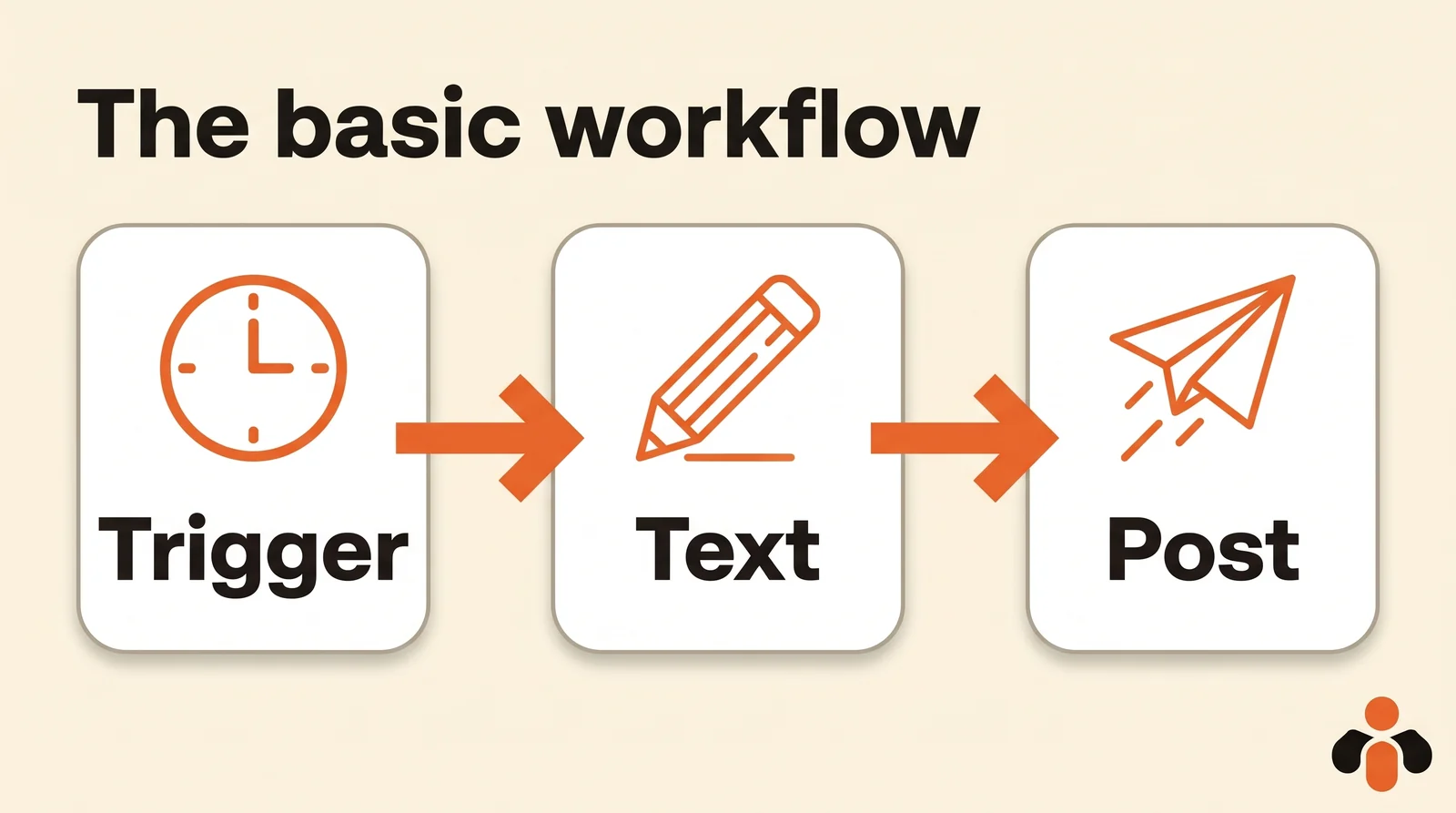
- The trigger: a fixed time (every Tuesday at 9 a.m.), a new spreadsheet row, a new blog article, a new RSS item.
- The text: taken as is from a spreadsheet column, or written by an AI step from the article title.
- The post: the LinkedIn module that creates the post, with the text and, if needed, an image or link.
A setup that works well: a real estate brokerage in New York keeps a spreadsheet with one row per listing (title, neighborhood, link, photo). Every Monday the workflow reads the first row marked "to post", builds the post, publishes it on the broker's profile, then marks the row "posted". The column text looks like this:
Just listed: a bright two-bedroom, 850 sq ft, a short walk from the park.
Showings available this week. Full details at the link below.
Keep a review step if an AI module writes the text: the post goes out under a real person's name, in front of their network.
Posting to LinkedIn with n8n
The LinkedIn node page is short: a single operation, Post > Create. Its settings are:
- Post As: post as a Person (your profile) or an Organization (a Page);
- Person Name or ID or Organization URN: the target profile or Page; for a Page, n8n wants the number only, such as
03262013; - Text: the post content;
- Media Category: use it to attach an image or an article link.
The credential follows the n8n LinkedIn credentials page. Community Management OAuth2 is for new apps, OAuth2 for older ones. n8n requires a LinkedIn account and a Company Page associated with the app, then the Share on LinkedIn and Sign In with LinkedIn using OpenID Connect products; the Advertising API is only needed to post as an organization. You then copy the Client ID and secret from the app's Auth tab.
The full workflow fits in three nodes: Schedule Trigger, a node that reads the spreadsheet (Google Sheets, for example), then LinkedIn. n8n also notes that this node can be used as a tool by an AI agent, and that any missing operation can go through the HTTP Request node, choosing Predefined Credential Type to reuse the LinkedIn credential.
Posting to LinkedIn with Make
The Make LinkedIn app offers two connections, LinkedIn and LinkedIn (OpenID Connect), created from any module with Create a Connection. For a profile, the modules are:
- Create a User Text Post, Create a User Image Post, Create a User Video Post;
- Delete a User Post.
For a Page, Make adds Create a Company Text Post, its image and video versions, Watch Company Posts and statistics modules. Make an API Call covers the rest of the API.
One detail worth knowing: if a module returns a 403 "Not enough permissions" error, Make advises waiting up to 5 minutes and running it again, while permissions update. The scenario takes the same shape: a scheduling module, a source, then Create a User Text Post.
Posting to LinkedIn with Zapier
The Zapier LinkedIn integration page describes the Zap in six steps: connect LinkedIn, choose a trigger from another app, add LinkedIn as the action with Create Company Update or Create Share Update, map the fields, test, then turn the Zap on. A raw API request action is also available.
For a fixed cadence, Zapier points to Schedule by Zapier, which runs the Zap at regular times. Its page notes that the integration doesn't cover LinkedIn lead gen forms. For posting itself, the most common trigger remains a new blog article or a new spreadsheet row.
Methods compared
| Method | What it posts | What you need | Limit to know |
|---|---|---|---|
| LinkedIn's scheduler | Profile and Page, one post at a time | Nothing else | Written by hand, 10 minutes to 3 months ahead |
| n8n | Profile or Page | Your own LinkedIn app tied to a Page | 60-day token to redo |
| Make | Profile or Page, text, image, video | A LinkedIn connection in Make | 60-day token, temporary 403 |
| Zapier | Create Company Update (Page) or Create Share Update | A LinkedIn connection in Zapier | One trigger per Zap |
| Multi-network posting tool | Profile and other networks in one request | An API key | Depends on the tool |
| Bot or browser extension | Everything, invitations included | Nothing | Prohibited, account restricted or shut down |
Habits that protect your account
- Post only. Keep invitations, messages and reactions out of the workflow: that's what section 8.2 targets.
- No extension acting on the site. Even "just to schedule", a browser extension that automates activity on LinkedIn counts as a prohibited tool.
- A pace you'd keep by hand. The goal is saving time, not multiplying posts; a workflow stuck in an error loop can also burn through the day's quota.
- An alert on failure. Add a branch that notifies you when the LinkedIn module returns an error, especially a 401 (expired token) or a 429 (quota reached).
- The token date in your calendar. About 55 days after connecting, reconnect before the workflow stops.
For the limits of other networks in the same workflow, see auto-posting to multiple social networks: the real limits.
One request for LinkedIn and the other networks
A LinkedIn workflow only covers LinkedIn: every extra network brings its own app, token and rules, as with Instagram in n8n.
Kreatoai posts to personal LinkedIn profiles, Instagram, Facebook Pages, TikTok, YouTube Shorts, Bluesky, Google Business profiles, Pinterest and Threads, right away or at a chosen time. Its public API can be called from n8n, Make, Zapier or any tool that sends an HTTP request with a key: one request posts to several networks, with no LinkedIn app to create and no review to pass, and an idempotency key prevents a replayed request from posting twice. LinkedIn company Pages are posted from LinkedIn itself. Several images go to LinkedIn as a document carousel. Here is the request, based on the posting documentation:
curl -X POST https://api.kreatoai.com/v1/posts \
  -H "x-api-key: YOUR_KEY" \
  -H "Content-Type: application/json" \
  -d '{
    "targets": ["linkedin", "facebook"],
    "content": "Just listed: a bright two-bedroom, 850 sq ft.",
    "scheduledAt": "2026-12-01T09:00:00-05:00",
    "idempotencyKey": "listing-42-linkedin"
  }'
A scheduled post goes out on its own at the set time, even if the automation tool is off. Setup is covered in the n8n, Make and Zapier guides, and you can also ask ChatGPT or Claude, as in post to LinkedIn with ChatGPT or Claude. Ten posts are free every month, no credit card needed.
Key takeaways
- LinkedIn lets you automate your posts through its official API (
w_member_social); it prohibits bots and extensions that act on the site, and accounts using them risk being restricted or shut down. - Invitations, messages, likes and automated comments stay out of any automation.
- The built-in scheduler is enough for a few posts: 10 minutes to 3 months ahead, 3,000 characters.
- In n8n, Make or Zapier, the workflow fits in three blocks: trigger, text, post.
- The LinkedIn token lasts 60 days; the daily quota shows in the app's Analytics tab and resets at midnight UTC.
Frequently asked questions
- Does LinkedIn allow automated posting?
- Yes, through an authorized route: LinkedIn's built-in scheduling, or the official API with the w_member_social permission, which is required to create a post on behalf of the signed-in member. The User Agreement does prohibit bots and other unauthorized automated methods, including browser extensions that act on the site for you.
- Can my LinkedIn account be restricted for automating posts?
- LinkedIn says members who use prohibited tools (bots, extensions that automate activity on the site, fake engagement) risk having their accounts restricted or shut down. Posting through the official API, with an app you authorized, is not one of those tools. Automated invitations, messages, likes and comments are.
- Can I automate LinkedIn messages and connection requests?
- Not with bots: section 8.2 of LinkedIn's User Agreement prohibits unauthorized automated methods to add contacts, send messages, comment on, like or share posts. An automation workflow should stick to your own posts.
- How long does a LinkedIn connection last in n8n or Make?
- LinkedIn currently issues every access token with a 60-day lifespan. Automatic renewal through a refresh token, valid for one year, is limited to approved partners. Without it, you reconnect before the deadline or the workflow fails.
- Can I schedule a LinkedIn post without any external tool?
- Yes. On desktop, click Start a post, write your text, then click the Clock icon to pick a date and time. LinkedIn accepts a time between 10 minutes and 3 months ahead, except for events and jobs.
- Do I need a LinkedIn Page to post from n8n?
- n8n's documentation asks you to associate a Company Page with the LinkedIn app you create, even to post on your own profile. To post as a Page, LinkedIn also requires the administrator, content admin or direct sponsored content poster role on that Page.
- How do I automate LinkedIn and other networks at once?
- With an API that already holds the access. Kreatoai posts to personal LinkedIn profiles, Instagram, Facebook Pages, TikTok, YouTube Shorts, Bluesky, Google Business profiles, Pinterest and Threads: one request to its public API, sent from n8n, Make or Zapier, publishes to several networks without creating a LinkedIn app.
Have it done for you
Kreatoai publishes and schedules your posts on all your networks, from your dashboard or by asking ChatGPT and Claude, and its agent answers your direct messages. Ten free posts every month, no credit card.
Try it free