Schedule TikTok Messages: What TikTok Actually Allows
Can you schedule a message on TikTok? What the official help says, the four automatic messages, who can use them, examples to copy, and what you can schedule instead.
 By Kreatoai
TikTok doesn't let you schedule a direct message to go out later: its help pages on messaging, as read on November 13, 2026, describe no such option, in the app or on desktop. What it offers instead is automatic messages that go out on their own when someone writes to you (welcome message, keyword reply, suggested questions), limited to certain accounts, and video scheduling. This guide sticks to what TikTok's official pages say.
In this guide:
- what TikTok messaging allows, and what it doesn't;
- the four automatic messages and their character limits;
- which accounts can use them, and how to get access;
- step-by-step setup, in the app and on desktop;
- messages you can copy;
- what you can schedule instead: videos and photos.
Can you schedule a message on TikTok?
No. TikTok's help page on direct messages covers what you can control: who can message you, message requests, read status, deleting, muting, filtered keywords and blocking. There is no option to write a message now and pick the time it goes out.
A few rules from that page are worth knowing before you think about automation:
- Who can message you directly: your friends (followers you follow back) and accounts you follow. Everyone else sends a message request, which you can accept, delete or report.
- The setting lives under Profile, Menu, Settings and privacy, Privacy, then Direct messages. A registered Business or Organization Account can select Inbox to receive messages from others directly, without going through requests.
- A message sent by mistake can be removed with Delete for everyone, but only within 3 minutes of sending it.
On the business side, TikTok also describes Messaging Partners: third-party platforms that help businesses manage customer messages (multi-user permissions, conversation labels, auto-replies, keyword auto-replies, order and reservation management, CRM connections). The page talks about auto-replies, not messages scheduled in advance, and presents them mainly for messaging ad campaigns.
So if your goal is to send an announcement to your followers on Monday at 9 am, TikTok has no button for it. If your goal is that nobody waits for an answer while you sleep, automatic messages are built for that.
TikTok's four automatic messages
TikTok calls the feature Automatic messages. It sends prepared messages and replies, triggered by the person who writes to you. There are four types.
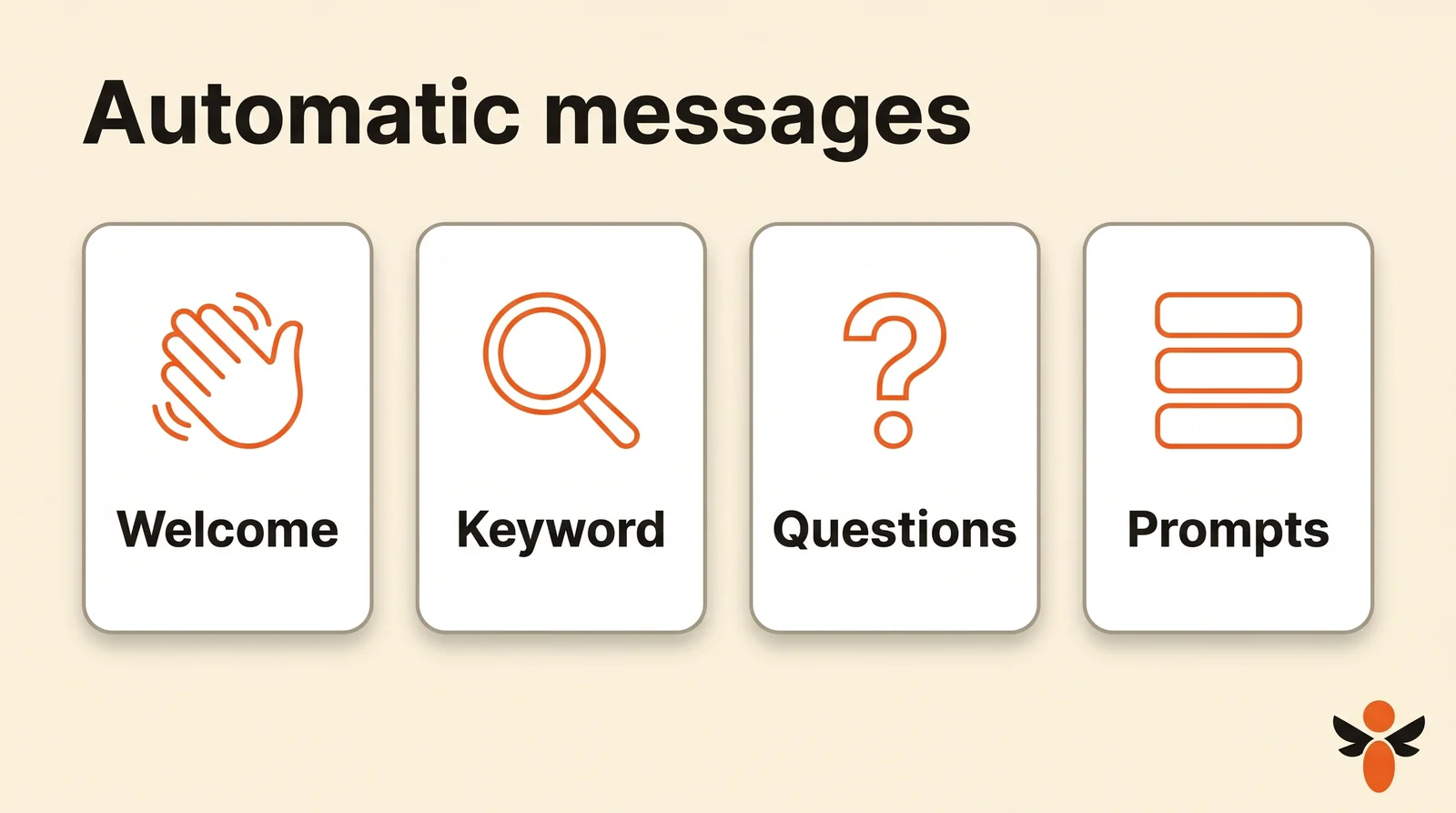
| Automatic message | When it goes out | Limits according to TikTok |
|---|---|---|
| Welcome message | When someone starts a chat with your account for the first time | 250 characters max |
| Keyword reply | When the person's message has an exact match of one of your keywords | 40 characters per keyword, 500 per reply |
| Suggested questions | When the person taps one of the frequently asked questions shown | 80 characters per question, 200 per answer |
| Chat prompts | When the person taps a topic button to start the conversation | No limit stated in the help |
The limits come from the page on setting them up in the app. What the four have in common: nothing goes out until someone writes to you. That's the difference from a scheduled message, and it's also what makes them safe, since you only reach people who came to you.
Who can use automatic messages
Check this first, because many accounts don't see the option. TikTok is clear: these features are only available to TikTok Accounts with Advanced Access and Verified Business Accounts (VBA), and not available to General TikTok Accounts.
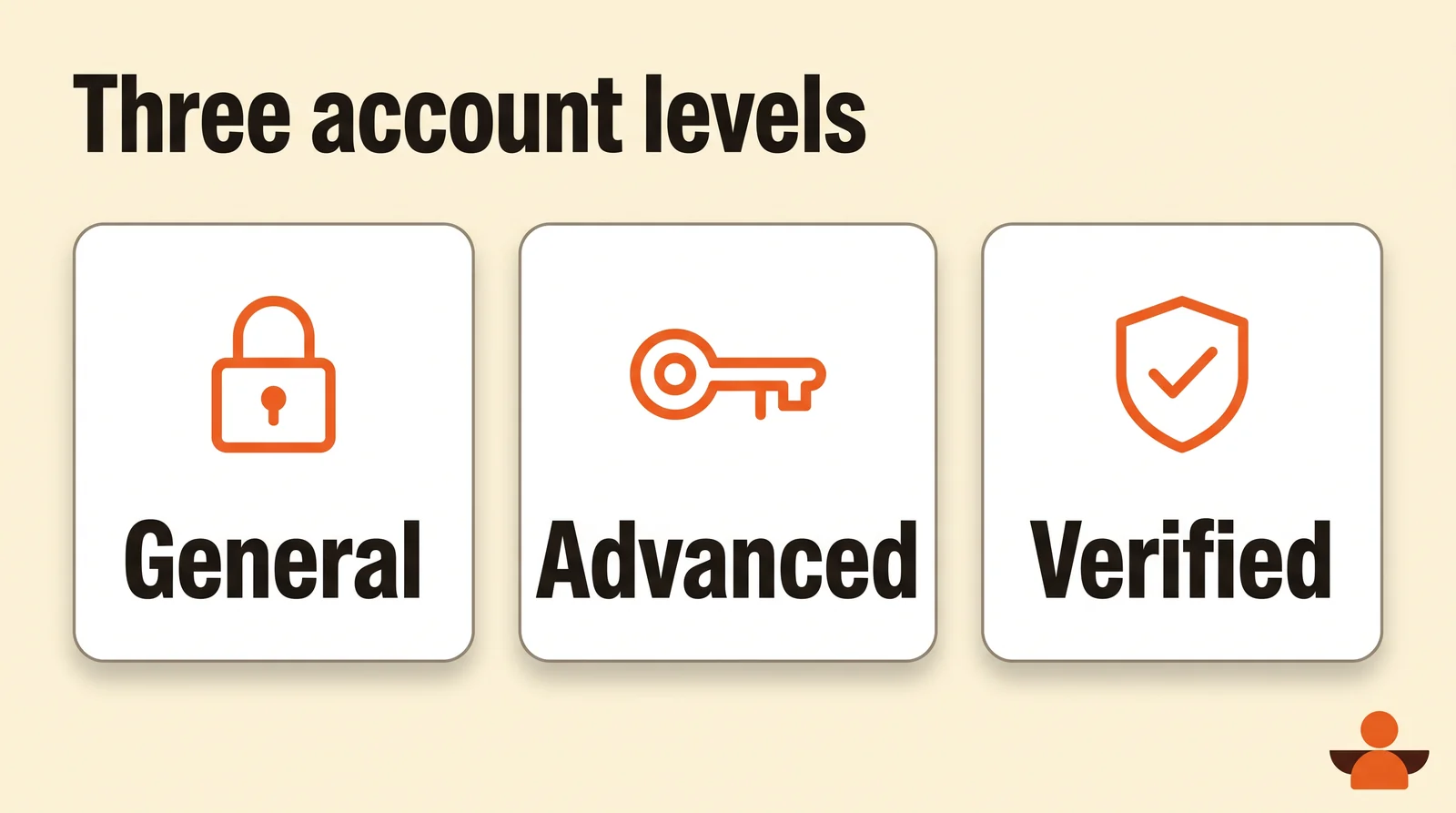
The page on TikTok account entitlements describes three levels:
| Level | How to get it | Messaging |
|---|---|---|
| General TikTok Account | The standard account everyone starts with | Not available via Business Suite |
| TikTok Account with Advanced Access | Link the account to a TikTok for Business account or an unverified Business Center | Automatic messages (auto-reply, welcome message, suggested questions) |
| Verified Business Account | Complete TikTok's business verification | Everything in Advanced Access, plus messaging auto-lead collection and an AI chatbot |
For most brands, coaches and shops, Advanced Access is enough: it needs no business verification, only a link to a TikTok for Business account. One last setting matters: Receive messages from Everyone must be on in Settings and privacy. If it isn't, TikTok prompts you to turn it on when you set things up.
Set up automatic messages in the app
Everything happens in Business suite, the app's set of business tools. The steps from TikTok's help:
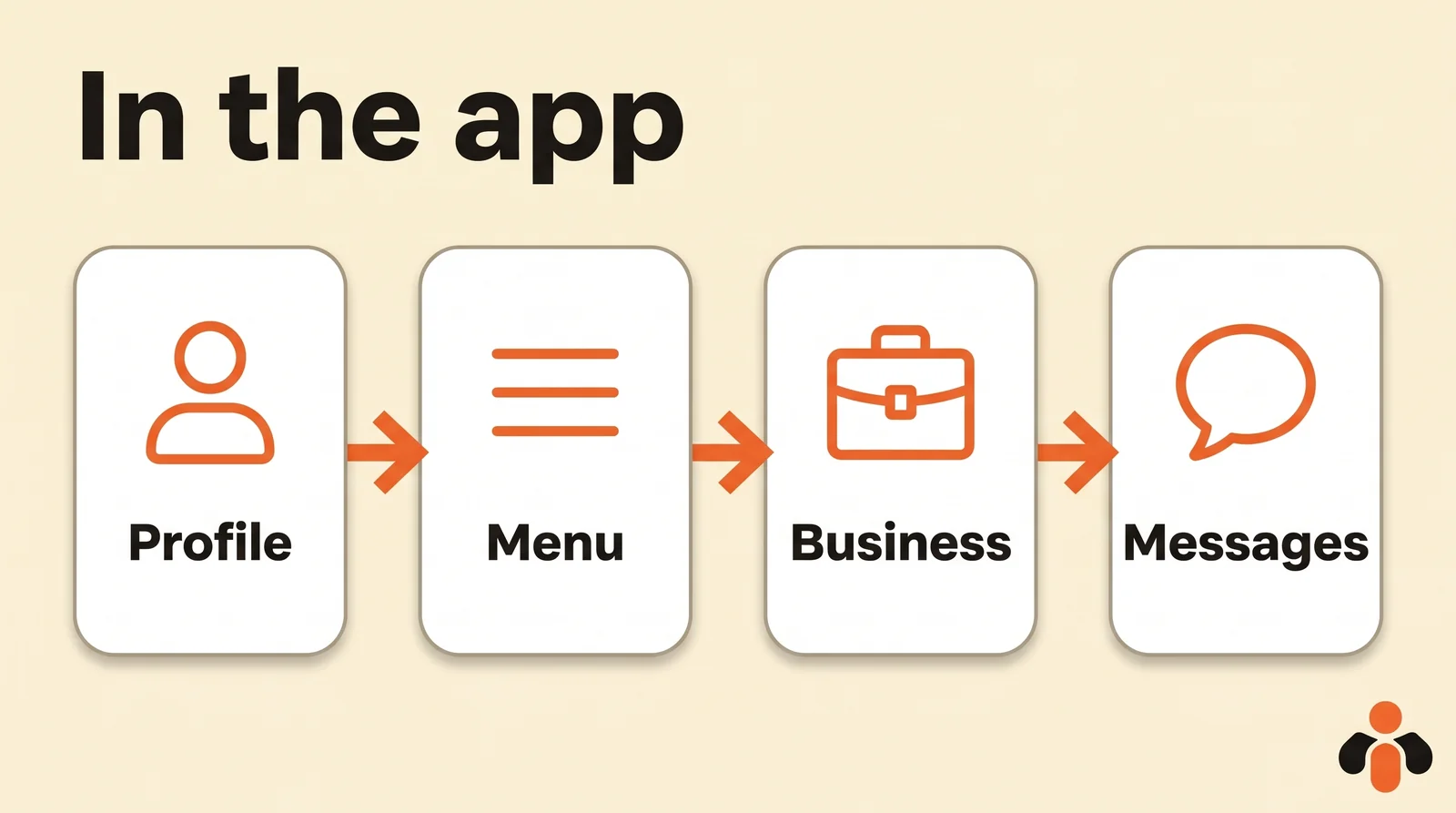
- Open the TikTok app and log in.
- Go to your Profile.
- Tap the menu icon in the top right.
- Tap Business suite.
- Select Message center.
- Turn on Welcome message, Keyword reply, Suggested questions and Chat prompts, depending on what you want to use.
Then each message is set up in its own section of Message center:
- Welcome message: turn it on, add the text, then tap Submit to send it for moderation review.
- Keyword reply: turn it on, tap Create new, enter your keywords and their replies, then Submit.
- Suggested questions: turn them on, tap Create new or pick one of the default questions, add the question and answer, then Submit.
- Chat prompts: turn them on, tap Add new, enter the prompt name and message, then Submit.
Approval. Every message goes through moderation. TikTok sends an in-app notification on its status within 1 to 5 business days, and you can also check it in Message center. Messages can't be edited during approval, and any later edit sends them back through it. Prepare your texts early: a welcome message that must be live for a launch should be submitted a week before.
Set up automatic messages on desktop
The same four messages can also be set up in Business Center, on the web, according to this TikTok page. Three conditions first:
- the Business Account must be integrated with Business Center;
- that integration requires a Verified Business Account;
- direct messages must be open to Everyone, in the app: Settings and privacy, Privacy, Direct messages.
Under Automatic messaging, each type has an Edit button. Write the text, click Save, then turn on the toggle next to the message: without it, nothing is sent. Business Center shows a mobile preview and example welcome messages. Review usually takes 1 to 5 days, and a suggested question under review can't be edited, but can be deleted.
Desktop is more comfortable for writing and checking longer replies. But if your account isn't verified, the app is the only way.
Messages you can copy
The examples below fit TikTok's limits. Replace the parts in brackets.
Welcome message (250 characters max), for an online clothing brand:
Hi, thanks for your message! We usually reply within the day. To speed things up, tell us the item or your order number. Sizes and shipping times are also on [website].
Welcome message, for a coach:
Hi! Thanks for reaching out. I answer every message myself, usually within 24 hours. If you'd like to book a free intro call, type CALL and I'll send you my available times.
Keyword replies (40 characters per keyword, 500 per reply), for a restaurant:
| Keyword | Reply |
|---|---|
| hours | We're open Tuesday to Sunday, noon to 2:30 pm and 6 pm to 10:30 pm. Closed on Mondays. |
| booking | To book a table, call us at [number] or use the link in our profile. Tell us the day, the time and how many people. |
| delivery | We deliver within 3 miles, Tuesday to Sunday, 6 pm to 10 pm. Order through the link in our profile. |
Pick words your customers actually type: the reply only goes out on an exact match of the keyword. Read your latest messages and note the words that come up again; "price", "hours", "shipping" or "available" are often at the top.
Suggested questions (80 characters per question, 200 per answer), for a real estate agency:
| Question | Answer |
|---|---|
| Is this home still available? | Send us the listing reference: an agent will reply with availability and possible viewing dates. |
| How do I book a viewing? | Give us the listing reference and two times that suit you. An agent will confirm by message. |
| What are your fees? | Our fees are shown on every listing and on our website, under Fees. |
Avoid putting a price or availability that changes into an automatic reply: every edit goes back through approval, and the reply would stay wrong for several days.
What you can schedule instead: videos
What TikTok really lets you schedule is videos. According to its help:
- scheduling happens on desktop, with the Upload icon;
- it's limited to a Business Account or an account with 10,000 followers or more;
- a video can be scheduled 15 minutes to 10 days in advance, in your computer's time zone;
- a scheduled post can't be edited, but can be deleted;
- the feature isn't available on TikTok Mobile Web.
The entitlements page also lists a Post Scheduler among the Advanced Access tools. Our guide on how to schedule TikTok posts covers both routes, on desktop and in TikTok Studio.
A good way to combine the two: schedule the video that announces an offer, and set a keyword reply on the word the video asks people to type ("message us INFO"). The video goes out at the time you picked, and everyone who types the word gets the reply right away.
Summary: what you can schedule on TikTok
| What you want to do | Possible on TikTok? | Where |
|---|---|---|
| Send a direct message later, at a chosen time | No | No option described in the help |
| Greet everyone who messages you for the first time | Yes, with Advanced Access or a verified account | Business suite, Message center |
| Reply automatically to a specific word | Yes, with Advanced Access or a verified account | Keyword reply |
| Offer frequently asked questions in one tap | Yes, with Advanced Access or a verified account | Suggested questions |
| Schedule a video | Yes, Business Account or 10,000 followers | tiktok.com on desktop, 15 minutes to 10 days |
Schedule your TikTok videos alongside your other networks
Automatic messages are set up in TikTok and nowhere else. The video that brings the messages in, though, can be planned with the rest of your week, across all your networks.
Kreatoai publishes to TikTok, Instagram, Facebook Pages, personal LinkedIn profiles, YouTube Shorts, Bluesky, Google Business profiles and Pinterest, right away or at the time you choose, with a calendar. One post goes out to several networks and several accounts at once. TikTok needs an image or a video per post, provided by you, and every post can be edited (text, image, time) or canceled as long as it hasn't gone out.
You can also ask ChatGPT or Claude, connected to Kreatoai, like you would a coworker: "schedule this video on TikTok and Instagram for Thursday at 6 pm, with this caption". The AI writes the text with you and schedules it once you approve (see how to connect Claude, or our guide to connect Claude to TikTok).
For messages, Kreatoai's inbox brings together Instagram and Messenger, not TikTok: an agent replies to direct messages based on what the business has taught it, and alerts a human when a question falls outside its scope (see our guide on Instagram auto-reply). Ten posts are free every month, no credit card needed.
Key takeaways
- TikTok doesn't let you schedule a direct message for a set time: its help describes no such option.
- It offers four automatic messages, triggered when someone writes to you: welcome message, keyword reply, suggested questions and chat prompts.
- They're limited to accounts with Advanced Access (linked to TikTok for Business) and Verified Business Accounts.
- The path in the app: Profile, Menu, Business suite, Message center.
- Limits: 250 characters for the welcome message, 40 and 500 for keywords, 80 and 200 for suggested questions.
- Each message goes through approval within 1 to 5 business days, and can't be edited meanwhile.
- What you can really schedule on TikTok is videos: on desktop, 15 minutes to 10 days ahead.
Frequently asked questions
- Can you schedule a direct message on TikTok?
- No. TikTok's help pages on direct messages, as read on November 13, 2026, describe no option to send a message later, in the app or on desktop. What TikTok offers instead is automatic messages that go out when someone writes to you, and video scheduling.
- How do I set up an automatic message on TikTok?
- In the app, open your profile, tap the menu icon in the top right, then Business suite and Message center. Turn on Welcome message, Keyword reply, Suggested questions or Chat prompts, write the text and tap Submit. Each message then goes through moderation review, with a status update within 1 to 5 business days.
- Why don't I have automatic messages on TikTok?
- TikTok reserves them for TikTok Accounts with Advanced Access and Verified Business Accounts: a General TikTok Account can't use them. You get Advanced Access by linking your account to a TikTok for Business account or an unverified Business Center. Receive messages from Everyone must also be turned on.
- How long can a TikTok welcome message be?
- 250 characters at most, according to TikTok's help. For keyword replies, each keyword can be 40 characters and each reply 500; for suggested questions, 80 characters per question and 200 per answer.
- How does keyword reply work on TikTok?
- You choose keywords and the reply tied to each one. When someone sends a message with an exact match of one of your keywords, TikTok sends the preset reply. Pick words your customers actually type, such as price, hours or shipping.
- Can I edit a TikTok automatic message while it's in review?
- No: messages can't be edited during the approval process, and any later edit sends the message back through approval. A suggested question under review can still be deleted.
- What can I schedule on TikTok instead of a message?
- Videos. On desktop, TikTok's tool schedules a video between 15 minutes and 10 days ahead, for a Business Account or an account with 10,000 followers or more. A tool connected to TikTok's API, such as Kreatoai, also schedules TikTok videos and photos at the time you choose, from a calendar or by asking ChatGPT or Claude.
Have it done for you
Kreatoai publishes and schedules your posts on all your networks, from your dashboard or by asking ChatGPT and Claude, and its agent answers your direct messages. Ten free posts every month, no credit card.
Try it free