Instagram Auto Reply: Setup, Examples and Meta's Rules
Set up an Instagram auto reply in the app or Meta Business Suite: welcome and away messages, comment to DM, 12 message examples and Meta's 24-hour rule.
 By Kreatoai
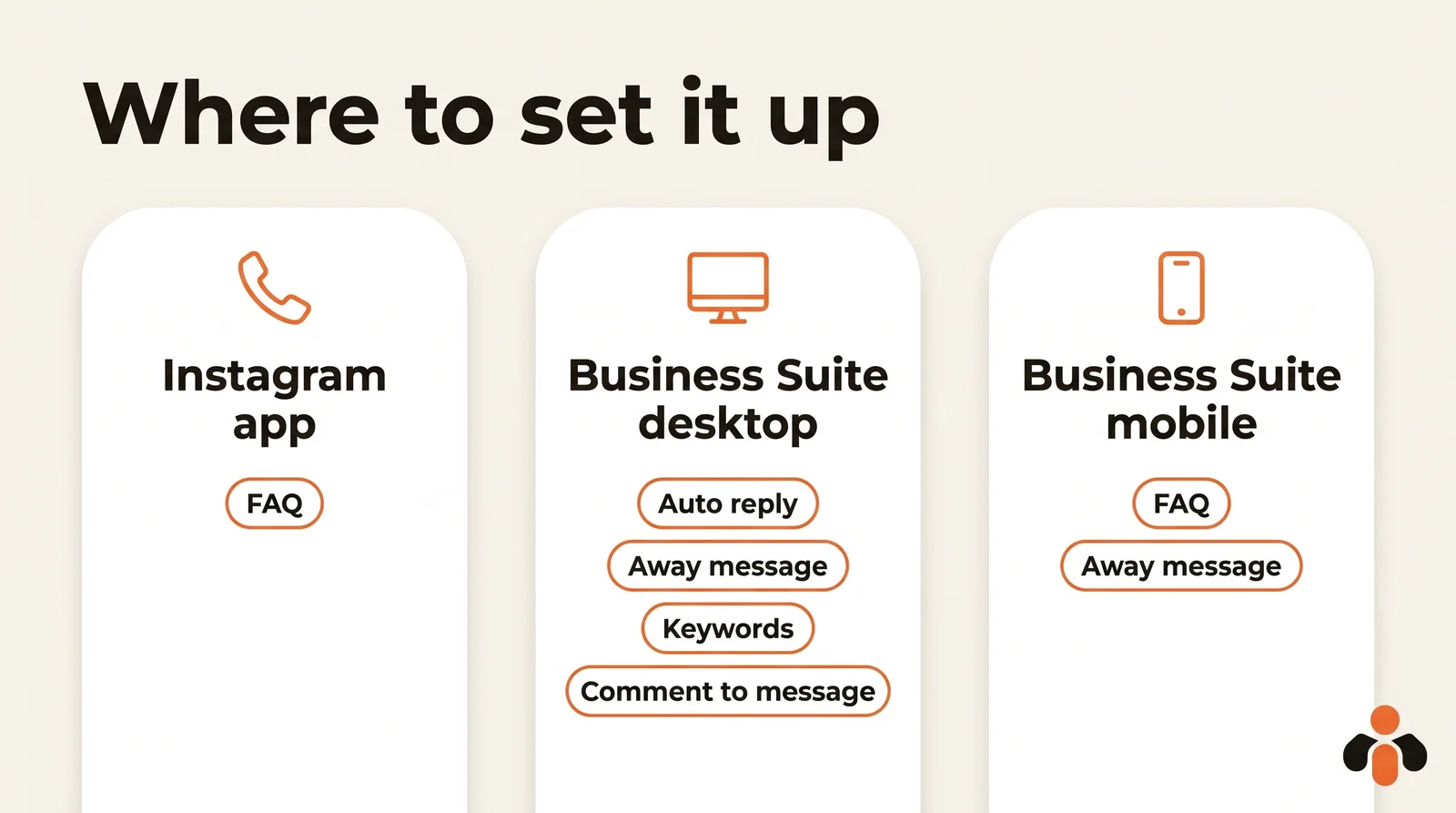
You can set up an Instagram auto reply for free in about ten minutes: in the Instagram app for frequently asked questions, or in Meta Business Suite on a computer for the welcome message, the away message and replies to comments. Everything runs on a professional account, and one rule is not negotiable: you can only message someone who wrote to you first. Every step below was checked against Meta's English help center and developer documentation on October 30, 2026.
In this guide:
- what an Instagram auto reply is, and what you need before you start;
- frequently asked questions in the Instagram app;
- the auto reply, away message and comment to DM in Meta Business Suite;
- the keyword rules that catch everyone out;
- 12 auto reply message examples you can copy;
- what Meta allows, and for how long.
What is an Instagram auto reply?
It is a direct message that goes out on its own when someone messages you or comments on a post. Meta offers several of them as templates in Meta Business Suite. Here is the list from Meta's guide to Inbox automations on desktop, as of October 30, 2026:
| Automation | What it does |
|---|---|
| Auto reply | Replies with a greeting when someone messages you for the first time |
| Away message | Replies when you are not available |
| Frequently asked questions | Suggests questions people can ask, with your answers |
| Location, Contact information, Hours | Answers a request for your address, contact details or opening hours |
| Custom keywords | Replies to a message that contains specific keywords |
| Comment to message | Sends a message reply to comments that contain specific keywords |
| Identify unanswered messages | Finds messages that have not received a reply |
Some Meta pages call the first one Instant reply; it is the same greeting. These templates send fixed text. They welcome, inform and set expectations. They do not understand a precise question like "do you ship to Austin by Saturday?".
Before you start: switch to a professional account
Meta lists Inbox automations for Instagram business accounts connected to Meta Business Suite. If you are still on a personal account, the switch is free. The path from Instagram's help center:
- Tap Profile or your profile picture, bottom right.
- Tap More to go to Settings and activity.
- Below For professionals, tap Account type and tools.
- Select Switch to professional account, choose a category, then Creator or Business.
One catch: if your personal account is private, switching to a professional account will make it public, and all pending follow requests are accepted. During setup, you can also connect a Facebook Page, which makes the account easier to manage from Meta Business Suite.
Method 1: frequently asked questions in the Instagram app
This is the automation you set up from your phone, inside Instagram. The questions are displayed when people try to message your account, and each one can have its own automated response. The steps from Instagram's help center:
- Tap Messages at the bottom.
- Tap the more actions icon, then Tools.
- Under Tools, tap Frequently asked questions.
- Turn on the toggle next to Show Questions.
- Under Questions, tap Add Question, enter the question and its automated response, then tap Save.
You can add up to four frequently asked questions. Pick the ones you really get: your prices, delivery times, how to book a call, where to find the replay of a webinar.
Method 2: the auto reply in Meta Business Suite
Everything else lives in the Inbox of Meta Business Suite. Meta's instructions are written for desktop, not mobile, and keyword automations only exist on desktop. Check first that the right business portfolio is selected, top left.
- Go to Inbox in Meta Business Suite.
- Click Automations.
- Click Create automation in the top right.
- Click Auto reply, then Create automation.
- Complete the on-screen instructions: choose Instagram as the channel, write your greeting and check the preview.
Your automation may take a few minutes to appear. You turn it on or off with the toggle under Status, and change it with Edit.
The message goes out when someone messages you for the first time. Replace Meta's default text: "we got your message" tells people nothing. Say when you will reply, and give one useful piece of information right away.
How to set an Instagram away message
The away message replies during the hours you are not available. On desktop, pick Away message in the same list of templates. The Meta Business Suite mobile app gives the exact scheduling steps:
- Open the app and tap Inbox.
- Tap the three dots in the top right, then Automations.
- Tap Away message, and under Platforms, switch on Instagram.
- Write your message, then go to Schedule.
- Select Time zone, search for your city and select it.
- Tap Add to schedule, choose the days, a start time and an end time, then tap Save.
The away message is only active during the hours you have scheduled; outside them, it turns itself off. The same mobile screen lets you add up to five frequently asked questions, one more than the Instagram app.
A good out of office message says when you will be back and what the person can do meanwhile: a link to your booking page, your help center or your order form.
Instagram auto reply to comments: the comment to DM
Someone comments a chosen word on your post and instantly gets a direct message. That is the mechanism behind posts that end with "comment GUIDE and I'll send it to you". In Meta Business Suite, it is called Comment to message, and it sends a message reply to comments on your posts that contain specific keywords or phrases.
Three things to know:
- It is only available in Meta Business Suite on desktop.
- Meta's developer documentation says only one message can be sent to the commenter, within 7 days of the comment, and for a Live, only during the broadcast.
- The reply lands in the person's Inbox if they follow you, or in their Requests folder if they do not. Follow-ups are only possible if they answer.
Deliver what the post promised, in that first message. A reply that brings nothing makes people unfollow. And to get those posts out at the right time without thinking about it, see how to schedule Instagram posts.
Keyword automations: four rules that catch everyone out
The Custom keywords automation replies when a message contains a word you chose. Four rules from Meta's page on automated responses explain most of the replies that never go out:
- Up to 5 keywords or phrases per automation, and the same keyword can only be used in one automation.
- Keywords are case-sensitive: "price" does not trigger on "Price". Add both.
- The reply goes out after 15 minutes, unless you personally respond before then.
- Templates win: if your away message is on and also triggered, Meta sends the away message, not the keyword reply.
Keyword replies can include photos, videos, buttons and links. One more trap: if you turn on Meta Business Agent, Meta's own AI, your existing automations, such as away messages, are paused.
12 Instagram auto reply message examples
A good message says who is answering, gives useful information right away and leaves an easy next step. Replace what is in brackets.
| Case | Example message |
|---|---|
| Welcome | "Hi, thanks for your message! We usually reply within an hour, 9 am to 7 pm. Tell us what you're looking for." |
| Away | "Thanks for reaching out! We're offline right now and will reply tomorrow from 9 am. Meanwhile: [your link]." |
| Weekend | "Hi! The team is off this weekend. We'll read your message first thing Monday, promise." |
| Hours | "We answer messages Monday to Friday, 9 am to 6 pm [time zone]." |
| Pricing | "Our pricing is here: [link]. Tell us what you need and we'll confirm the exact price." |
| Quote | "Thanks for your request! To prepare a quote, tell us your project, your budget and your deadline." |
| Order | "To track your order, send us its number and we'll reply with the delivery date." |
| Booking | "You can book a call directly here: [link]. No slot works? Send us your availability." |
| Comment to DM | "Thanks for your comment! Here's the guide we promised: [link]. Questions? Just reply here." |
| Lead magnet | "Here's your free checklist: [link]. Want the full program? Reply COURSE." |
| Routing | "Hi! To speed things up, reply 1 for an order, 2 for a question, 3 for a partnership." |
| Spanish speakers | "¡Hola, gracias por tu mensaje! Respondemos en menos de una hora, de 9 a 19 h." |
A message that says nothing, like "We'll get back to you", does worse than no message at all: it only confirms that nobody is reading.
Meta also recommends being upfront about automation. Its developer documentation says automated chats must disclose that a person is talking to an automated service when required by applicable law, and recommends doing it anyway as best practice. A short "automatic reply" line in your welcome message covers it.
What to automate, and what to keep human
| Automate | Keep human |
|---|---|
| The greeting and your reply time | A complaint or an unhappy customer |
| Hours, links and booking pages | A price negotiation or a complex quote |
| Questions you get every day | A partnership request |
| The away message | Any question your fixed text does not answer |
Turn on Identify unanswered messages too: it finds messages that haven't received a reply, so nothing slips through.
What Meta allows, and for how long
On Instagram, a tool connected to Meta's API can only message a person after that person has sent your professional account a message, or after they commented on your content (the private reply above). No cold outreach, no mass DMs to new followers.
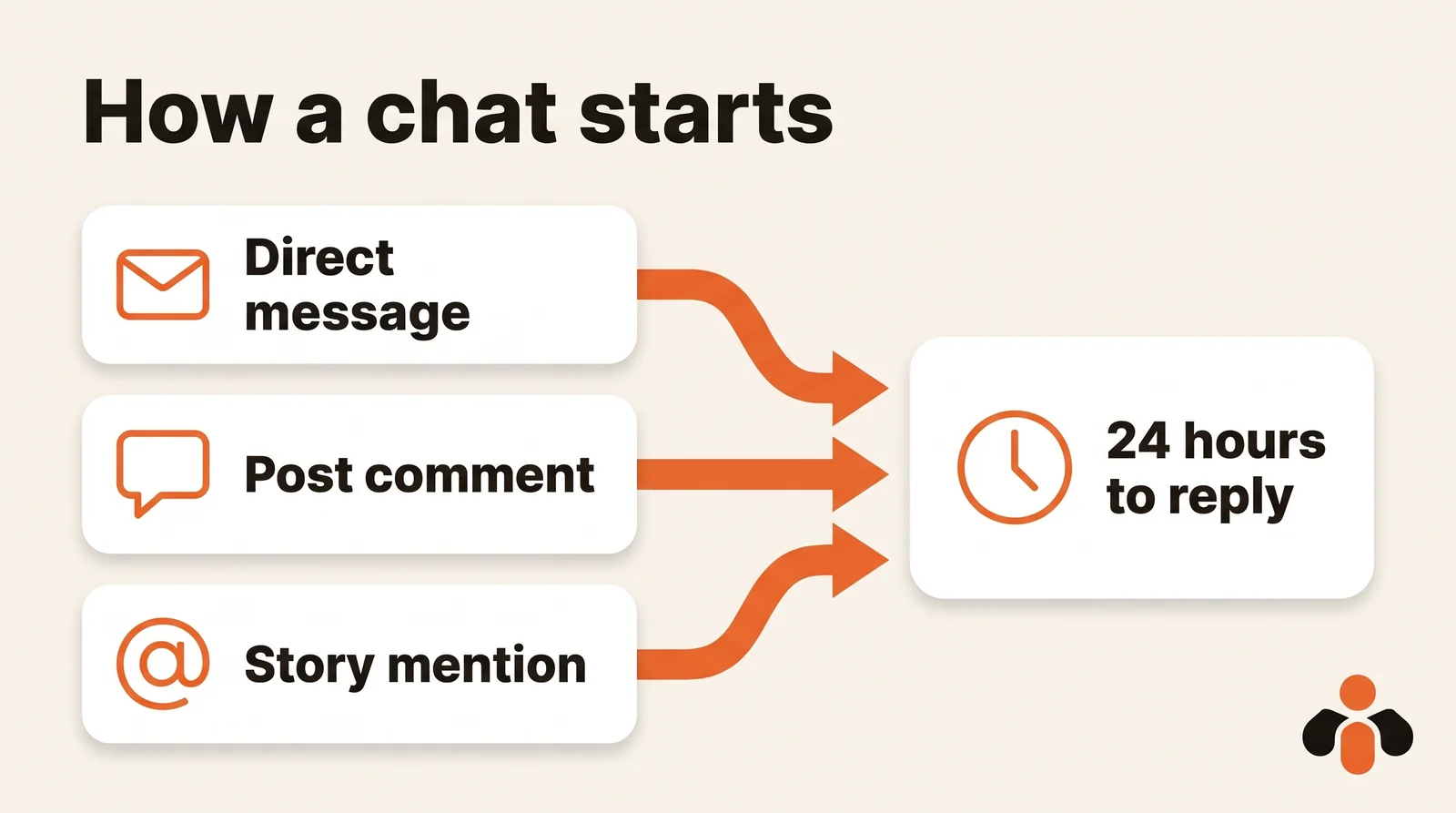
Then the clock runs. According to Meta's Messaging API documentation, as of October 30, 2026:
- 24 hours after the person's message, for most user actions;
- up to 7 days when the person sends their first message after clicking a Click-to-Direct ad;
- 7 days for a reply from a human agent, tagged as such;
- 7 days to send a private reply to a comment (Meta).
The consequence is simple: an automation has to answer fast, not follow up three days later.
When fixed templates stop being enough
Meta's templates are enough to greet people and set expectations. They stop being enough when real questions arrive at night: a price, a delivery date, whether a coaching slot is still open. A useful reply then has to know four things.
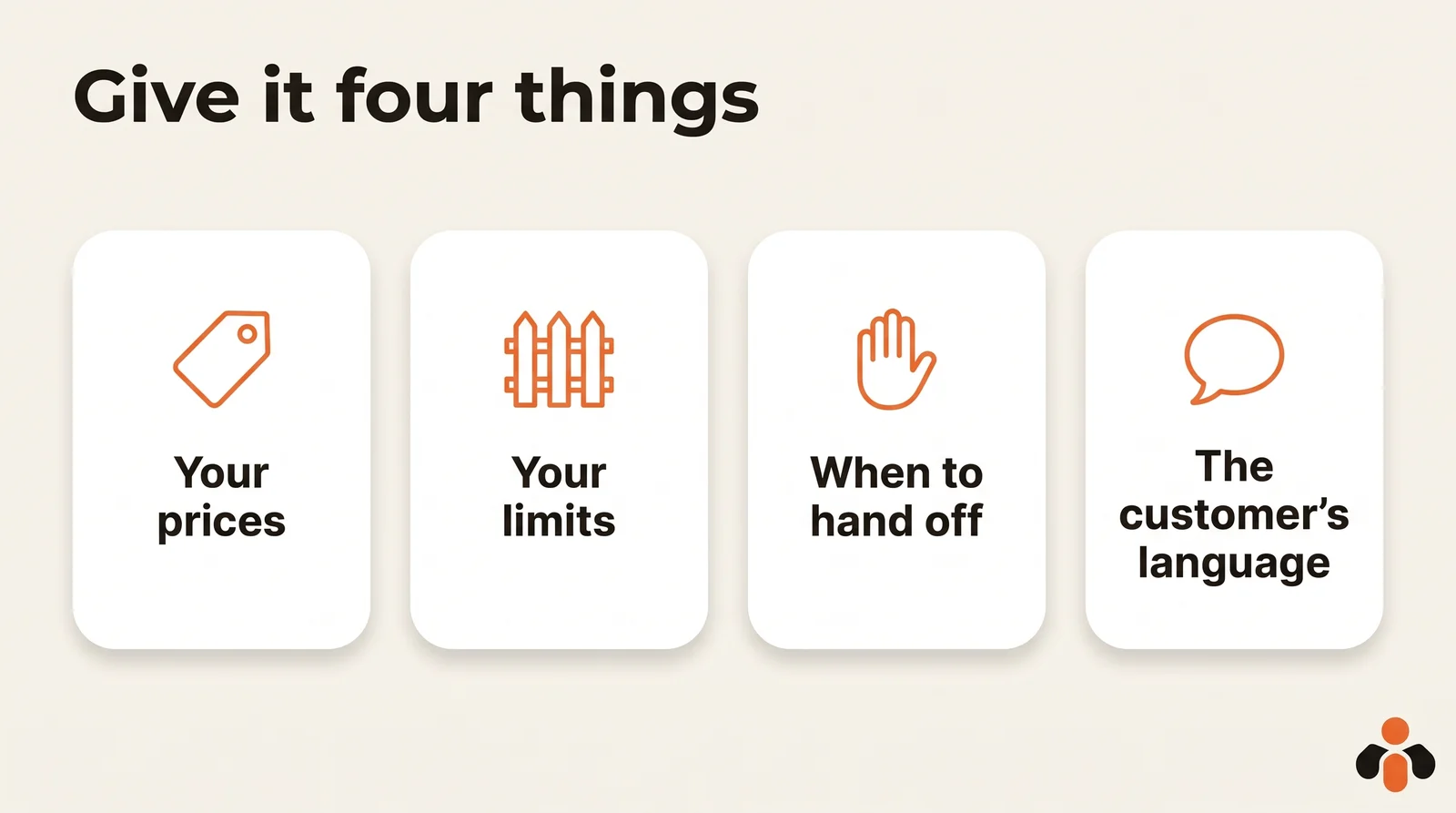
That is what Kreatoai's agent does. It brings Instagram and Messenger direct messages into one inbox and replies from what the business has taught it: a description of the business, its usual answers, its documents. It answers in the customer's language and saves the contact details of people who want to go further. When a question falls outside its scope, it stops and alerts a human, and you take the conversation back whenever you want. It never messages someone who has not written first and does not reply to public comments. With a plan, you can test it in a dry run before it talks to real customers. The details are on the agent's presentation, and you can create an account to connect Instagram.
Key takeaways
- An Instagram auto reply needs a professional account; Meta's automations are free, in the Instagram app or in Meta Business Suite.
- The Instagram app offers up to four frequently asked questions; the rest is set up in Meta Business Suite, mostly on desktop.
- The auto reply greets first-time messages; the away message follows your schedule and time zone.
- Keywords are case-sensitive, fire after 15 minutes and give way to an active template.
- Comment to message sends one private reply, within 7 days of the comment.
- You can only message people who wrote first, within 24 hours in most cases.
Frequently asked questions
- How do I set up an auto reply on Instagram?
- With a professional account, open Inbox in Meta Business Suite on a computer, click Automations, then Create automation, and pick Auto reply for a greeting or Away message for the hours you are not available. In the Instagram app itself, Messages, then Tools, then Frequently asked questions lets you add up to four questions with an automated response.
- Can I set an auto reply on a personal Instagram account?
- Meta's help center lists Inbox automations for Instagram business accounts connected to Meta Business Suite. Switching a personal account to a professional one is free and takes a few taps in Settings and activity, under For professionals, then Account type and tools. A private account becomes public when it switches.
- How do I set an away message on Instagram?
- In Meta Business Suite, choose the Away message automation and turn it on for Instagram. In the mobile app, go to Schedule, select Time zone, search for your city, tap Add to schedule and pick the days with a start and end time. The away message only runs during the hours you scheduled.
- Can Instagram automatically reply to comments?
- Yes, with the Comment to message automation in Meta Business Suite, which sends a message reply to comments that contain chosen keywords. It is only available on desktop. Meta's developer documentation adds that only one private reply can go to a commenter, within 7 days of the comment, or during the broadcast for a Live comment.
- Can I send an automatic DM to new Instagram followers?
- No. None of Meta's Inbox automation templates messages new followers, and Meta's Instagram Messaging API only lets an app message a person after that person has messaged the account first. A tool that promises DMs to people who never wrote to you works outside Meta's rules.
- How long do I have to reply to an Instagram DM with automation?
- For most user actions, 24 hours after the person's last message, according to Meta's developer documentation. The window can last up to 7 days when the person writes after clicking a Click-to-Direct ad, and a reply written by a human agent can use a separate 7-day window when it is tagged as such.
- What is the difference between an Instagram auto reply and a keyword automation?
- The auto reply greets anyone who messages you for the first time, whatever they write. A custom keyword automation only fires when the message contains an exact keyword, is case-sensitive, and is sent after 15 minutes unless you reply first. If a template such as your away message is also triggered, Meta sends the template instead.
- Can an Instagram auto reply answer questions about my prices?
- Only if it reads your real information instead of guessing. Meta's templates send fixed text. An AI agent such as the one in Kreatoai replies from what the business has taught it, such as its description, usual answers and documents, and alerts a human when a question falls outside that scope.
Have it done for you
Kreatoai publishes and schedules your posts on all your networks, from your dashboard or by asking ChatGPT and Claude, and its agent answers your direct messages. Ten free posts every month, no credit card.
Try it free