· 12 min read
Best Social Media MCP Servers for ChatGPT and Claude (2026)
The best social media MCP servers compared: which ones publish to Instagram, TikTok and LinkedIn from ChatGPT or Claude, how they sign in, and what they cost.
 By Kreatoai
The best social media MCP server is the one that actually publishes to your networks from the assistant you already use: Buffer for a free start, Postiz for the widest list of platforms, Post Bridge for many accounts at one price, Kreatoai for posting plus an agent that answers your direct messages, and Ayrshare or Outstand if you are building your own product. Every fact below was read on each tool's official page on October 29, 2026.
In this guide:
- what a social media MCP server is, in plain words;
- what to check before you connect one;
- eight servers compared, with what each does best, its limit and its price;
- how to add a server in Claude and in ChatGPT, step by step.
What a social media MCP server is
MCP stands for Model Context Protocol. Picture a standard plug: on one side your assistant (ChatGPT, Claude, Cursor, Claude Code), on the other a service, and in between a server that exposes a few tools the assistant can call, such as "list my accounts", "create a post" or "cancel this post".
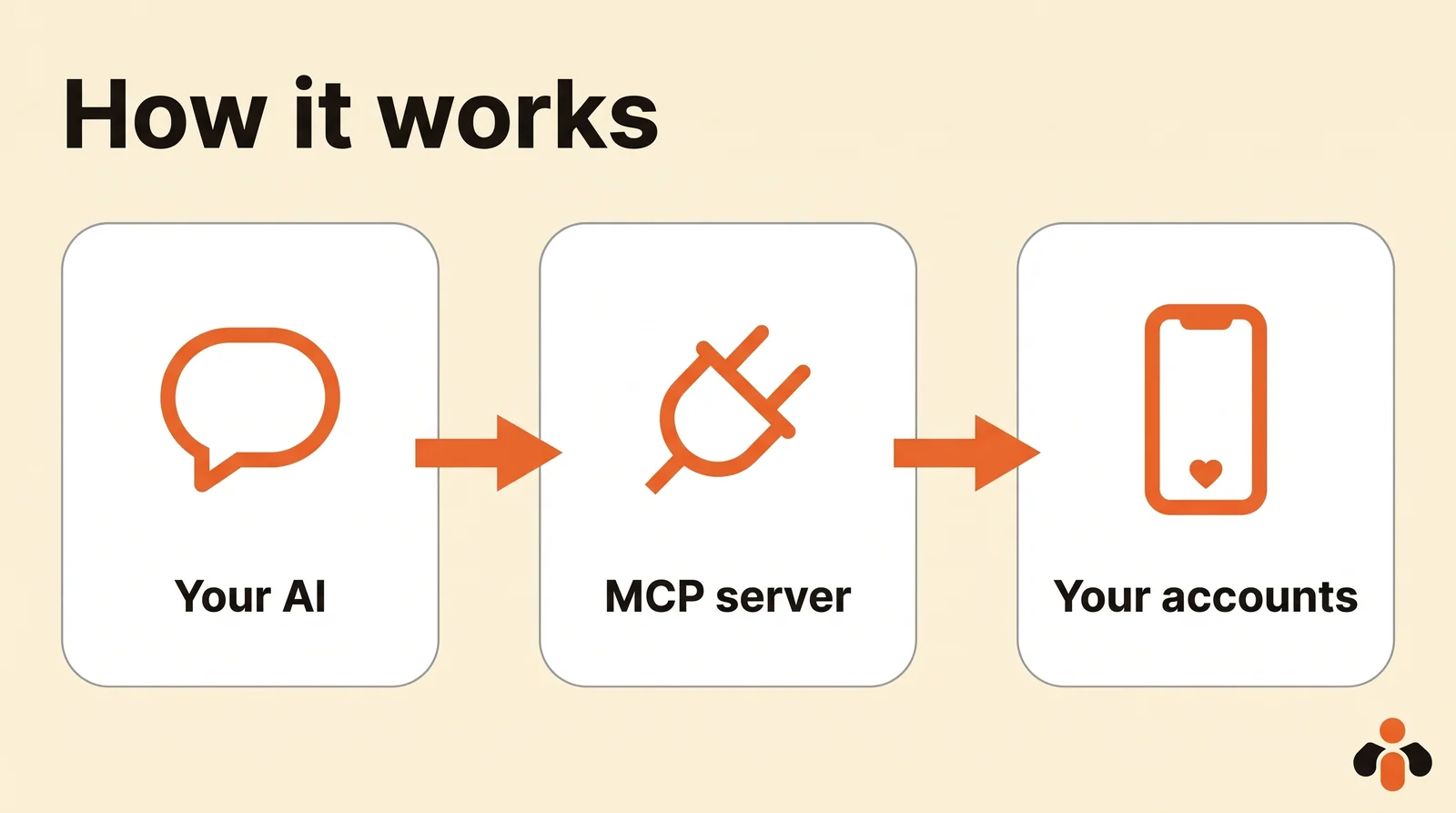
A social media MCP server is simply that plug for your Instagram, TikTok, LinkedIn or Facebook accounts. You write "schedule this for Thursday at 9 a.m. on LinkedIn", the assistant picks the matching tool, and the server sends the post through the network's official interface. You never paste a password into the chat: the accounts are connected once, in the tool's own dashboard or through the network's login screen.
The catch most lists skip is that many servers stop short of publishing. Some only read public data, others only draft. Before anything else, check that the server you pick has a tool that creates and schedules a post.
What to check before you connect one
Six questions sort the field quickly.
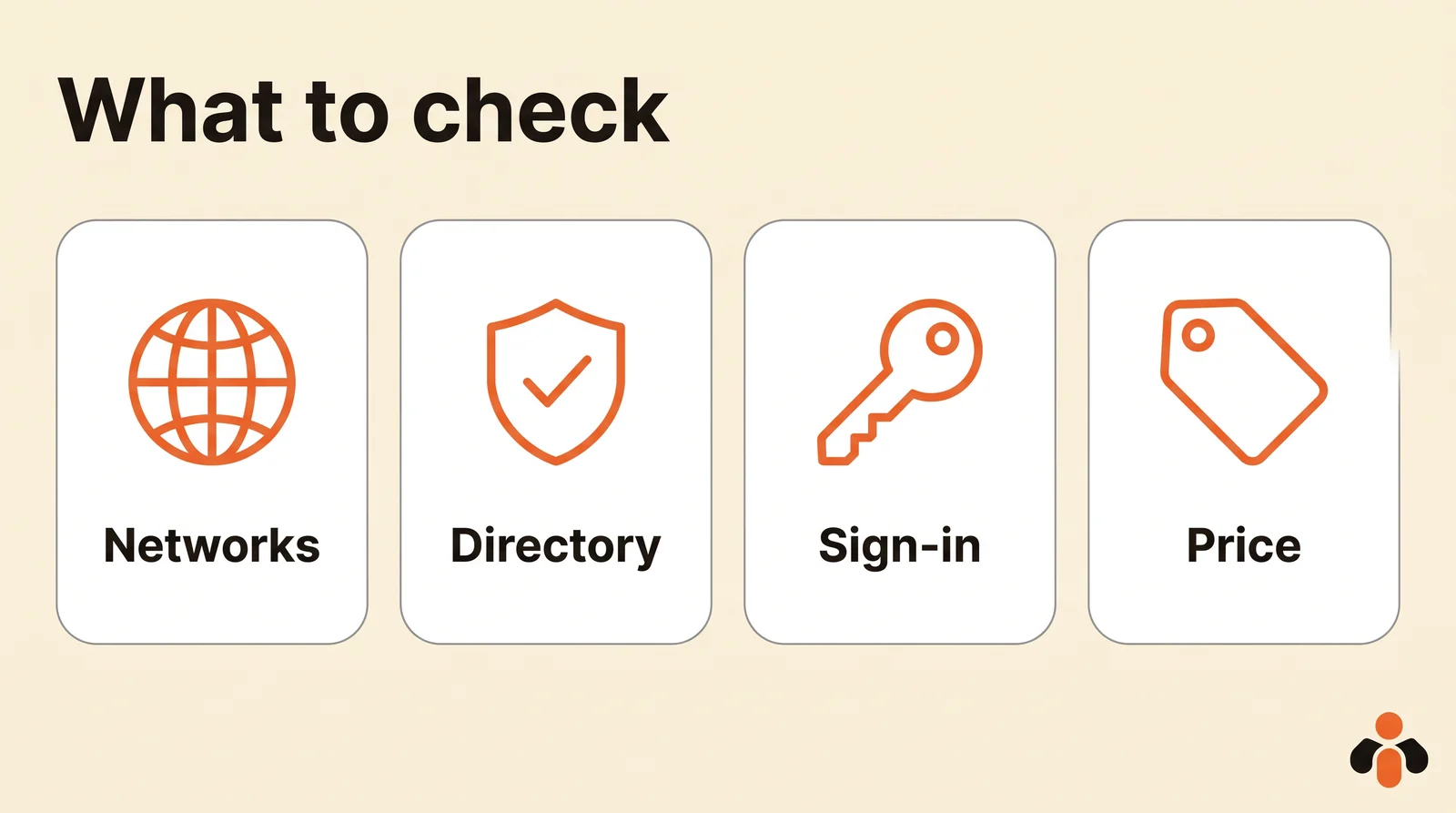
- Networks. Does it cover the networks you actually post to, and the account types you have? A LinkedIn company page and a LinkedIn personal profile are not the same thing for every tool.
- ChatGPT and Claude. Is it listed in the official directories, or do you add it by hand as a custom server? A directory listing means a few clicks; a custom server means an address to paste and, in ChatGPT, a plan that allows it.
- Sign-in. OAuth (a consent screen) or an API key to copy? OAuth is simpler and safer for a chat assistant; a key suits scripts.
- Scheduling and edits. Can the assistant schedule, move and cancel a post, and tell you whether it went out?
- Media. Instagram and TikTok need a photo or a video for every post. Check how the server receives your files.
- Price. The connection is usually free; the bill lives in the plan behind it. Look at what the free plan or trial includes, because some trials exclude the MCP server.
Best social media MCP servers at a glance
Prices and plans as of October 2026, read on each official pricing page.
| Server | Best for | Networks | ChatGPT and Claude | Sign-in | Free option | Paid from |
|---|---|---|---|---|---|---|
| Buffer | A free start with few channels | 12, incl. X, Threads, Pinterest | Claude directory; ChatGPT as custom server | OAuth or API key | Yes, 3 channels | $5 per channel/mo, yearly |
| Postiz | The most platforms, open source | 30+ | Both directories | OAuth | Self-host only, 7-day trial | $29/mo, 5 channels |
| Post Bridge | Many accounts, one price | 10, incl. X, Threads, Pinterest | Both directories | OAuth | 7-day trial | $39/mo, 15 accounts |
| Kreatoai | Posting plus an agent for DMs | 7 | Both directories | OAuth | Yes, 10 posts a month | See its site |
| Metricool | Analytics first | 11, X as add-on | Both directories | Via the directory connector | Yes, 1 brand | $20/mo, yearly |
| Blotato | Creating content and DM automations | 9 | Custom server, per its guides | OAuth or API key | 7-day trial, no MCP | $29/mo, 20 accounts |
| Ayrshare | SaaS builders | 14+ | Custom server | API key | 28-day trial (Launch) | $149/mo |
| Outstand | Usage-based API for agents | 12 | Custom server | API key | No | $19/mo, 3,000 posts |
The best social media MCP servers, by use case
Buffer: best for a free start
Buffer says its MCP access is included on every plan, even Free. Your assistant can create and schedule posts, manage the queue, save ideas and check your connected channels. Posts land in your Buffer queue as drafts or scheduled posts, so you can review them before they go live. In Claude, Buffer is a community connector in the directory; for ChatGPT, its integration page describes a custom MCP server.
- Limit: the price is per channel, so the bill grows with every account you add.
- Price (as of October 2026): free plan with 3 channels and 10 scheduled posts per channel; Essentials at $5 per channel per month billed yearly, with a 14-day trial.
Comparing it to other tools? See our Buffer alternative page.
Postiz: best for the most platforms
Postiz posts to more than 30 platforms, from Instagram and TikTok to Reddit, Discord and Mastodon. It has an official connector in the Claude directory and, according to its ChatGPT page, an app in the ChatGPT directory. Sign-in goes through OAuth with your Postiz account. One nuance: the directory connector leaves out image and video generation, which you get by adding Postiz's custom link instead.
- Limit: no free hosted plan; the free route is hosting the open source version yourself.
- Price (as of October 2026): $29/mo for 5 channels, $39 for 10, $49 for 30, $99 for 100, with a 7-day trial.
Post Bridge: best for many accounts at one price
Post Bridge is built for one person marketing a business. It is listed in the Claude connector directory and in the ChatGPT plugin directory, and you approve access on a consent screen. It covers 10 platforms, including X, Threads, Pinterest and Google Business, with unlimited posts on paid plans.
- Limit: no free plan, only a 7-day trial; team members come with the higher plan.
- Price (as of October 2026): Marketer at $39/mo for 15 accounts, Operator at $99/mo for 99 accounts, MCP and API included.
Kreatoai: best for posting and answering DMs from one tool
Kreatoai is listed in the Claude connector directory and in the ChatGPT plugin directory: you find it, connect, and approve access, with no key to copy. For Claude Code, Cursor or any client that takes a remote MCP address, one URL does it: https://api.kreatoai.com/mcp. It publishes to Instagram, Facebook Pages, TikTok, LinkedIn personal profiles, YouTube Shorts, Bluesky and Google Business, now or at a set time, on the account you name. If no network is connected yet, the assistant can hand you a link to connect one without leaving the conversation. Beyond publishing, on paid plans, an AI agent answers your Instagram and Messenger direct messages with what your business taught it, and hands over to a person when a question goes beyond its scope.
- Limit: no X, no Threads and no Pinterest for now, and LinkedIn personal profiles only, not company pages. From the assistant, it reads neither your analytics nor your direct messages.
- Free option: a free plan with 10 posts a month, no card. See how it connects to Claude and to ChatGPT.
Metricool: best if analytics come first
Metricool is an analytics tool with publishing on top: competitor tracking, reports, an inbox and a link in bio. Its site links to a connector in the Claude directory and to one in ChatGPT, and the Metricool MCP is part of the free plan, with limits.
- Limit: the free plan excludes LinkedIn and X and stops at 20 posts a month; X is a paid add-on on every plan.
- Price (as of October 2026): free for 1 brand; Starter from $20/mo billed yearly ($25 monthly) for up to 5 brands.
Blotato: best for creating the content as well
Blotato pairs publishing to 9 platforms (including X, Threads and Pinterest) with AI images, videos and voiceovers, plus comment and DM automations on Instagram and Facebook. Its MCP server signs in through OAuth in Claude's apps; its Claude Code guide gives the address.
- Limit: there is no free plan, and the 7-day trial excludes the API and the MCP server: creating an API key ends the trial and starts the paid plan.
- Price (as of October 2026): Starter at $29/mo for 20 accounts.
Ayrshare: best for SaaS builders
Ayrshare is a social media API for products that post on behalf of their users. Its Action MCP server, at https://api.ayrshare.com/mcp, lists 33 tools: publish, history, analytics, comments, direct messages and profiles. It authenticates with your API key and enforces the same rules as the REST API. Mind the difference with its separate documentation MCP, which only searches the docs and posts nothing.
- Limit: priced for companies; client sub-profiles need the Business plan.
- Price (as of October 2026): Premium at $149/mo for one profile; Launch at $299/mo with a 28-day trial; Business from $599/mo.
Outstand: best for a usage-based API
Outstand is a unified API for 12 platforms, priced by post rather than by account. Its MCP server exposes 28 tools to Claude, Cursor or any MCP client, set up with an API key and a configuration snippet.
- Limit: X, Google Business, Vimeo and Reddit require you to register your own developer app with each platform first.
- Price (as of October 2026): $19/mo including 3,000 posts, then $0.007 per post up to 10,000.
Need a script rather than a chat? Our comparison of social media scheduling APIs goes further on that side.
Planable vs Buffer vs Hootsuite for MCP
This question comes up often, so here is the short answer, read on each pricing page as of October 2026. Buffer includes its MCP server on every plan, Free included. Planable lists an MCP connector on its Basic, Pro and Enterprise plans (from $33 per workspace per month) and its public API from Pro; its free plan covers your first 50 posts in total. Hootsuite's plans page presents its own assistant, Wisdom, but mentions no MCP server or API, with plans from $99 per user per month billed yearly.
Already living in Zapier, Make or n8n? Each can expose your own workflows to an assistant through MCP, but nothing posts until you build the posting step yourself. A dedicated server saves that work.
How to add a social media MCP server to Claude
Two paths, described by Anthropic's help center and by the tools' own setup pages.
From the directory. Open Customize, then Connectors, browse or search for the tool, and click Connect. Sign in to the tool and approve access. No address to copy.
As a custom connector. On Pro and Max:
- Go to Customize, then Connectors.
- Click + Add, then Add custom connector.
- Enter a name and the server's remote MCP URL, then click Continue.
- Review the detected authentication settings, click Continue, then Add.
Anthropic notes that custom connectors are available on Free, Pro, Max, Team and Enterprise, with one custom connector on Free. On Team and Enterprise, an owner adds it under Organization settings, then Connectors, and each member then connects individually. In a chat, the + button at the lower left, then Connectors, turns each one on or off.
In Claude Code, the same address goes in one command, for example claude mcp add --transport http kreatoai https://api.kreatoai.com/mcp, then /mcp to sign in.
A word of caution from the same page: custom connectors are not verified by Anthropic. Connect only servers you trust, review the permissions you grant, and be careful with "Allow always" on tools that publish.
How to add a social media MCP server to ChatGPT
From the directory. According to OpenAI's help center, open Settings, then Plugins, select the app, click Install plugin, then Connect and approve access. In a conversation, mention it with @ or pick it from the + menu. ChatGPT may ask for approval before an action: read the request before you confirm.
As a custom MCP server. The steps from OpenAI's page on custom MCP servers:
- Go to Plugins.
- Select the plus button, then Add custom MCP server.
- Enter a name and, optionally, a description.
- Under Connection, enter the server's public HTTPS MCP address.
- Configure authentication, review the risk warning and check I understand and want to continue.
- Select Create as a plugin, then review the discovered tools.
Developer Mode is no longer needed first, so older tutorials that ask for it are out of date. The availability is narrower than in Claude: full MCP support is for ChatGPT Business and Enterprise/Edu on the web, Pro can connect custom servers with read and fetch permissions only, which cannot publish, and custom servers cannot be connected on mobile. That is why a server listed in the ChatGPT directory matters if you post from ChatGPT. For an Instagram walkthrough, see how to connect ChatGPT to Instagram.
Key takeaways
- A social media MCP server lets ChatGPT or Claude publish and schedule on your accounts; check first that it publishes, not only drafts.
- Pick by your networks: Postiz covers the most, Buffer, Post Bridge and Blotato add X, Threads and Pinterest, Kreatoai covers seven networks and adds an agent for direct messages.
- A listing in the Claude and ChatGPT directories saves you the custom setup, and in ChatGPT a custom server needs a Business or Enterprise/Edu plan to write.
- OAuth sign-in suits chat assistants; an API key suits developers who build their own agents.
- The connection is free almost everywhere; the plan behind it is what you pay, and some trials exclude the MCP server.
Want to try one now? Kreatoai's free plan gives you 10 posts a month with no card: create an account or see what it does.
Frequently asked questions
- What is a social media MCP server?
- It is a service that gives an AI assistant such as ChatGPT or Claude a set of tools for your social accounts: list the accounts, create a post, schedule it, check whether it went out. MCP (Model Context Protocol) is the shared standard that lets any compatible assistant use those tools. Some servers only read or draft; the ones worth connecting can publish and schedule.
- Can Claude post to Instagram, TikTok or LinkedIn?
- Yes, through a connector that exposes a publishing tool. Claude alone writes the caption; a social media MCP server such as Buffer, Postiz, Post Bridge or Kreatoai sends it to the network you connected, now or at a set time. Instagram and TikTok still need a photo or a video for each post.
- Which social media MCP servers are in the Claude and ChatGPT directories?
- As of October 2026, Postiz, Post Bridge, Metricool and Kreatoai say on their own sites that they are listed in both the Claude connector directory and the ChatGPT directory. Buffer is listed in the Claude directory as a community connector and documents ChatGPT as a custom MCP server. A directory listing means you connect in a few clicks, with no address or key to copy.
- Is there a free social media MCP server?
- Yes. As of October 2026, Buffer includes its MCP server on its free plan (3 channels, 10 scheduled posts per channel), Metricool includes its MCP on its free plan with limits, and Kreatoai offers a free plan with 10 posts a month and no card. Postiz is free only if you host it yourself; Blotato, Post Bridge and Ayrshare start with a trial.
- Do I need an API key to connect a social media MCP server?
- Not with the servers built for chat assistants. Buffer, Postiz, Post Bridge and Kreatoai let ChatGPT or Claude sign in through OAuth, a consent screen where you approve access. Developer-oriented servers such as Ayrshare and Outstand authenticate with an API key, which suits scripts and agents you build yourself.
- Planable vs Buffer vs Hootsuite: which one has an MCP server?
- As of October 2026, Buffer offers an MCP server on every plan, including Free. Planable lists an MCP connector on its Basic, Pro and Enterprise plans, with its public API from Pro. Hootsuite's plans page mentions its own AI assistant, Wisdom, but no MCP server or API.
- Can I add a custom MCP server in ChatGPT on the free plan or on mobile?
- According to OpenAI's help center, full custom MCP connections are available to ChatGPT Business and Enterprise/Edu on the web, Pro can connect custom servers with read and fetch permissions only, and custom MCP servers cannot be connected on mobile. A connector from the ChatGPT directory avoids those limits: you install it from Settings, then Plugins.
Have it done for you
Kreatoai publishes and schedules your posts on all your networks, from your dashboard or by asking ChatGPT and Claude, and its agent answers your direct messages. Ten free posts every month, no credit card.
Try it free